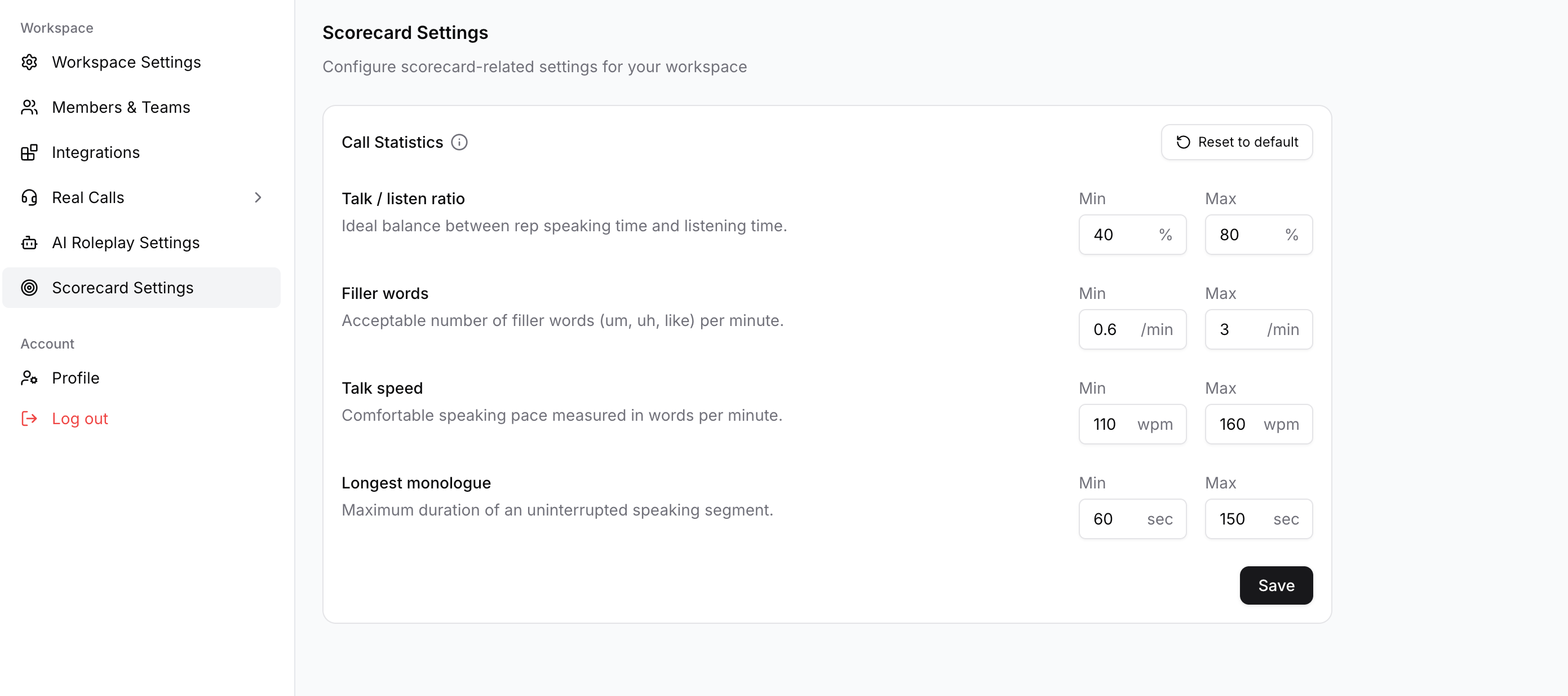
Set org level Call Statistics
Last updated: March 27, 2026
Call Statistics surface four aggregated conversation-quality signals across each call Filler words, Longest Monologue, Talk Speed, and Talk/Listen Ratio.
Filler words: count of non‑content tokens (e.g., "um", "uh", "like") per minute, signaling hesitancy or poor phrasing.
Longest monologue: duration of the single longest uninterrupted speaker turn (seconds), flagging one‑way talking.
Talk speed: average words per minute, indicating whether pacing is too fast or too slow.
Talk/Listen ratio: percentage of total talk time by the rep vs the other party, measuring conversation balance.
Where to find & change
Click your workspace name → Settings.
Open Scorecard settings
Set the desired range for the 3 call statistics parameter.
Click Save to apply changes.
To reset: open the same panel and click Reset to defaults (or Restore defaults) → Save.