How To: Export Data in Hyperbound
Last updated: January 6, 2026
Hyperbound gives you two easy ways to access and export your performance data:
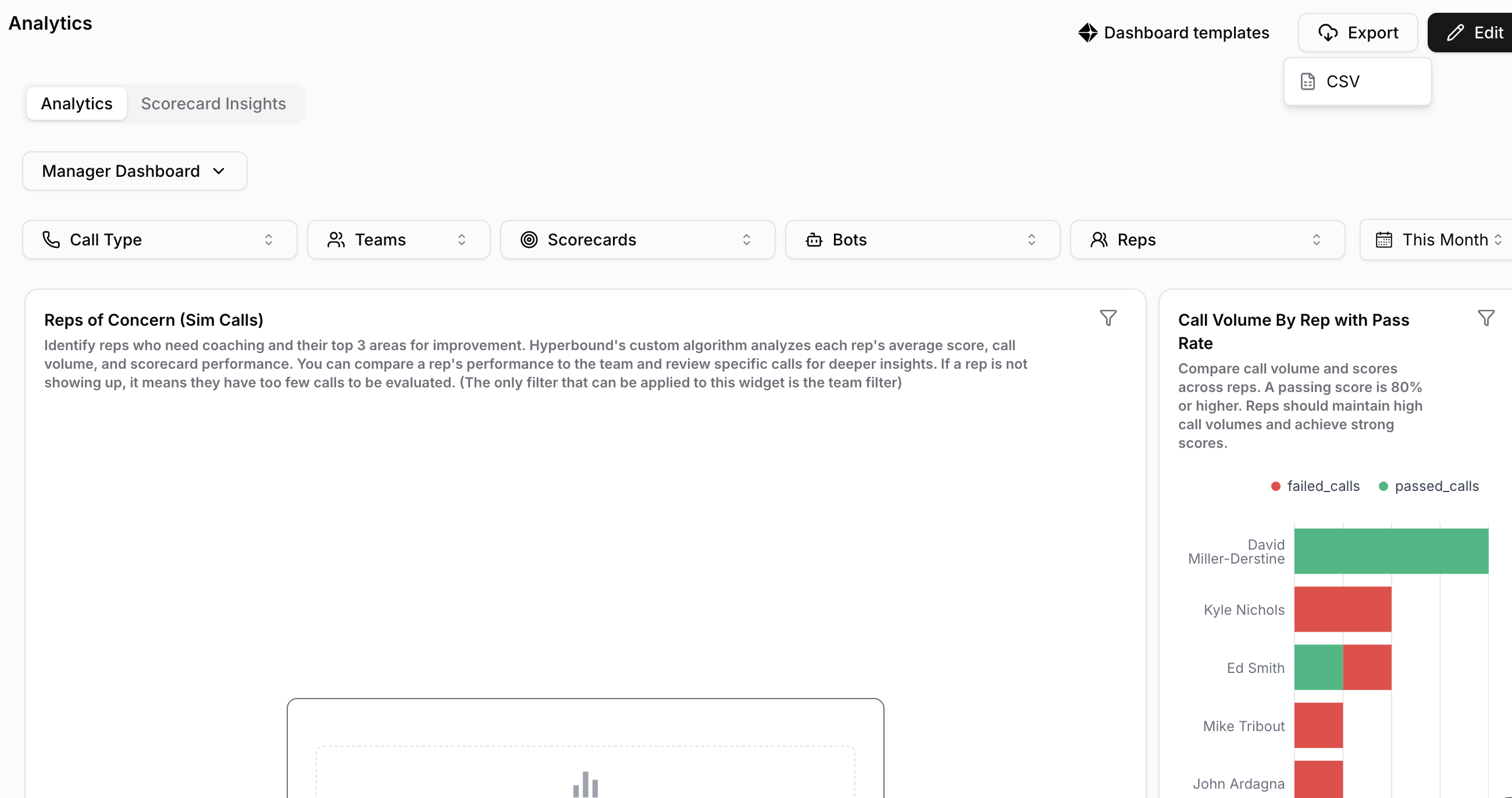
Export directly from the Analytics tab
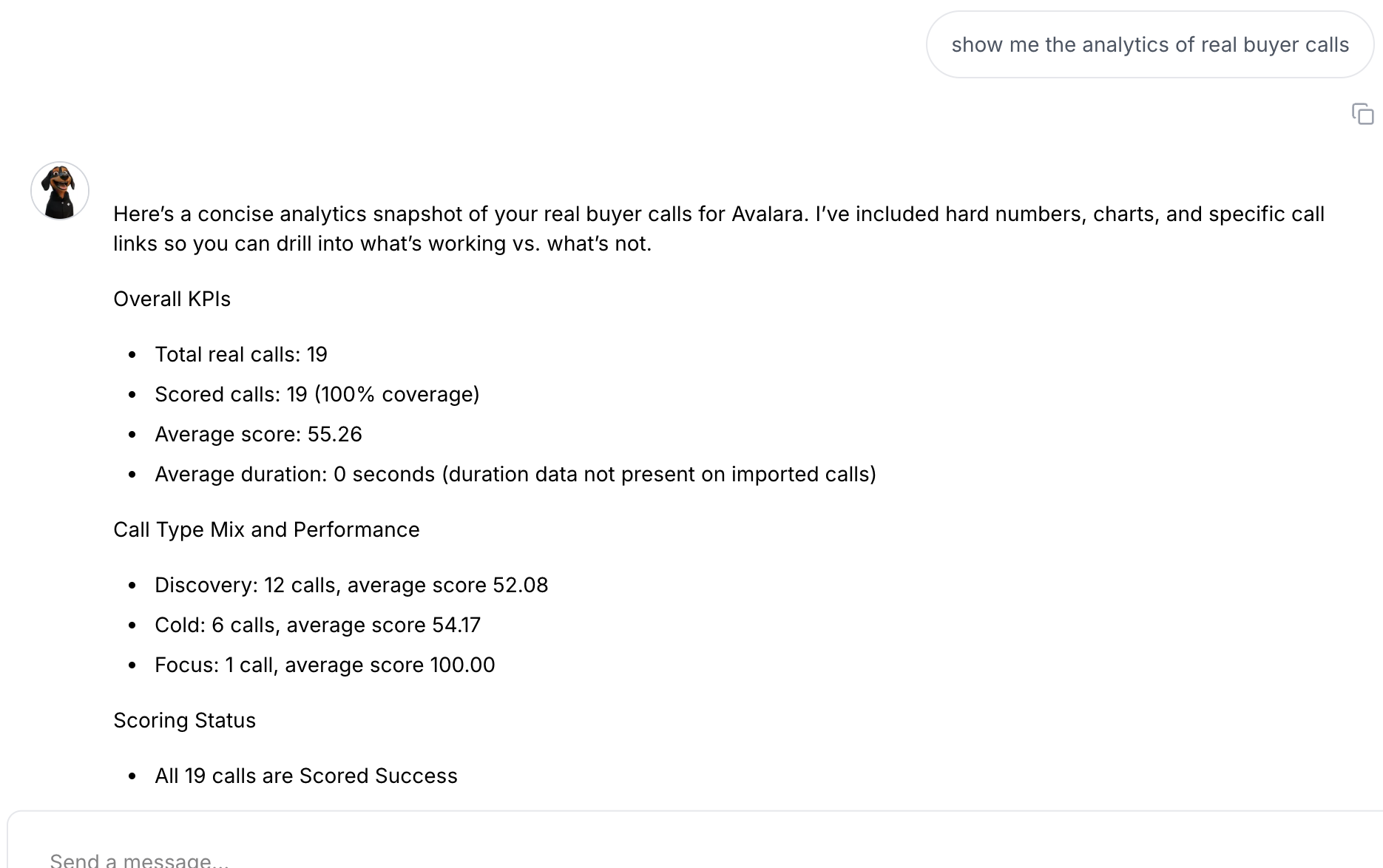
Ask Kota (our AI) to generate reports for you
Both options give you visibility into call scores, performance trends, and coaching insights, just in different ways.
Option 1: Export Data from the Analytics Tab
Use this option when you want a structured data export (CSV) that you can open in Excel, Google Sheets, or share with your team.
Step-by-Step
Log in to Hyperbound
Navigate to the Analytics tab from the main menu
Select the data you want to review (calls, scorecards, users, time range, etc.)
Apply any filters you need (date range, bot, rep, score)
Click Export
Download the file (CSV format)
Best for:
Offline analysis
Sharing reports with leadership
Uploading data into other tools (LMS, CRM, spreadsheets)
Option 2: Get Reports from Kota (Your AI Analyst)
Kota is Hyperbound’s AI that can analyze your data and summarize insights for you, no exporting required but you can always download them.
Step-by-Step
Open Kota inside Hyperbound
Ask a question in plain English, such as:
“Show me call performance by rep last week”
“Which calls scored below 70% and why?”
“Summarize coaching trends for this month”
Kota instantly analyzes your data and generates a report
Review insights, summaries, and recommendations directly in the platform
Best for:
Quick insights without downloading files
Coaching and performance reviews
Identifying trends, strengths, and gaps