How To: Create multi-lingual bots
Last updated: August 19, 2026
Multilingual Bots let you offer the same bot in multiple languages so callers can choose the language they are most comfortable with. You set a primary language, then add additional languages that callers can select when starting a call.
This is useful when you want to:
Support global teams and prospects in their preferred language
Run roleplays across regions without duplicating bots
Standardize training while keeping local language fidelity
How to build Multilingual Bots
Go to Buyer Bots
Open an existing bot or create a new one
Click Edit
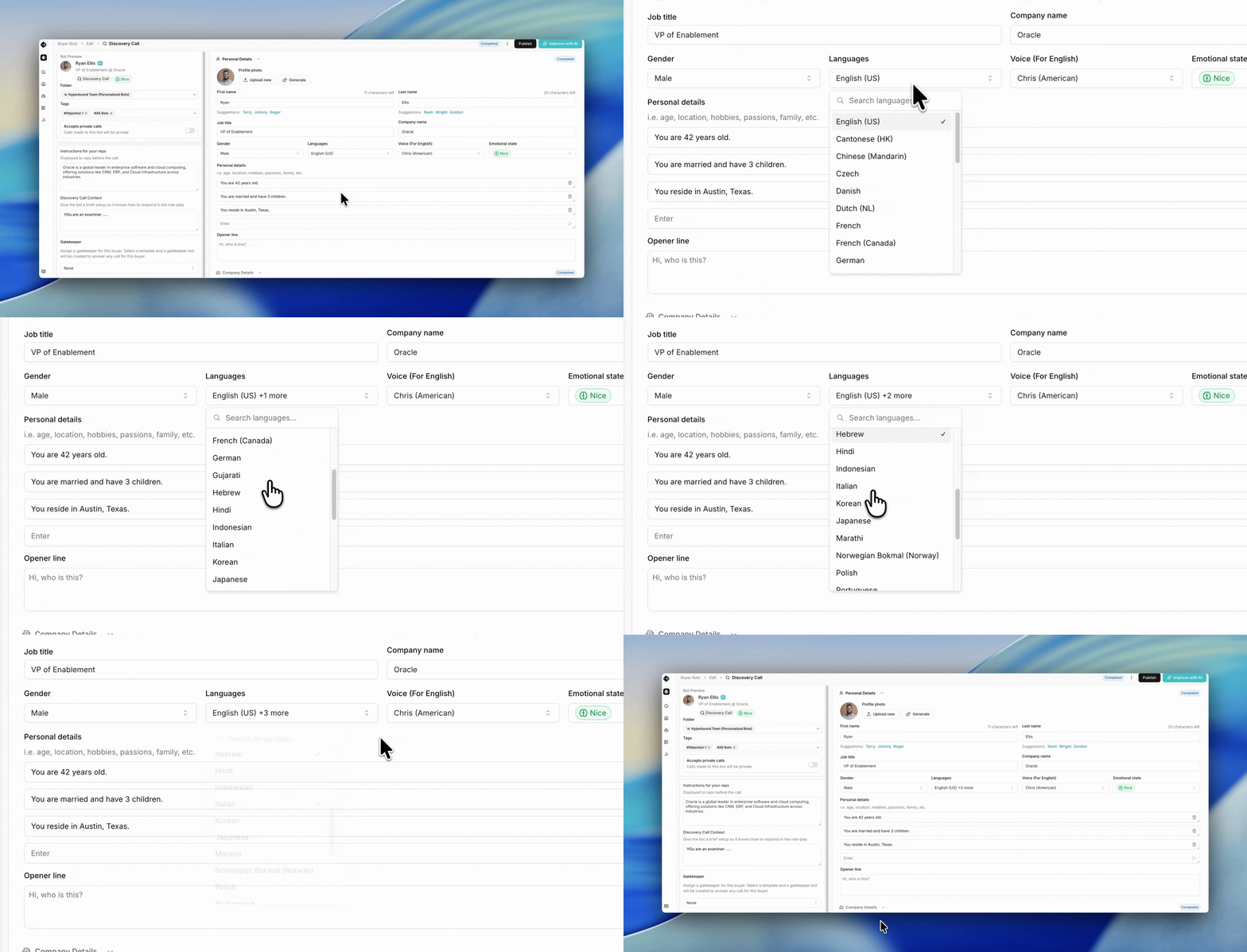
In Personal Details, find the Languages drop down
In edit mode, use the Available Languages section to add or remove languages
Voice selection is available for English only.
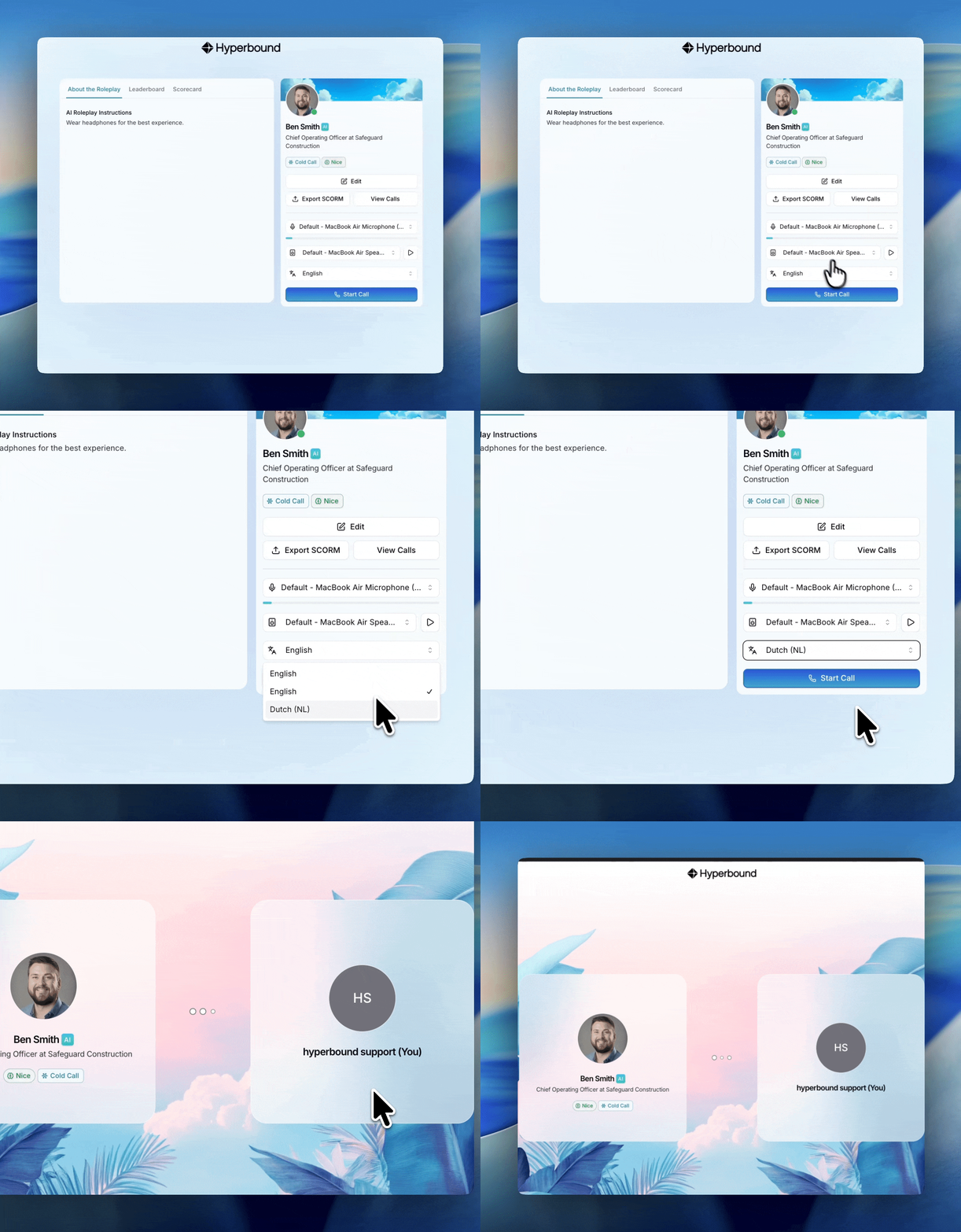
How do rep call these Multilingual Bots?
Before they "Start call", the reps can choose the language.
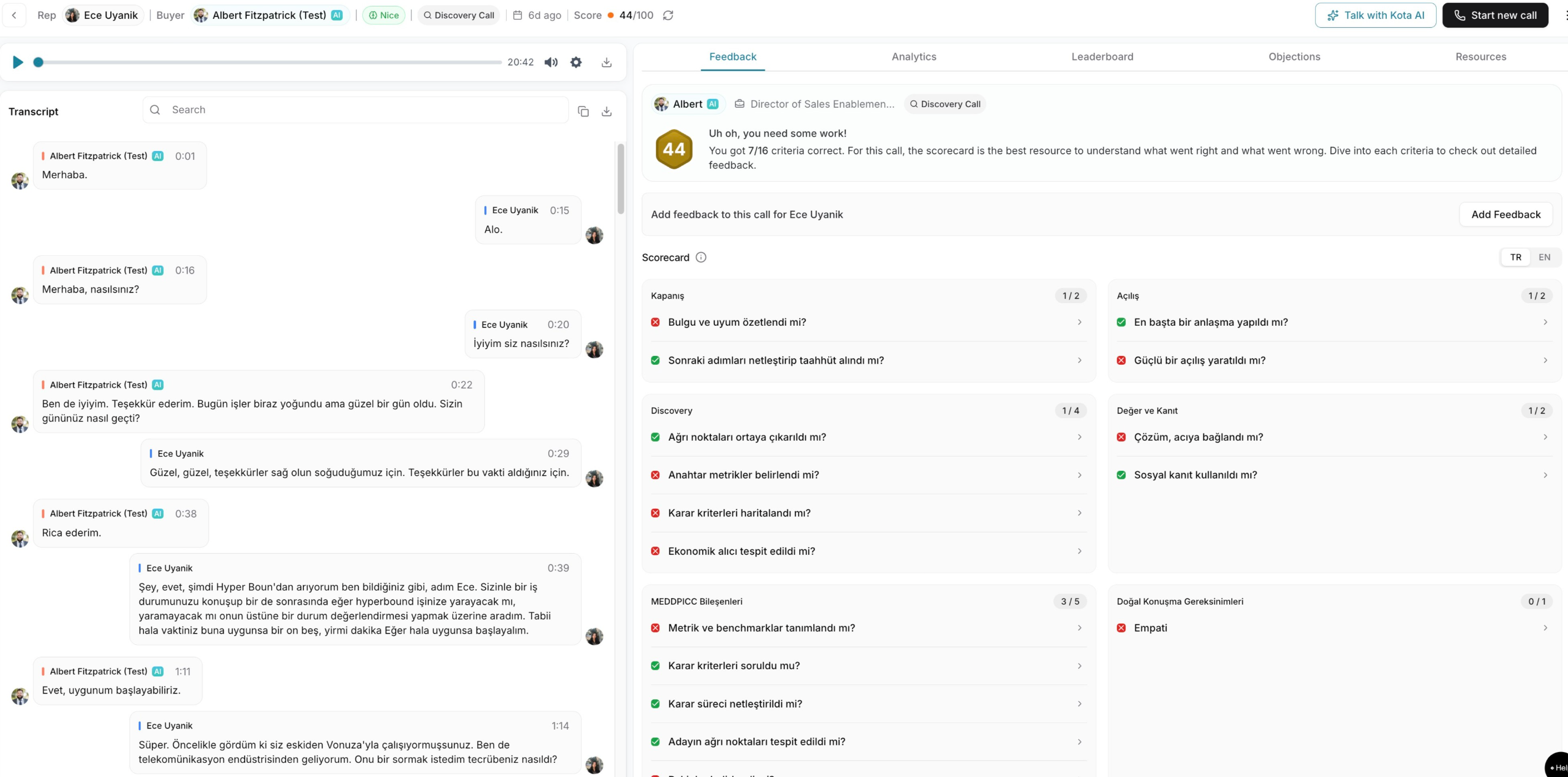
Get to see the feedback in the native language
In the post call screen, you can see the AI feedback and coaching in both english and the native language.
Auto selection of language
The user's last used language is saved and will be auto-selected before they start the next call!
Need Help?
If you have questions, reach out to support@hyperbound.ai