How to: Add and Edit a Gatekeeper in Hyperbound
Last updated: December 1, 2025
Gatekeepers in Hyperbound represent the blockers or routing steps your reps may encounter during outbound calls. You can add them either while creating a new bot or by editing any existing bot.
1. Two Ways to Add a Gatekeeper
A. Adding a Gatekeeper While Creating a New Bot
When building a new bot, the Gatekeepers tab appears inside the configuration flow.
B. Adding a Gatekeeper to an Existing Bot
You can also add Gatekeepers to any bot you already have configured.
2. Navigate to the Gatekeepers Section
In the left sidebar, go to AI Roleplays.
Select the Bot you want to modify.
Open the Gatekeepers tab (located below the Bot Preview).
3. Gatekeeper Types
Inside the bot, users can choose from three predefined Gatekeeper types:
Easy – Low resistance
Medium – Moderate objections
Hard – Strong objections, more challenging behavior
These difficulty levels determine how the Gatekeeper will interact during the call simulation.
4. Editing the Gatekeeper Opening Line
Each Gatekeeper type comes with its own default opening line.
You can edit this opening line to customize the Gatekeeper’s tone and behavior.
Note: Gatekeepers typically inherit the general opinions and personality traits of the bot’s main persona.
For example, if the bot represents a CRO, the Gatekeeper will reflect the same type of language, tone, and opinions unless customized.
This ensures consistency across the call experience.
5. Assign a Scorecard to the Gatekeeper
After selecting a Gatekeeper type, choose a Scorecard for that Gatekeeper.
The Scorecard defines:
What skills the rep should demonstrate
The evaluation criteria during the Gatekeeper interaction
The scoring logic applied in the simulation
6. Publish the Bot
Once the Gatekeeper type and Scorecard are selected:
Click Publish Bot.
The Gatekeeper will now be active for that bot.
7. How Gatekeepers Appear in Calls
When a call includes a Gatekeeper:
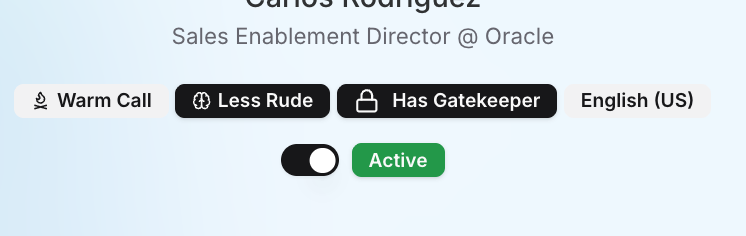
Hyperbound clearly indicates that a Gatekeeper is part of the call
The call simulation follows the selected Gatekeeper difficulty
Scoring reflects the linked Gatekeeper scorecard
Need help?
Visit support.hyperbound.ai or reach out to our support team via chat.