Practice Bots: Enabling Private Calls for Reps
Last updated: April 1, 2026
Overview
Reps often need a safe space to practice without the pressure of being evaluated. Hyperbound’s Practice Bots feature allows admins to create bots that accept private calls, giving reps a way to practice on their own. These calls are visible only to the rep who made them, and neither scores nor feedback are shared with others.
How It Works
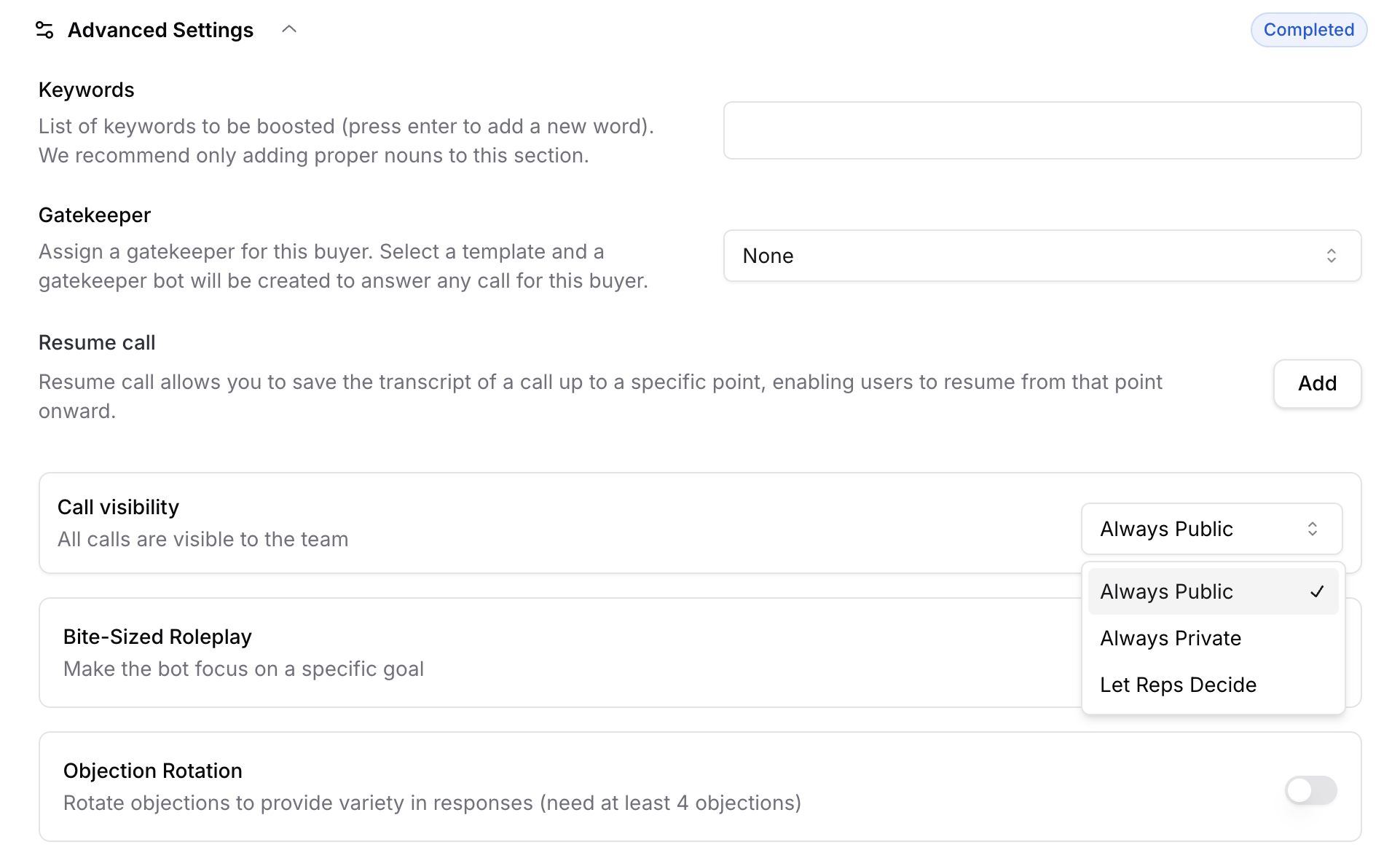
Go to the Bot Creation page.
Under Advanced Settings, Choose the Call visibility:
Always Public: All calls made to the bot will be public, meaning it will be visible to all users.
Always Private: All calls made to the bot will be private by default, meaning the call will be visible only the person who made this call
Let Reps Decide: Rep's will be given a change to choose how they want to take this call, Private or Public.
Hit Publish.
That’s it!! Your bot is now set up!
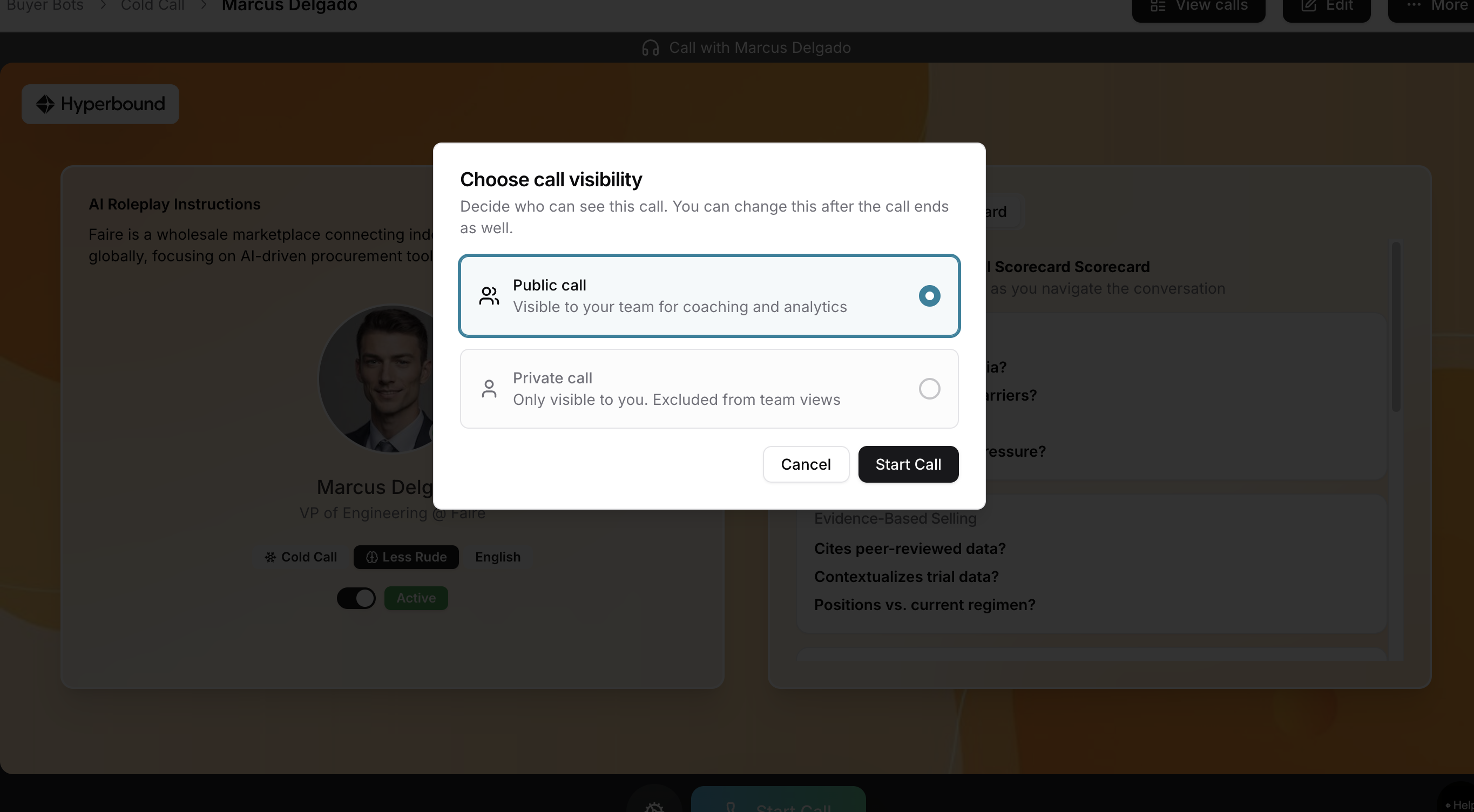
Reps’ Experience for taking the call (Let Reps Decide)
Bots configured as "Let rep's decide" will be asked to choose the call visibility mode.
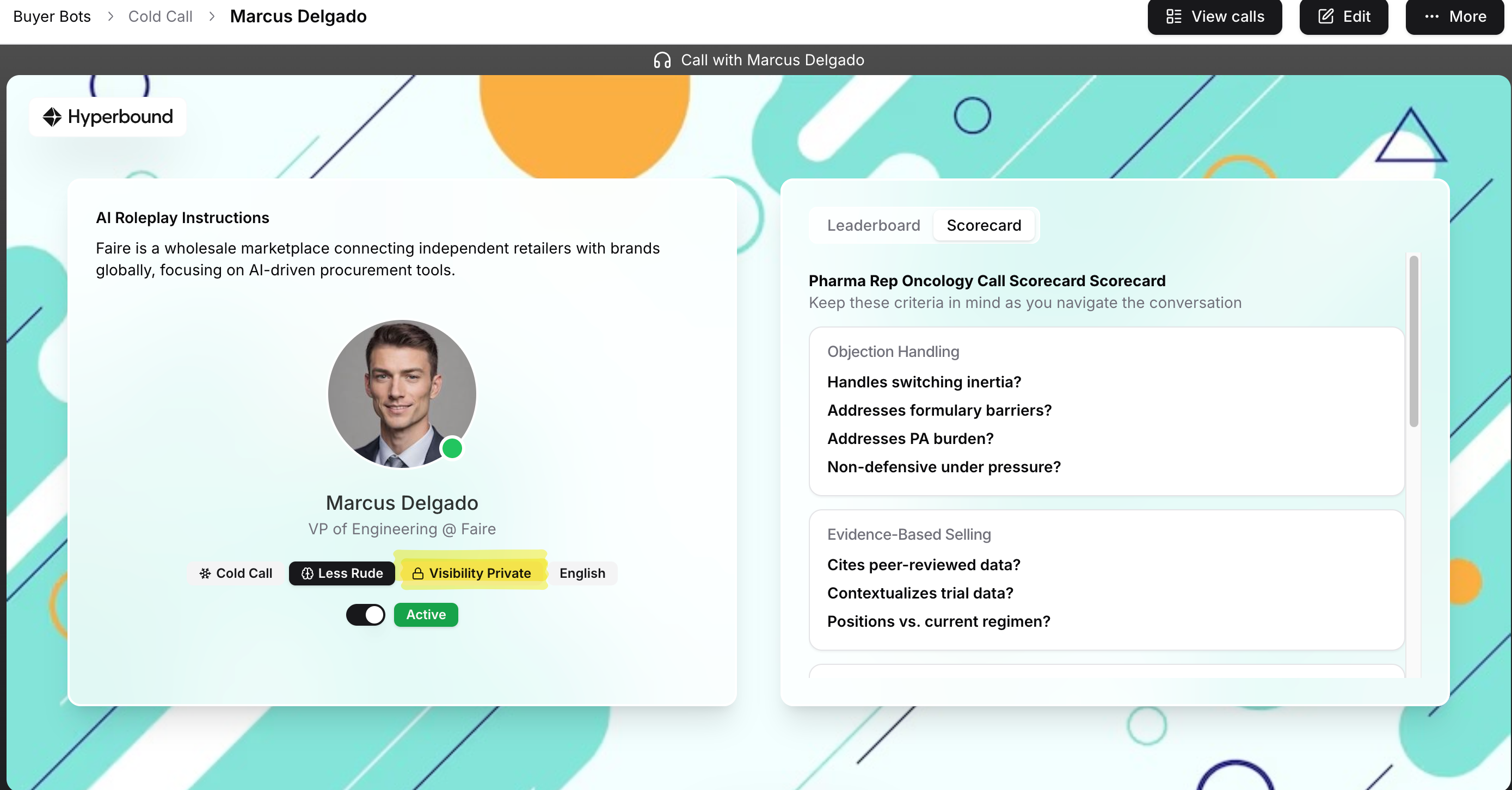
Rep's Experience for taking calls (Always Private)
There's a clear indicate before the rep takes the call that this call will be a private call.
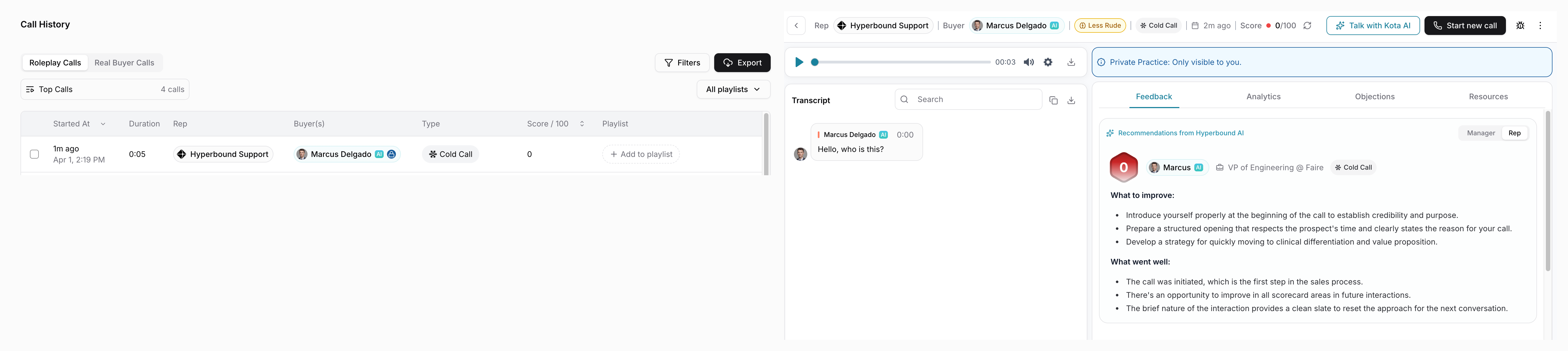
Rep's Post call view for private calls
After finishing the call:
A banner confirms that this was a private call and only the rep can view it.
On the Call History page, private calls are also clearly marked.
No other users can access the transcript, scores, or feedback from these sessions.
Changing Call visibility
Reps have the flexibility to change the call visibility after they finish taking the call as well. This flexibility is only available for bots that has the Call visibility setting of "Let Rep's decide"
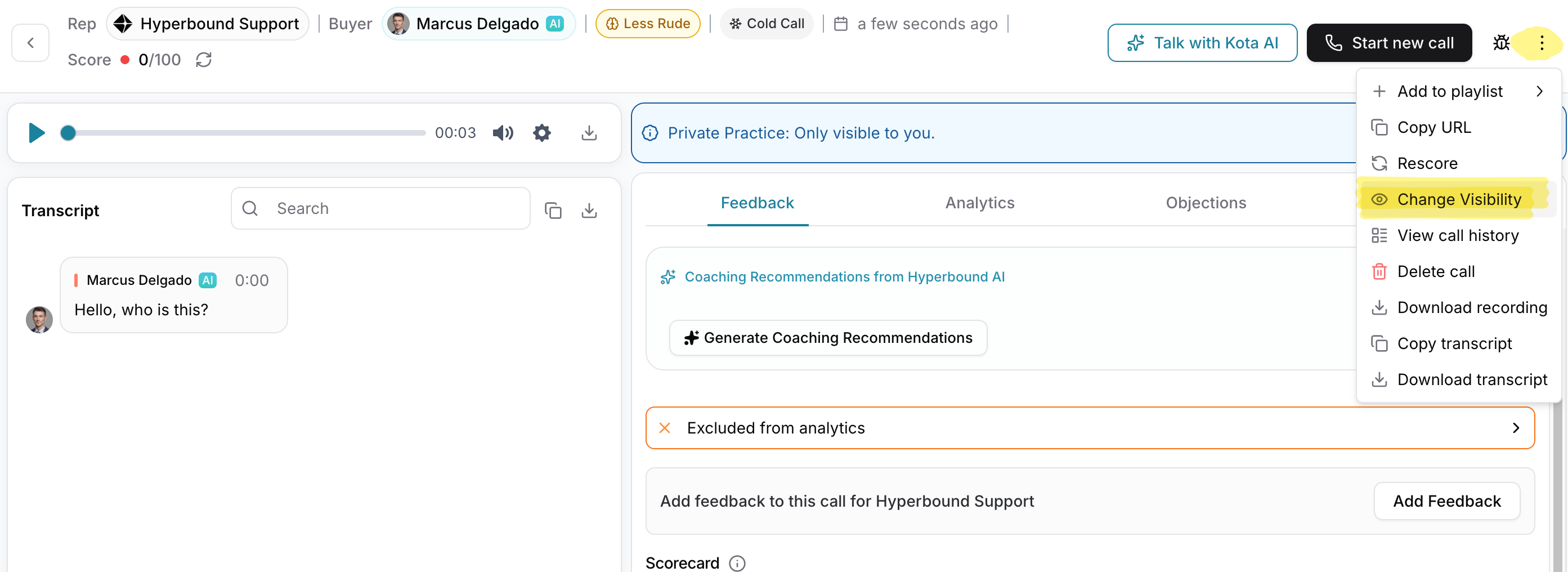
Admin View of Private Calls
Admins can see that a private call was made (e.g., in the call list), but they cannot:
View the call details.
Access scores or feedback.
Click into the private call to review the conversation.
This ensures that practice sessions remain strictly between the rep and the bot.
Analytics & Reporting
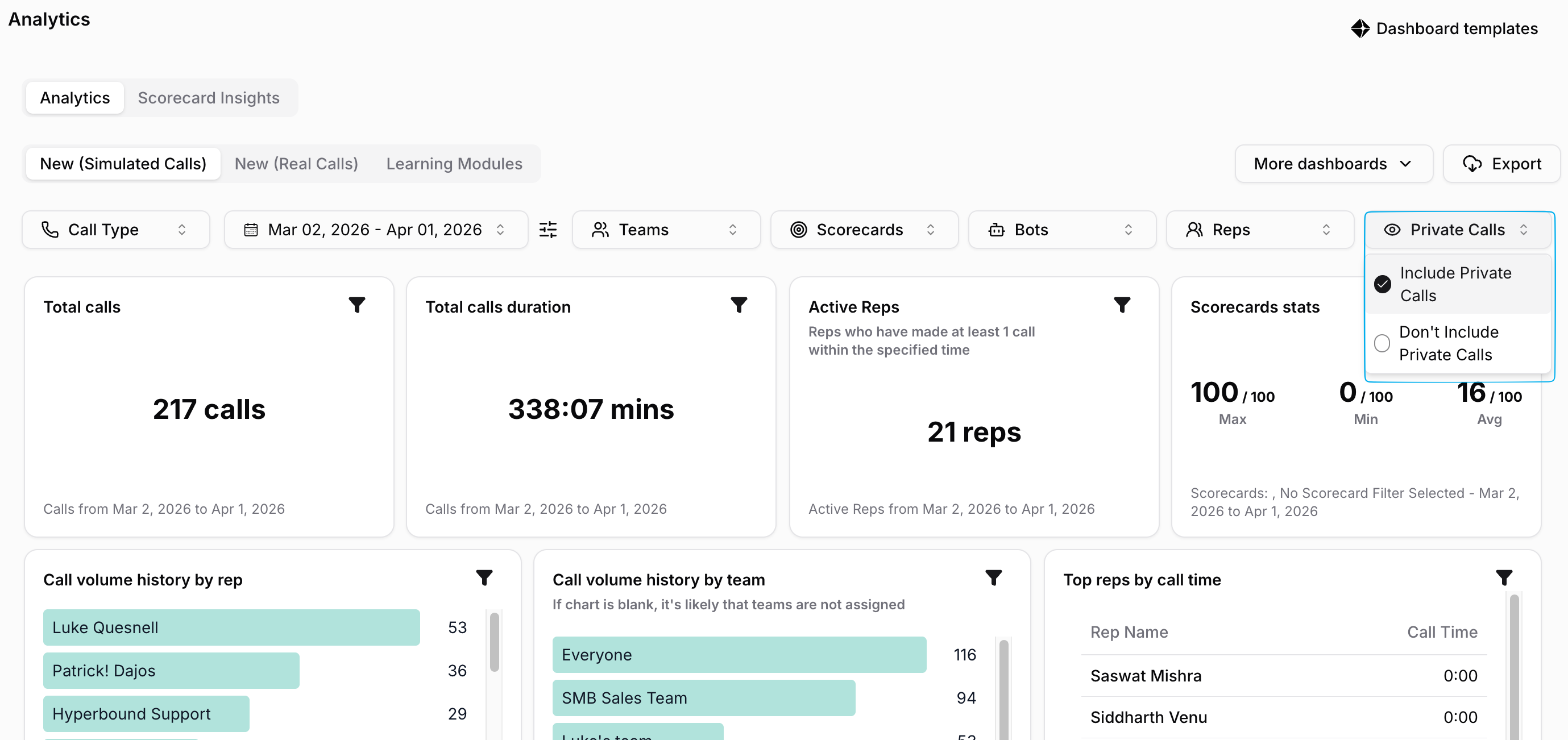
A common question is how private calls affect analytics. Here’s how it works:
Each call has a Private flag by default.
The dashboards have a Private calls filter which can be used to include/ exclude private calls.
You cannot drill down into individual private calls in the dashboards. It’s designed for holistic reporting, not rep-level evaluation.
Best Practice
We strongly recommend creating two separate sets of bots:
Practice Bots: Make these Always Private or Let Reps decide so that the reps feel completely safe when they are practicing
Certification or Call Bots: Make these Always Public, for monitored and evaluated sessions.
This separation makes it easy to manage reporting and expectations for each type of session.
Further Questions?
If you have questions or need assistance setting up practice bots, reach out to the Hyperbound team.