Ask Kota Directly From Your Analytics Widgets
Last updated: July 13, 2026
Your analytics dashboards show you what's happening. Kota now helps you decide what to do next, right from the widget you're looking at.
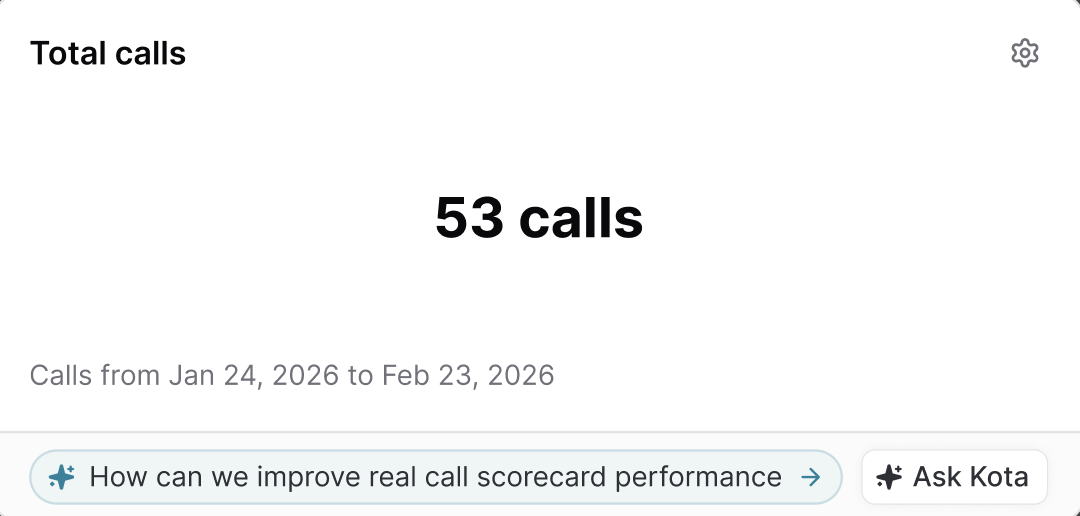
Key widgets in Analytics now include two options:
Suggested Prompt – a ready-made question tailored to that widget. For example, a scorecard trends widget might suggest "Which reps need coaching based on recent trends?"
Ask Kota – opens a Kota chat so you can ask your own question about the data.
How It Works
Open any dashboard in the Analytics section.
On a supported widget, click the Suggested Prompt or Ask Kota button.
A Kota chat opens with the widget's context already loaded, so you can dig into the data, compare reps or teams, and get recommended next steps without re-explaining what you're looking at.
More to know
Kota has access to the same data your analytics widgets use, so you can go deeper than what's shown on the dashboard.
Not every widget includes these buttons. Some widgets are self-explanatory, so suggestions appear only where a next step makes sense.
Related Articles