Welcome to Your New Hyperbound Home Page
Last updated: April 29, 2026
Your home page gives you a personalized snapshot of what matters most — right when you log in. Here's a guide to everything you'll see.
Prep for upcoming call
Enabled for Hyperbound Perform + Members Only
If you have a calendar meeting coming up soon, an Upcoming Call Card will appear here showing the meeting title, time, and relevant deal or rep context. From there, you can:
View Deal: jump to the deal details
Prep Call: open a pre-call prep sheet to get ready

Quick Create
Enabled for Admins and Memberplus only
Admins can now quickly create AI Roleplay bots, scorecards, Learning modules and Competition right rom the home page.
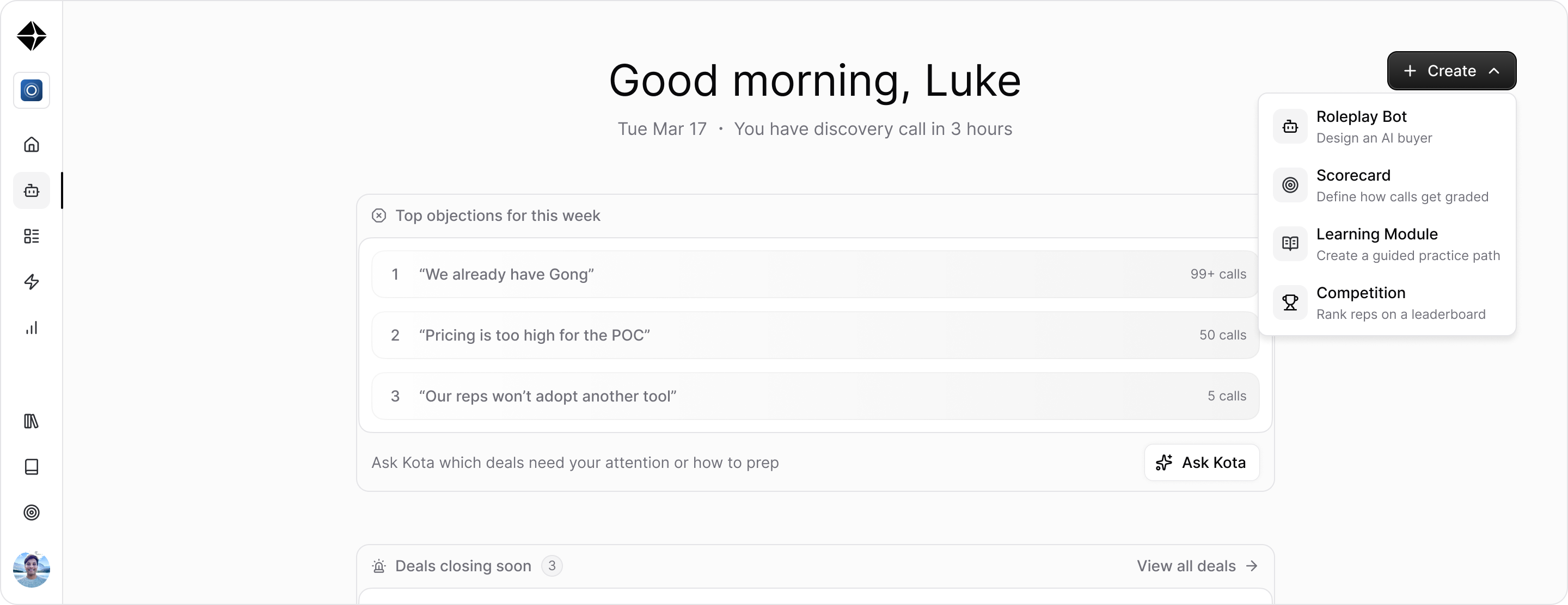
Kota
At the top of the page, you'll find the Kota, your always-available AI Revenue assistant.
Type any question to ask Kota directly
Use the suggested prompts for quick insights
Access your chat history from the popover
Kota is also embedded at the bottom of several widgets with pre-filled prompts relevant to what you're looking at.
Deals Closing Soon
Enabled for Hyperbound Perform + Admins Only
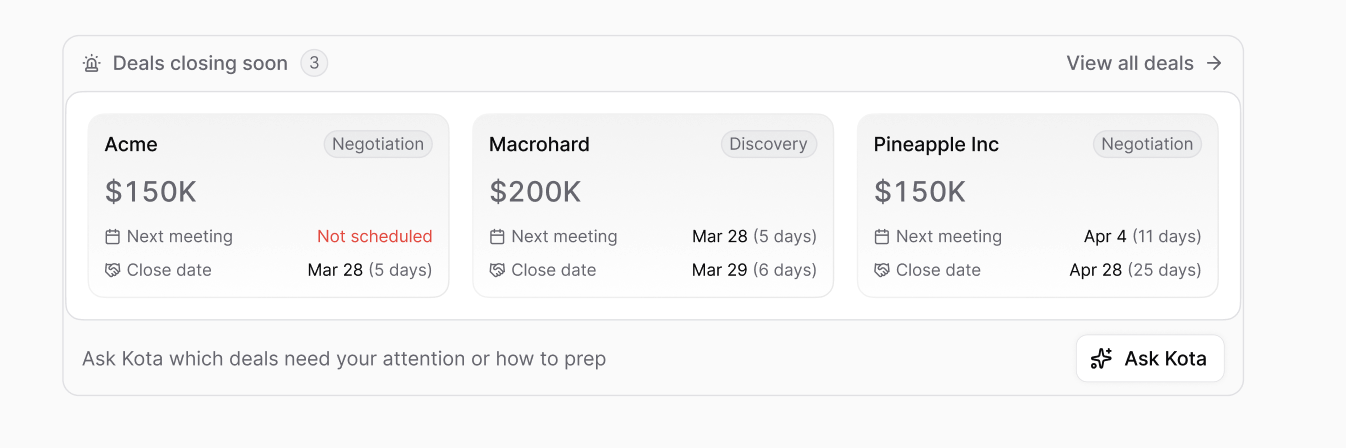
This widget surfaces deals with upcoming close dates so nothing slips through the cracks. For each deal, you'll see:
Company name and deal name
Current pipeline stage
Deal amount
Next meeting date and close date
Click any deal to go to its detail page, or use View all deals to see your full pipeline.
There's also a quick Ask Kota shortcut at the bottom to get AI-powered insights on which deals need attention.
Recent Activity
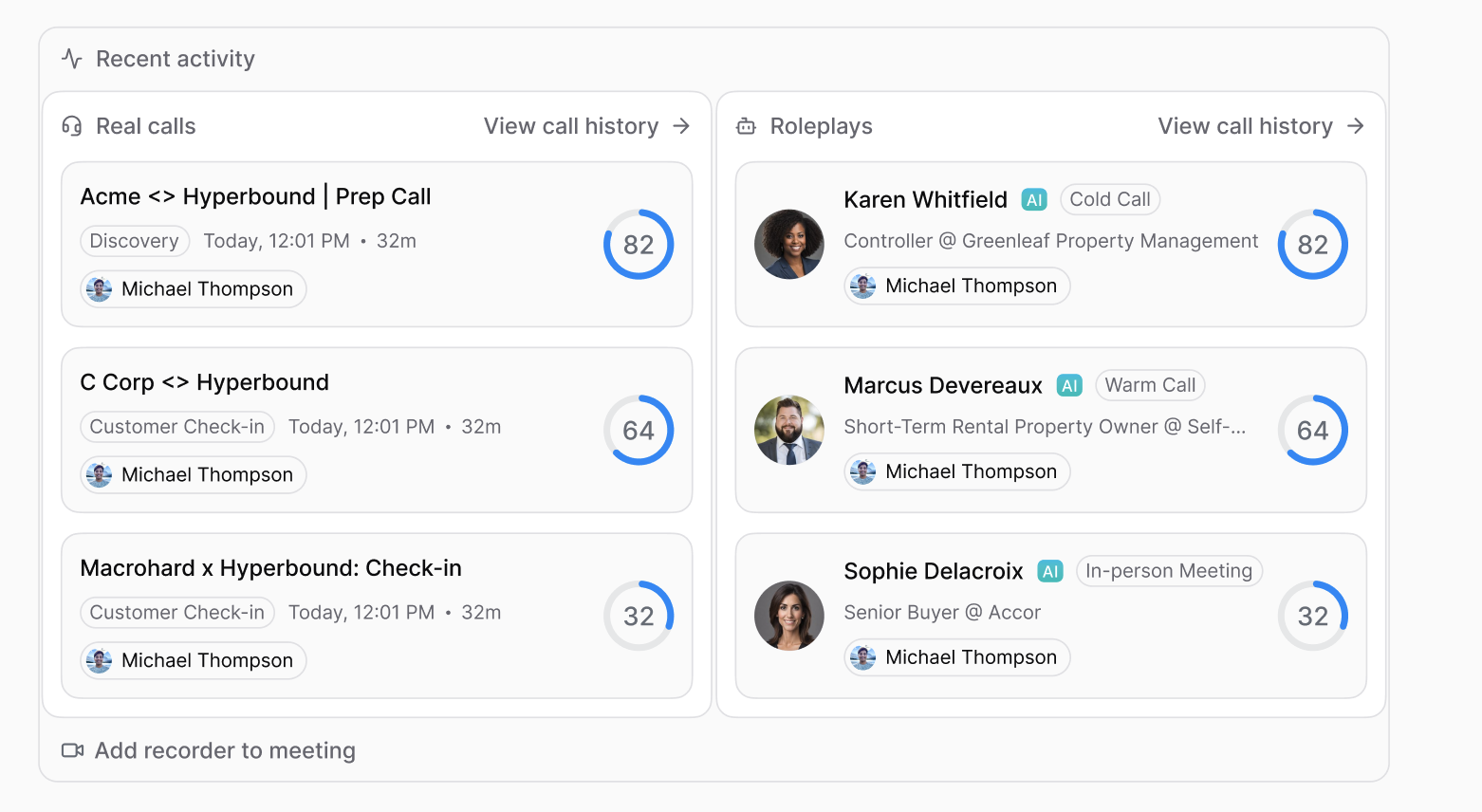
This widget shows your most recent roleplays and real calls side by side so you can pick up right where you left off.
Roleplays are marked with an AI badge and link to the full call with scores
Real calls link to the recorded and scored call page
"View call history" takes you to the full history for each type
If you have the hyperbound meeting recorder set up, you'll also see a quick link to Add recorder to meeting.
If your workspace has AI Roleplays only, you will see just the Roleplay calls
Continue Training
Enabled only for Reps (Members)
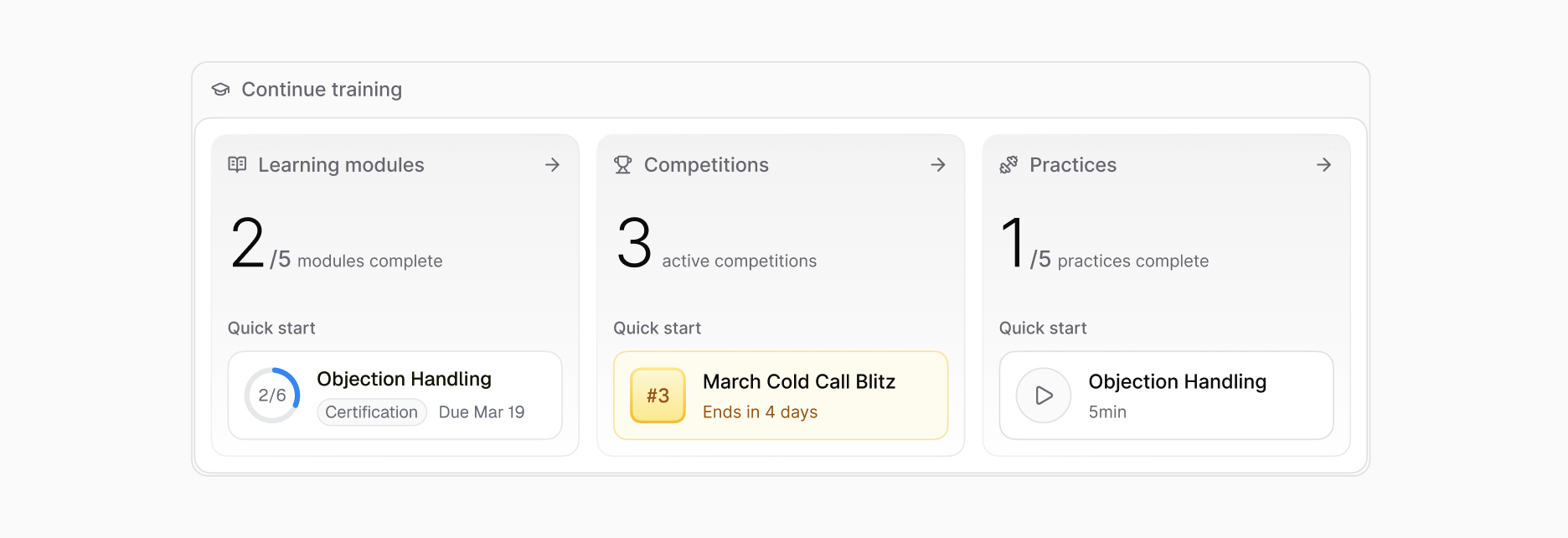
For sales reps, this widget keeps your learning on track. It shows three cards:
Learning Modules — how many you've completed, which module to start next, and any overdue items
Competitions — how many active competitions you're in and your current standing
Top Objections
Enabled for admins only for Hyperbound perform
Admins see a ranked list of the most common objections your team has encountered this week. This is useful for spotting patterns and coaching opportunities.
There's a Ask Kota shortcut at the bottom pre-loaded with a question about how your team is handling these objections.
Discover
Enabled only for Admins
A set of resource cards to help admins get the most out of Hyperbound — covering features like Perform, the Chrome Extension, and Kota AI. Each card links to a blog post or guide.
If you have questions about any of these features, reach out to our support team. (support@hyperbound.ai)