Learning Modules Analytics Dashboard
Last updated: April 1, 2026
Learning Modules Dashboard gives you a unified view of training performance across your entire organization.
Previously, the data was only visible at the individual module level. Now, you can analyze progress across all learning modules and all reps in one place.
What’s new:
Track completion and engagement across all modules at once
Compare performance across reps and teams
Identify trends without opening individual modules
Widget 1: Learning Modules Summary
The Learning Modules Summary provides a centralized view of all active modules.
What you can see:
Completion rates across modules
Number of assigned users and progress status
Activity indicators such as calls and scores
Number of Assignments
Why it matters:
This view helps you quickly identify which programs are on track and which require attention. For example, a high number of “Not Started” users may indicate low adoption, while low activity may signal lack of engagement.
Widget 2: Learning Modules by Rep
The Learning Modules by Rep view focuses on individual progress.
What you can see:
Number of modules assigned to each rep
Overall completion rate
Total activity (such as calls completed)
Why it matters:
This helps you understand how individuals are progressing and where additional support may be needed. It also makes it easier to identify trends across teams, such as uneven adoption or workload imbalance.
Filters
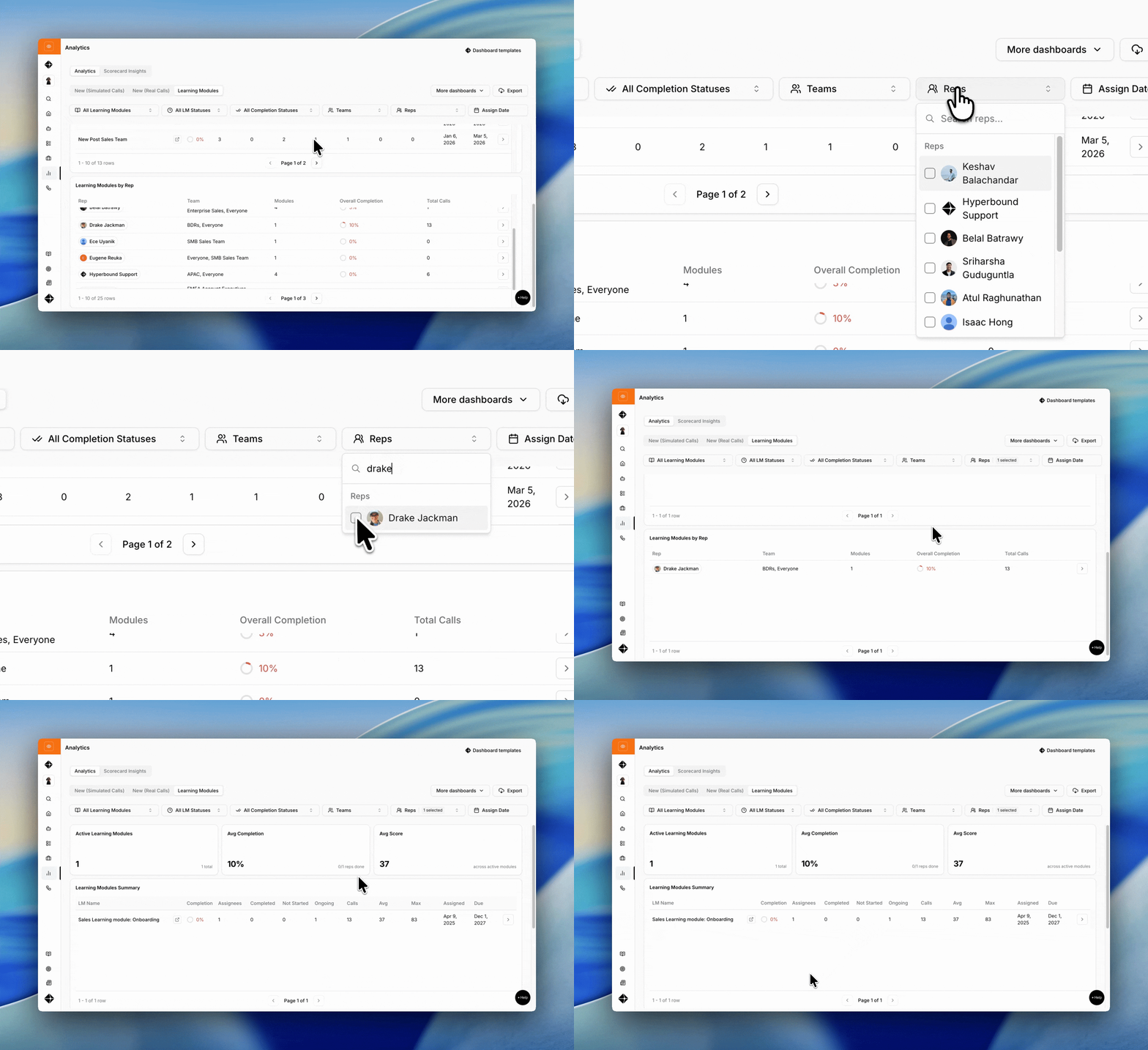
Filters allow you to refine the data based on specific criteria, including:
Learning Module
Completion Status
Team
Rep
Assignment Date
Why it matters:
Using filters, you can quickly isolate specific groups or timeframes to better understand performance. For example, you can review progress for a single team or analyze completion rates for recently assigned modules.
Export
The Export feature allows you to download learning module data for further analysis or reporting.
Common use cases:
Sharing progress updates with stakeholders
Tracking enablement initiatives over time
Combining training data with other performance metrics
Getting the Most Value
Learning Modules are most effective when used as an ongoing system rather than a one-time assignment tool.
To maximize impact:
Regularly review completion and engagement metrics
Identify and follow up on low adoption or stalled progress
Use insights to refine and improve training programs over time
By consistently monitoring and acting on these signals, teams can ensure that training leads to meaningful and measurable improvement.