Enabling the N/A Option on Scorecard Criteria
Last updated: April 28, 2026
The Enable N/A setting lets the AI mark a scorecard criterion as "Not Applicable" when that criterion simply doesn't apply to a particular call. When a criterion is marked N/A, it is completely excluded from the score it does not count toward the rep's achieved score or the maximum possible score, so it never drags down an otherwise good call.
This article explains where to find the setting, how to turn it on, and how scoring is affected when a criterion is marked N/A.
Where to find it
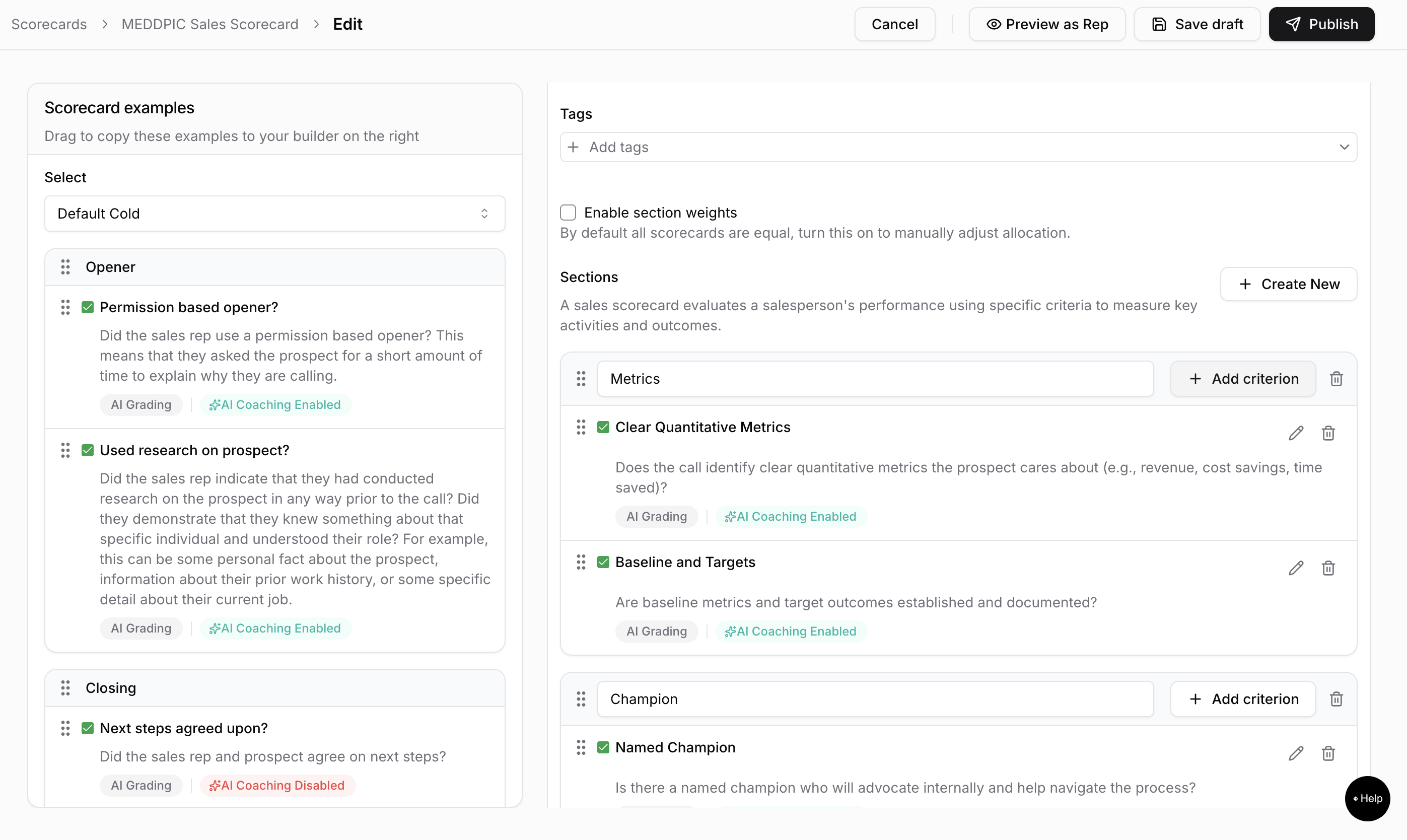
The N/A option appears inside the criterion editor panel the right-side drawer that opens when you add or edit a criterion on a scorecard.
How to enable it
Open a scorecard and click Add Criterion, or click the edit icon on an existing criterion.
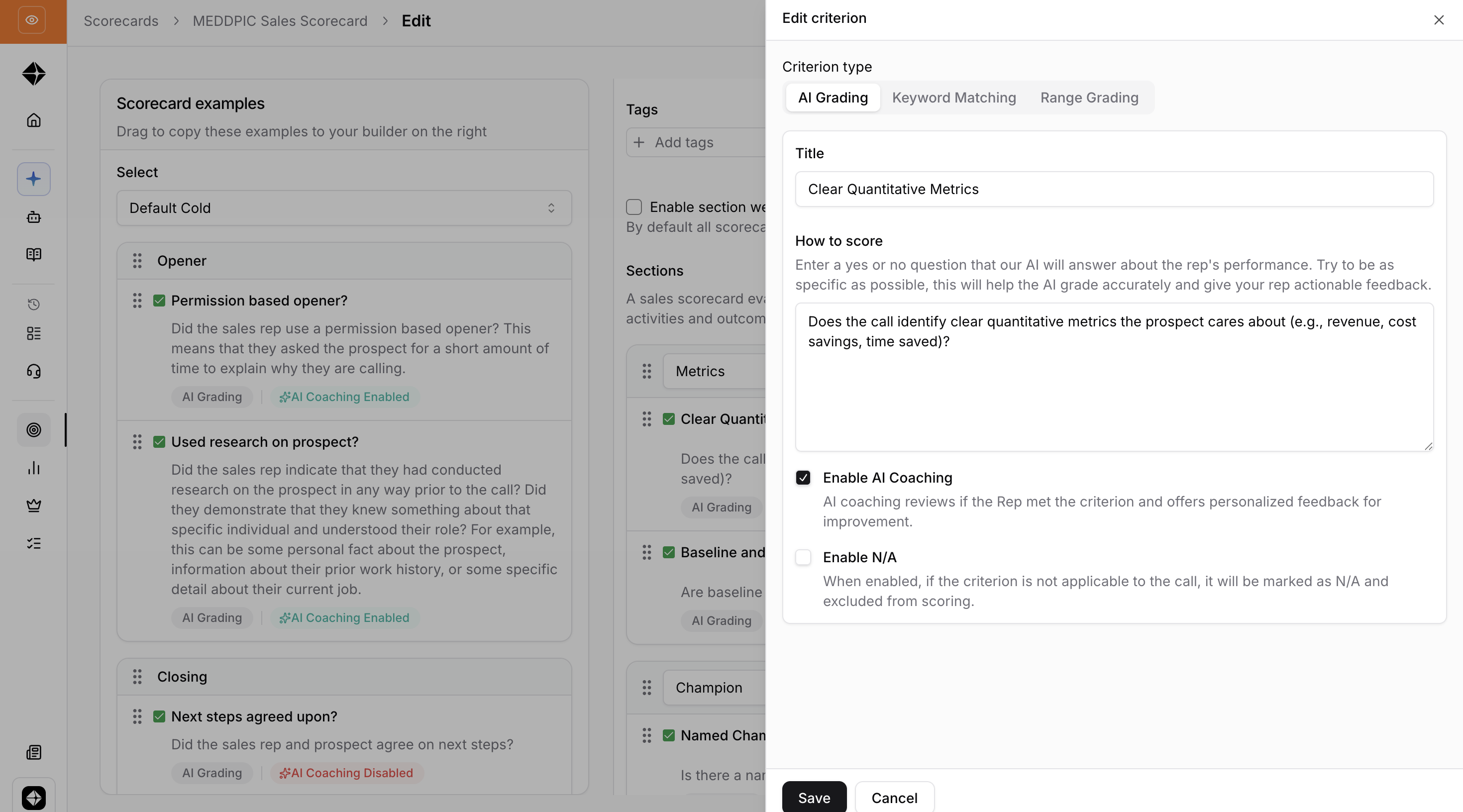
In the criterion editor panel, select either the AI Grading tab or the Range Grading tab.
Fill in the criterion title and grading question as normal.
Scroll down to find the Enable N/A checkbox.
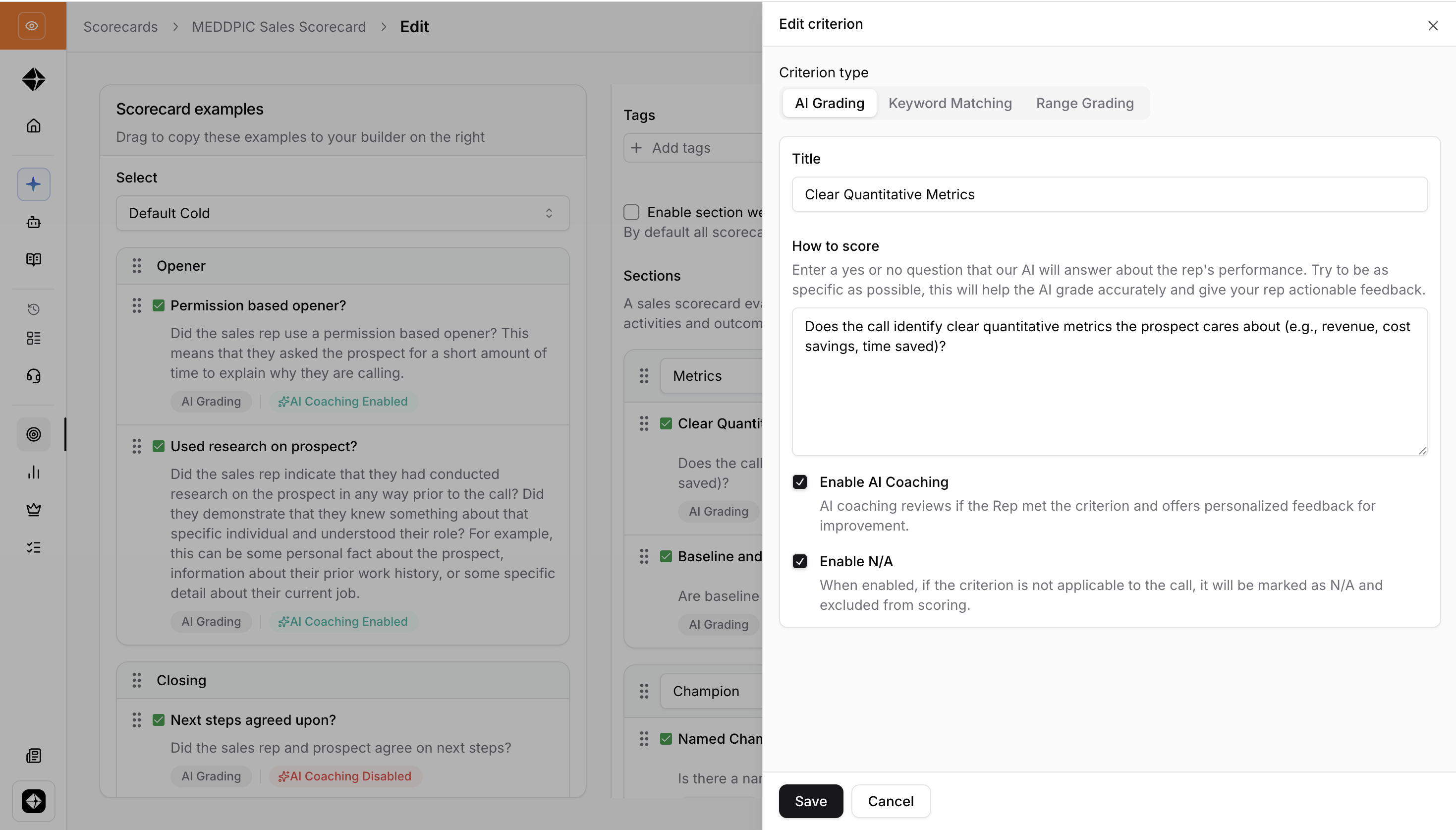
Click the checkbox to enable it. The label reads: "When enabled, if the criterion is not applicable to the call, it will be marked as N/A and excluded from scoring."
Click Save.
Note: The N/A checkbox is off by default for all new criteria. You must explicitly enable it per criterion.
What happens when N/A is enabled
During AI scoring
The AI is instructed to answer Yes, No, or N/A for that criterion.
The AI will choose N/A if the criterion doesn't apply to the call (e.g., a "Did the rep handle a pricing objection?" criterion on a call where pricing was never discussed).
In the results
The criterion's grade displays as N/A / [max grade] in the scorecard results panel.
The criterion is not counted in the total score calculation it is excluded from both the numerator (achieved points) and the denominator (maximum possible points).
A single N/A criterion will not inflate or deflate the rep's overall percentage score.
When to use the N/A option
Enable N/A for criteria that are situational things that only apply to certain call types or scenarios. Examples:
"Did the rep reference a case study?" only relevant for certain stages or personas
"Did the rep ask for a referral?" only relevant at the end of a qualified call
For criteria that should always be scored regardless of the call (e.g., "Did the rep introduce themselves?"), leave N/A disabled.
Scoring example
Suppose a scorecard has 5 criteria (max 5 points) and one criterion is marked N/A:
Score = 3/4 = 75% (not 3/5 = 60%), because the N/A criterion is dropped from the calculation entirely.
FAQ
Is N/A on by default? No. The checkbox is off by default for all new criteria, and you must enable it per criterion.
Will enabling N/A on a criterion change scores on calls that have already been graded? The setting applies to new gradings going forward. Re-grade a call if you want the updated setting reflected in past results.
What if every criterion on a scorecard is marked N/A? The scorecard will not produce a numeric percentage, since there are no scored criteria to calculate against. Make sure at least one criterion always applies to the calls you're grading.