How to: Correct AI Scoring Errors in Hyperbound's Coaching Platform
Last updated: May 6, 2025
Summary
In this tutorial, you would learn how to correct inaccuracies when the AI incorrectly grades reps based on certain parameters of the scorecard. The focus is on improving AI assessment logic and ensuring that the feedback is aligned with intended training goals.
Steps to Correct AI Scoring Errors:
Identify the Error:
Review the specific call where the AI scoring error might have occurred. Assess the AI's feedback to understand why the score was incorrectly assigned.
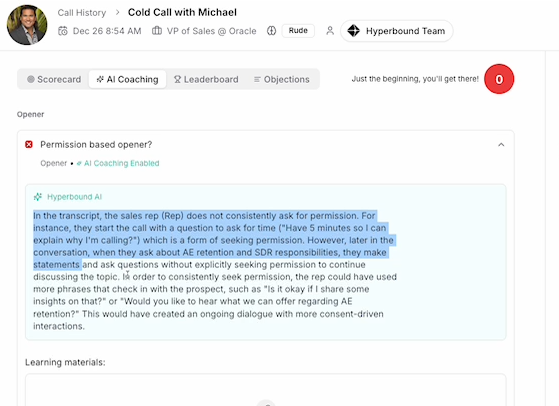
Review AI Feedback
Report or Correct the Error:
Option 1: Report the scoring error by clicking 'X' next to the failed scorecard parameter, which helps the AI learn over time.
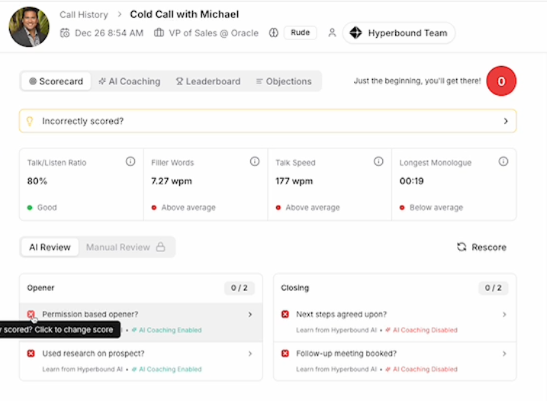
Delete Error in Scoring Option 2 (recommended): Directly adjust the scoring logic to ensure future accuracy.
Adjust the Scorecard:
Navigate to the scorecard used by the sales rep. Edit the criteria or logic used to assess the specific part of the call.
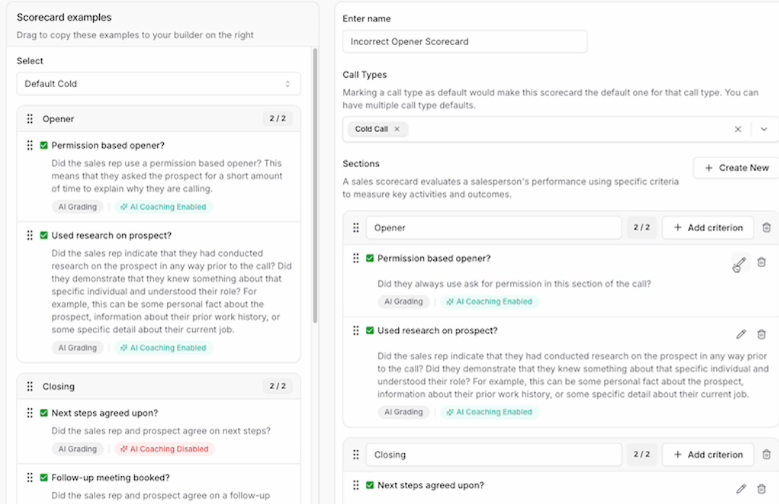
Edit Scoring Logic Ensure clarity and specificity in the scoring criteria to prevent future errors.
Refine Question Wording:
Clarify any ambiguous language in the scorecard that might lead to misinterpretation by the AI.
Remove absolutes like "always" which can misguide the AI's assessment.
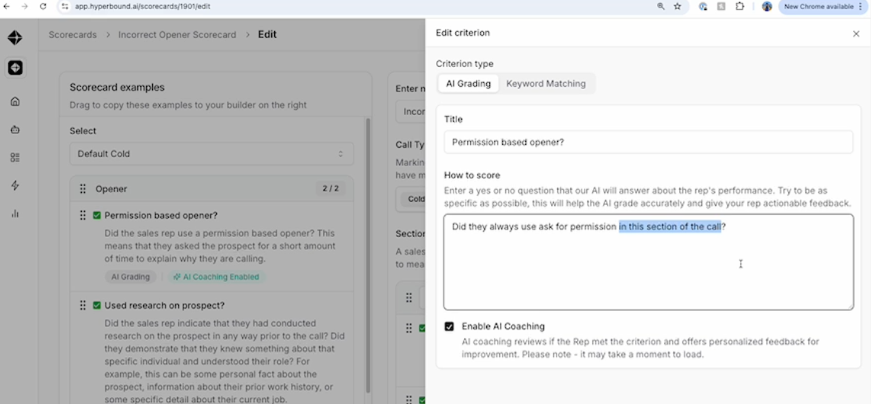
Refine Questions
Publish Changes and Rescore:
After making adjustments, publish the updated scorecard.
Rescore the call to verify the corrected AI feedback.
Tips and Best Practices:
Be Specific: Use clear and precise language in scorecards to guide the AI accurately.
Regular Reviews: Frequently review AI feedback and scorecard logic to catch errors early.
Train Reps on AI Logic: Educate reps on how their actions are scored to aid in their understanding and adjustment of behaviors.
Common Issues:
AI Misinterpretation: The AI may misinterpret vague or poorly structured questions, leading to inconsistent scoring.
Ambiguity in Language: Ambiguous phrasing in questions can confuse the AI, resulting in incorrect feedback.
Lack of Specificity: General or non-specific questions can lead to a broad range of interpretations by the AI.
If you have any other questions, feel free to reach out to the HyperBound team, either via the chat button, or email us at help@hyperbound.ai.