How To: Take a Call Blitz
Last updated: August 25, 2026
Take a Call Blitz
A Call Blitz lets you practice with several AI bots back to back in one focused session, which is a great way to warm up before real calls. You can start your own blitz from any folder of bots in a few clicks.
How to Start and Run a Call Blitz
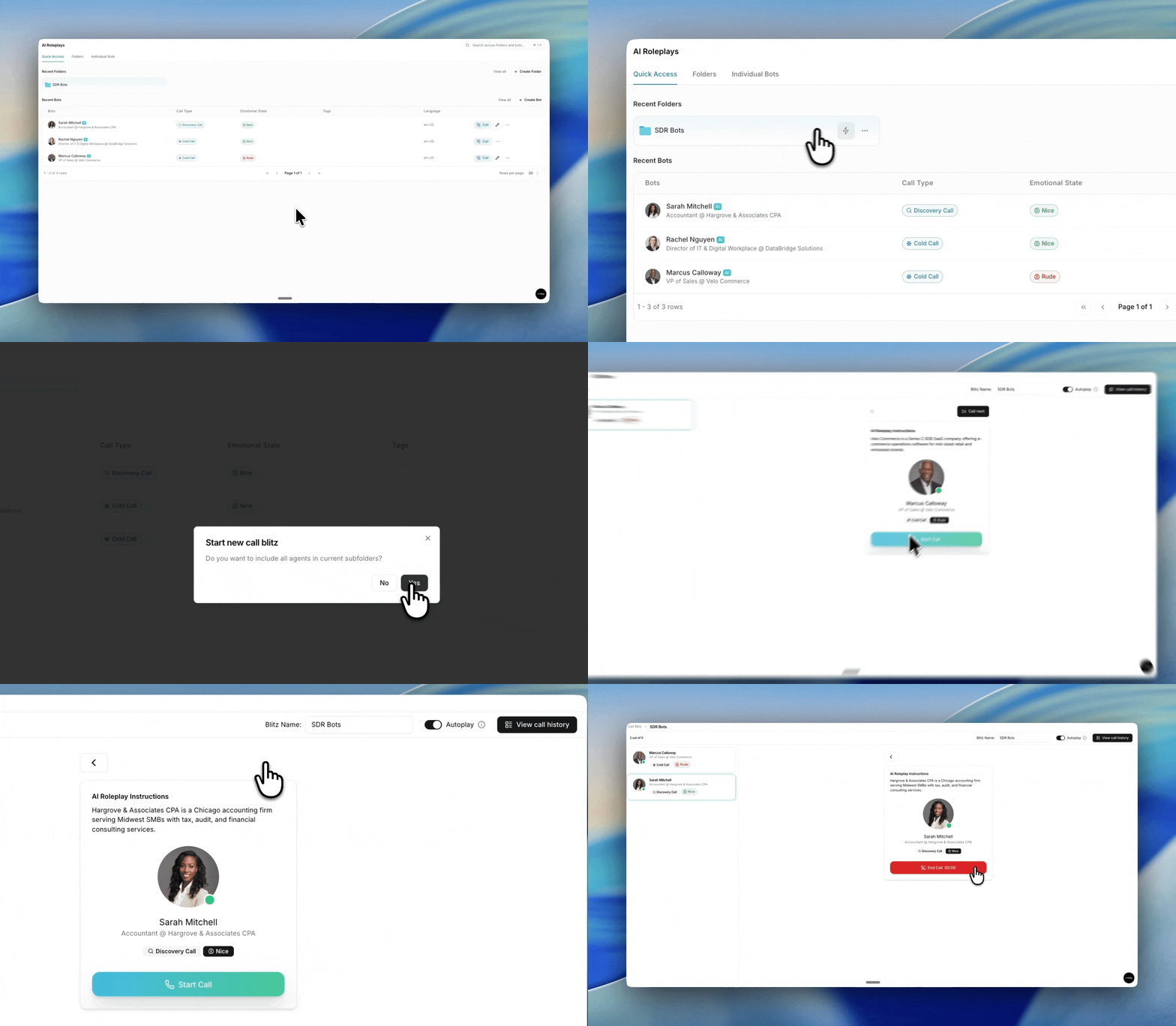
Open AI Roleplays. Go to the AI Roleplays page. On the Quick Access tab you will see your Recent Folders, or open the Folders tab to see all of them.
Hover the folder you want to practice. A lightning button appears on the right side of the folder row. Click it to start a blitz from that folder.
Set up your session. You will land in the Call Blitz view. Give it a name in the Blitz Name field if you want one that is easy to find later. Use the Autoplay toggle to decide how calls advance. With Autoplay on, the next call starts automatically when you finish one. With it off, you move to each call yourself.
Start your first call. The center card shows the AI Roleplay Instructions and the bot's persona, call type, and emotional state. Click Start Call to begin the roleplay.
Move through the queue. Your bots are listed in the panel on the left. After each call, click Call next to move to the next bot. With Autoplay on, the session advances on its own.
Review your performance. Click View call history to see every call from the session and how you scored, so you can spot what to work on.