What's new in Learning Modules × manager hierarchy
Last updated: September 15, 2026
Learning Modules now work more cleanly with manager hierarchy. The biggest change: assignment grants bot access.
For setup steps, see How to: Use Learning Modules with manager hierarchy.
What's new
Assignment grants bot access
If a rep is assigned a module, they can call that module's bots. The bot's folder does not need to be shared with the rep's team.
The old “all teams” bot rule is gone
You no longer need every bot in a module to be visible to every module team. Add any bot you can see.
Exception: always-private bots still cannot be added.
Module access is now role-based
Role | Use it for |
|---|---|
Editor | Admins and MemberPlus who should edit and assign the module. |
Viewer | People who need read-only visibility. |
Assignee | Reps who need to complete the training. |
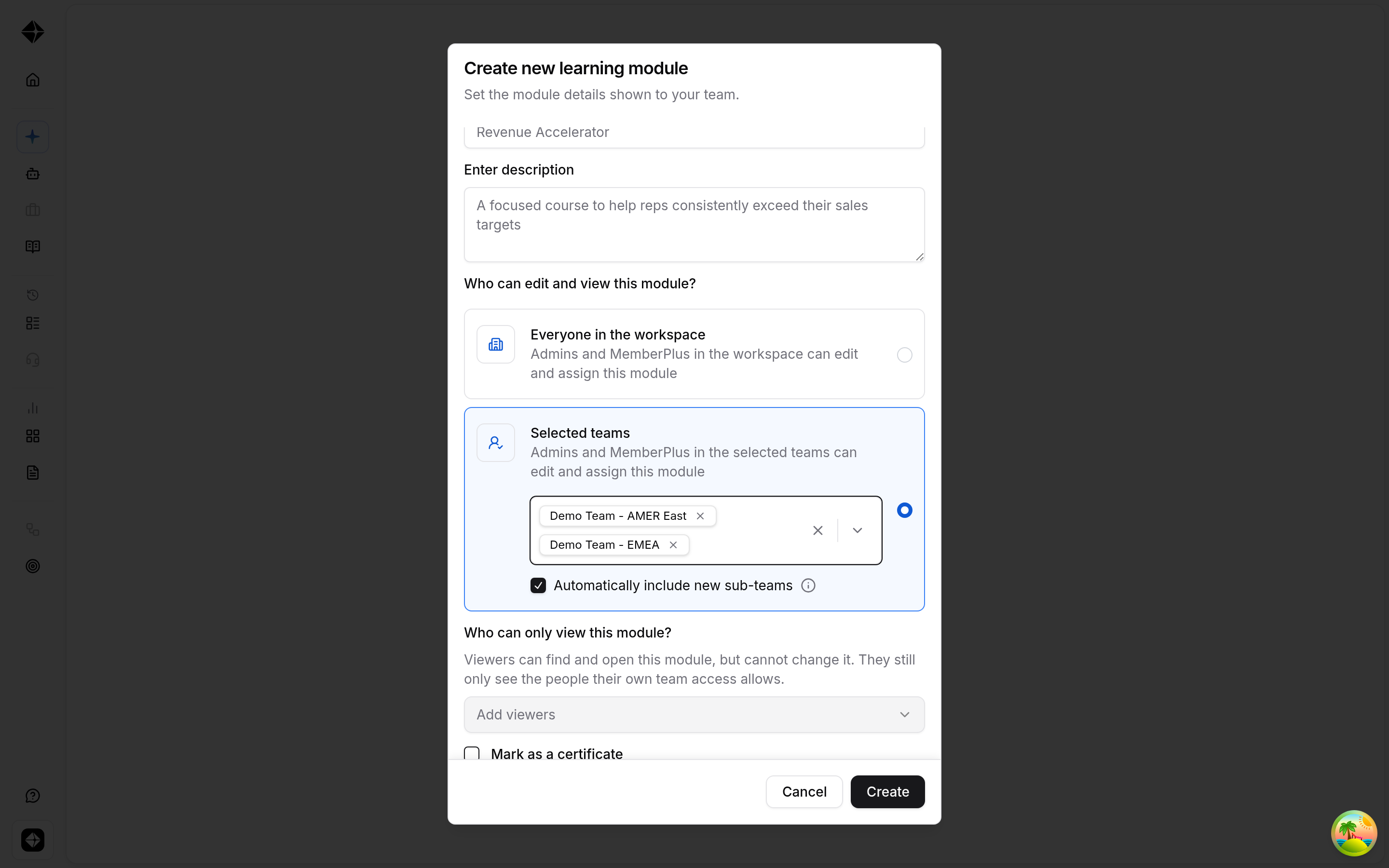
Editors can assign anyone in the workspace
The module's team access controls who can edit. It no longer limits who can be assigned.
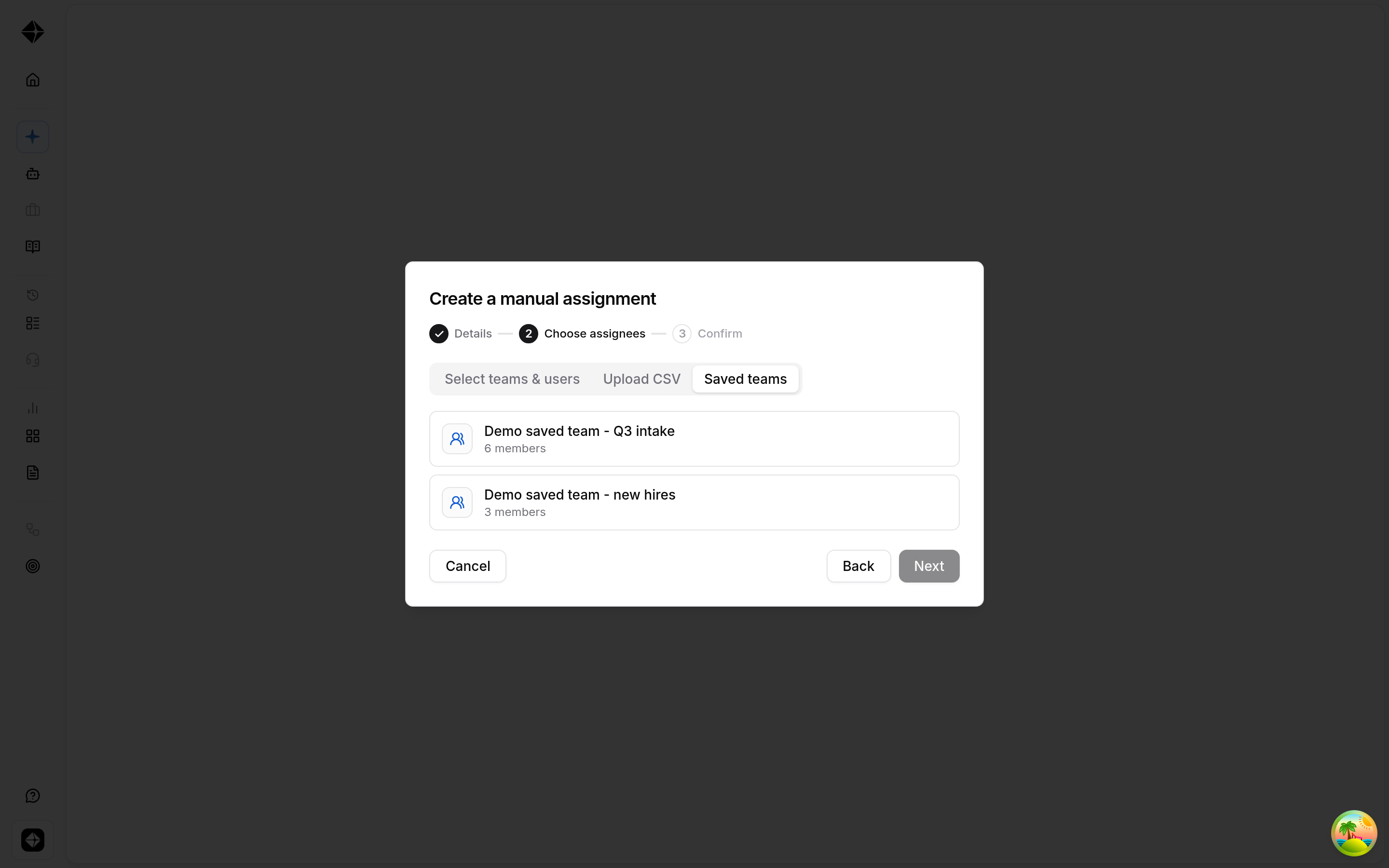
CSV uploads can become Saved teams
When assigning by CSV, choose Save as a reusable team if you want to reuse the same list later.
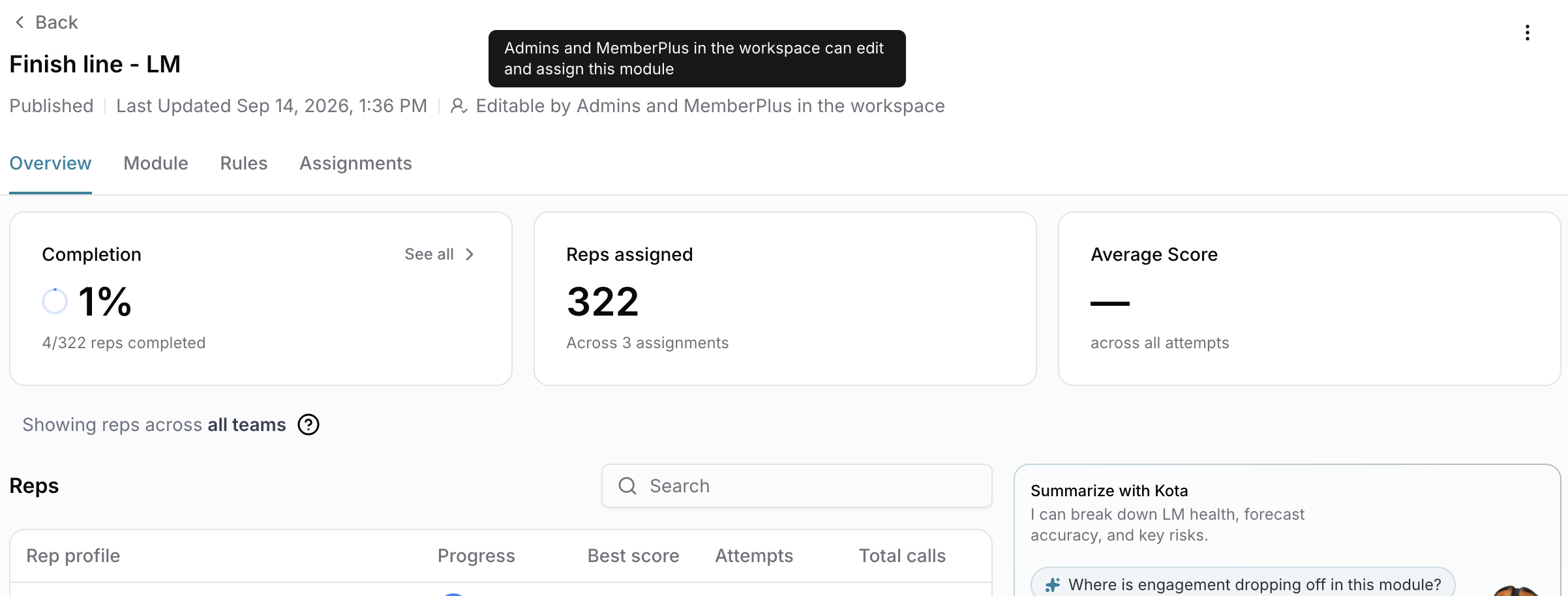
Analytics are still scoped by manager hierarchy
Editors see all assignees on the module. Viewers see the teams their access allows. Assignees see themselves.
Existing modules may need access updates
For modules created before this change, edit access was backfilled to the module creator only. If other admins need edit access, the creator should add their teams under Who can edit and view this module?
What you should do
Review who can edit each live module.
Add read-only viewers where needed.
Stop changing folder sharing just to make assignment bots callable.
Use Saved teams for reusable CSV assignment lists.
Need help?
Reach out via the chat button or email support@hyperbound.ai.