How To: Use the Hyperbound Chrome Extension
Last updated: June 16, 2026
Overview
The Hyperbound Chrome Extension allows users to instantly create AI bots from LinkedIn profiles. It helps sales teams simulate calls with real personas, replicate prospect behavior, and personalize training directly from the source.
Installation
Go to the Chrome Web Store.
Search for “Hyperbound” (or click here ↗)
Click Add to Chrome to install the extension.
Once installed, you’ll see a Hyperbound icon appear when you visit LinkedIn.
Creating a Bot from a LinkedIn Profile
Open any LinkedIn profile.
Click the Hyperbound sticky logo visible on the page.
The extension will automatically check if a bot already exists for that person at your org level.
If a bot exists, you’ll see it directly.
If not, a form will appear to create one.
Customizing the Bot
Fill out the bot creation form:
Call Type: Choose from discovery, demo, negotiation, etc.
Emotional State: Define the persona’s tone (e.g., skeptical, neutral, agreeable).
Call Scenario: Describe the context of the call.
Additional Notes: Add notes from your CRM or personal research to make the simulation more accurate.
Click Create Bot once ready.
Pro Tip for Notes:
Paste in notes from your CRM, previous call's summary/ notes to add more customized context.
Starting a Call
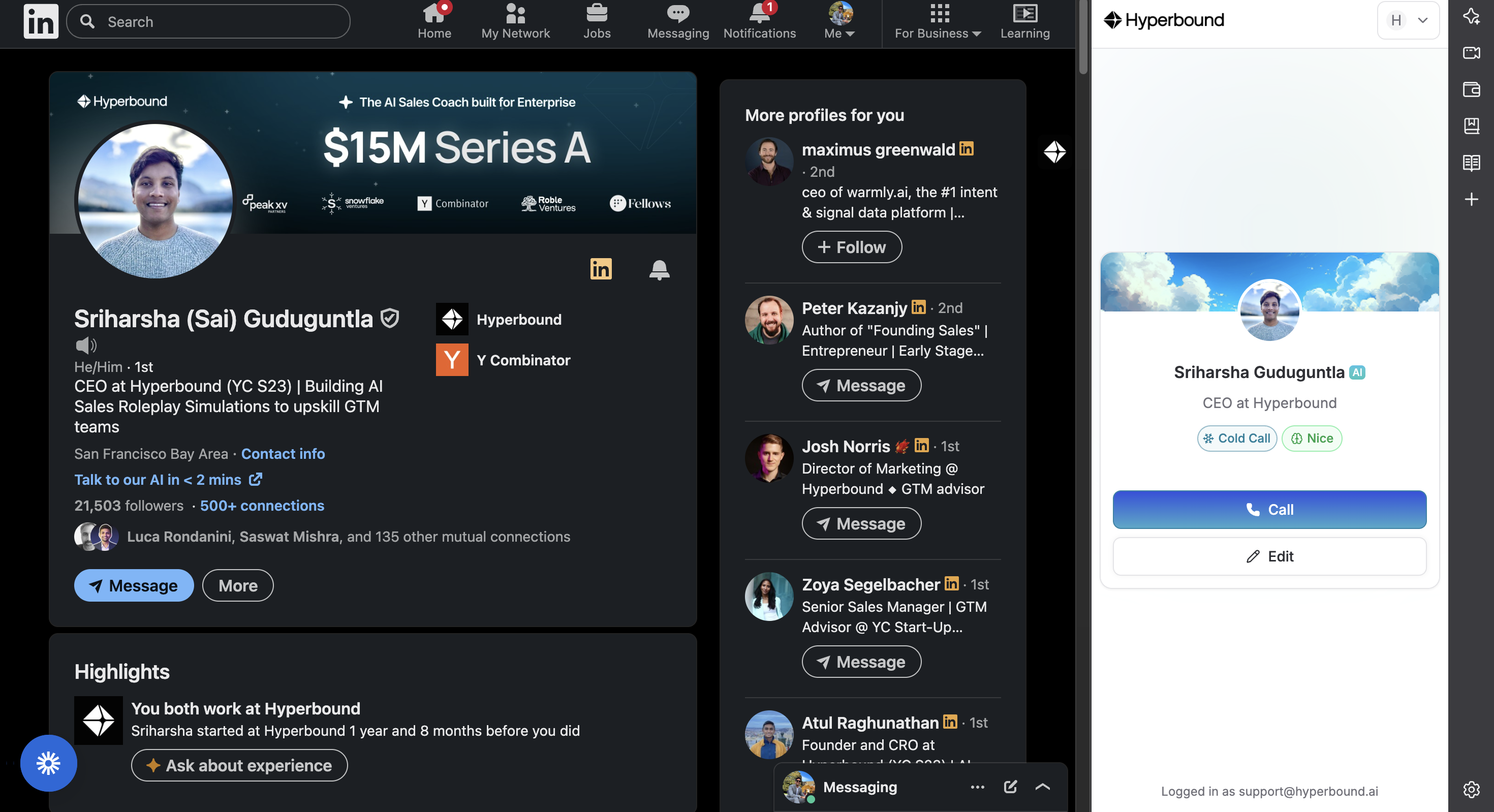
After the bot is generated, click Call.
You’ll be redirected to Hyperbound, where you can:
Start the call simulation
Interact with the AI persona
End and review the call afterward
Scorecard Used
For this version, the bots will utilize Hyperbound's predefined template scorecards tailored for the specific call type. These scorecards are established and maintained by Hyperbound.
We are working on introducing the capability to attach custom scorecards.
Admin stuffs
All bots created through the Chrome Extension are stored in personalized folders, visible only to their creators in the folders view. This ensures that admin-created bots remain uncluttered.
However, these bots still appear in global search results for visibility and access when needed.
