How To: Score Multiple Reps on the Same Call
Last updated: August 18, 2026
Some of your most important calls have more than one person from your team.
An AE runs the discovery and next steps while an SE handles the technical demo, and each of them deserves feedback on their part of the call.
With Multiple Scorecards, Hyperbound can now score every mapped participant on a real call independently — one call, one label, multiple scorecards.
When To Use Multiple Scorecards:
AE × SE demo calls, where both an Account Executive and a Solutions Engineer participate and should be evaluated separately.
Ride-along or shadow calls, where a rep, manager or peer are both on the call.
Any team-selling motion where different roles have different definitions of a great call.
How To
Multiple Scorecards is configured through routing rules at the organization-level
Go to your organization's routing rules.
Workspace settings -> Real Calls -> Routing Rules
Find (or create) the routing rule for the call label you want to score
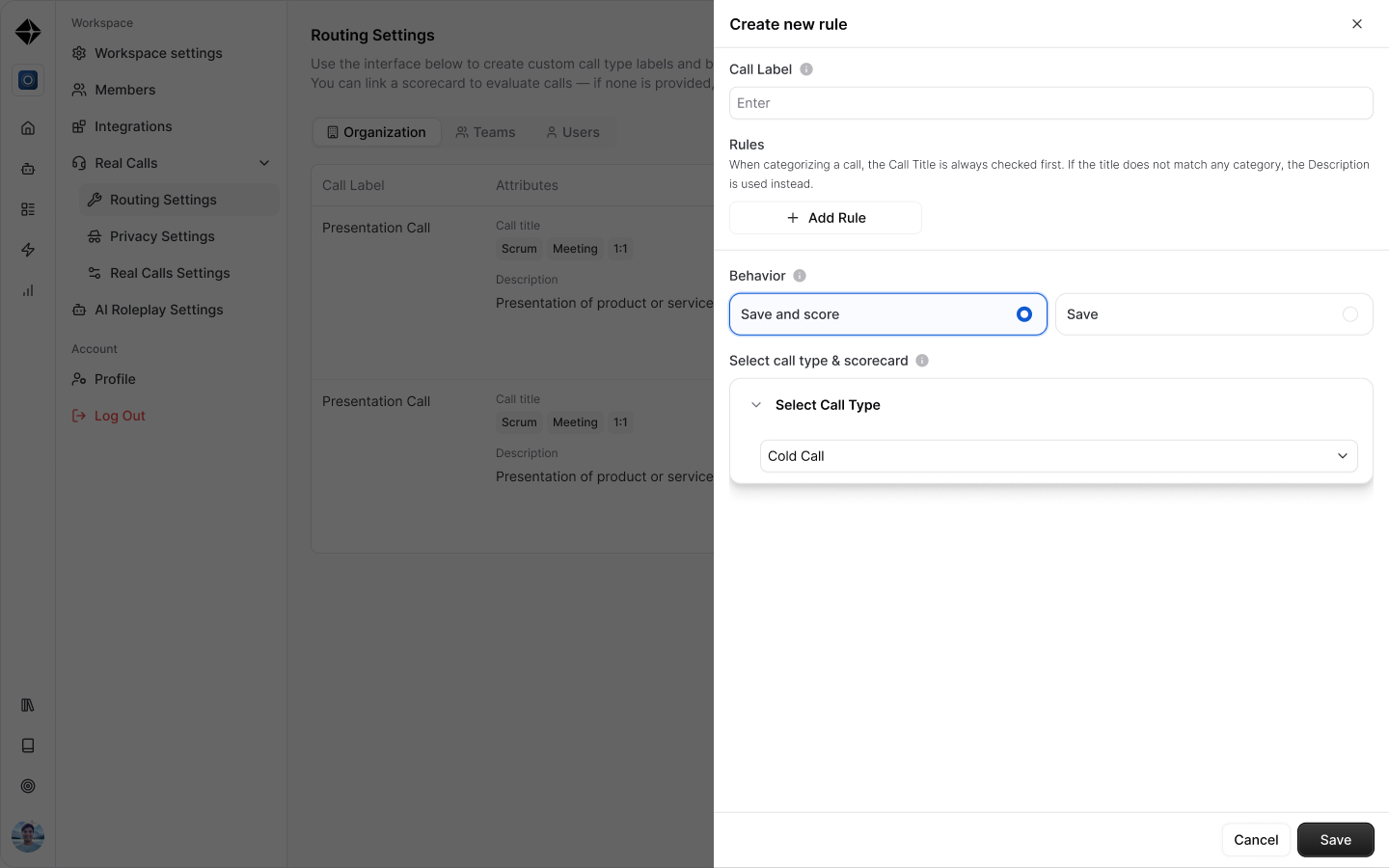
Set the Scoring Type to "Multiple."
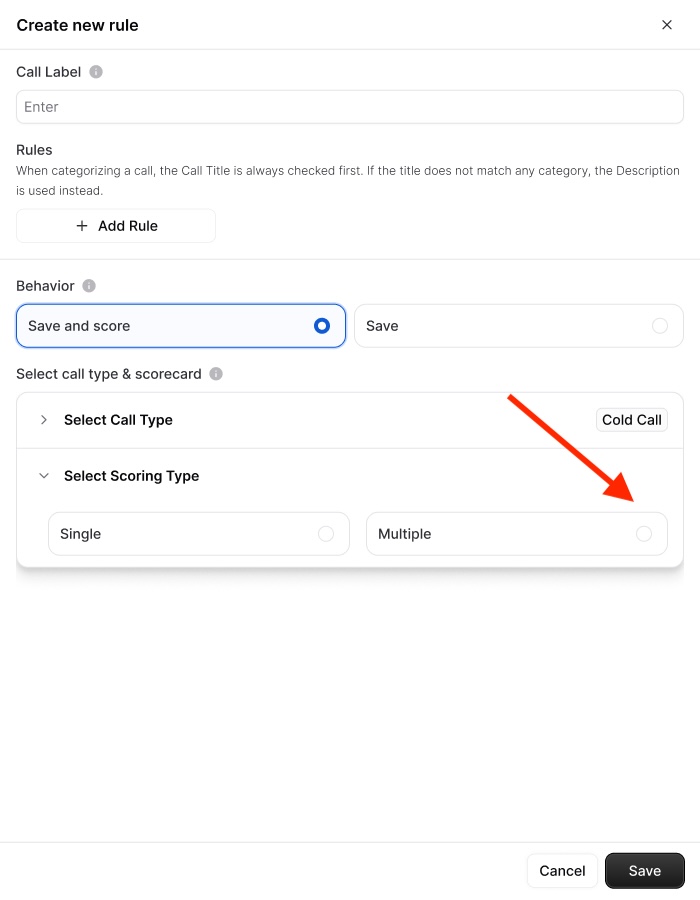
Add the scorecards you want applied
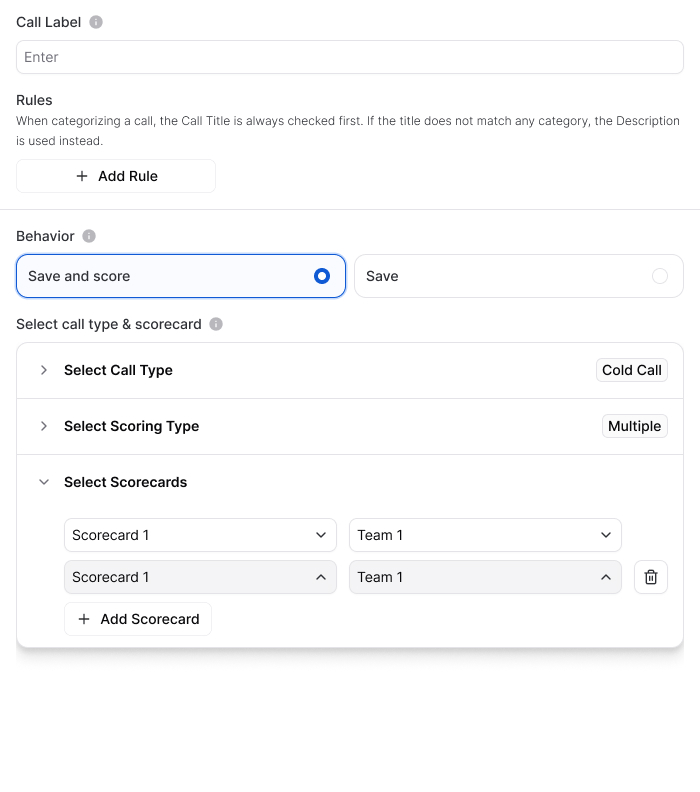
Map each scorecard to a team (or teams)
Save the rule🌟
Keep your teams clean! Scorecard-to-team mappings can't overlap.Each team maps to one scorecard within a rule. Make sure your reps (ex. AEs and SEs) live in the right teams before turning on.

What You'll See After the Call
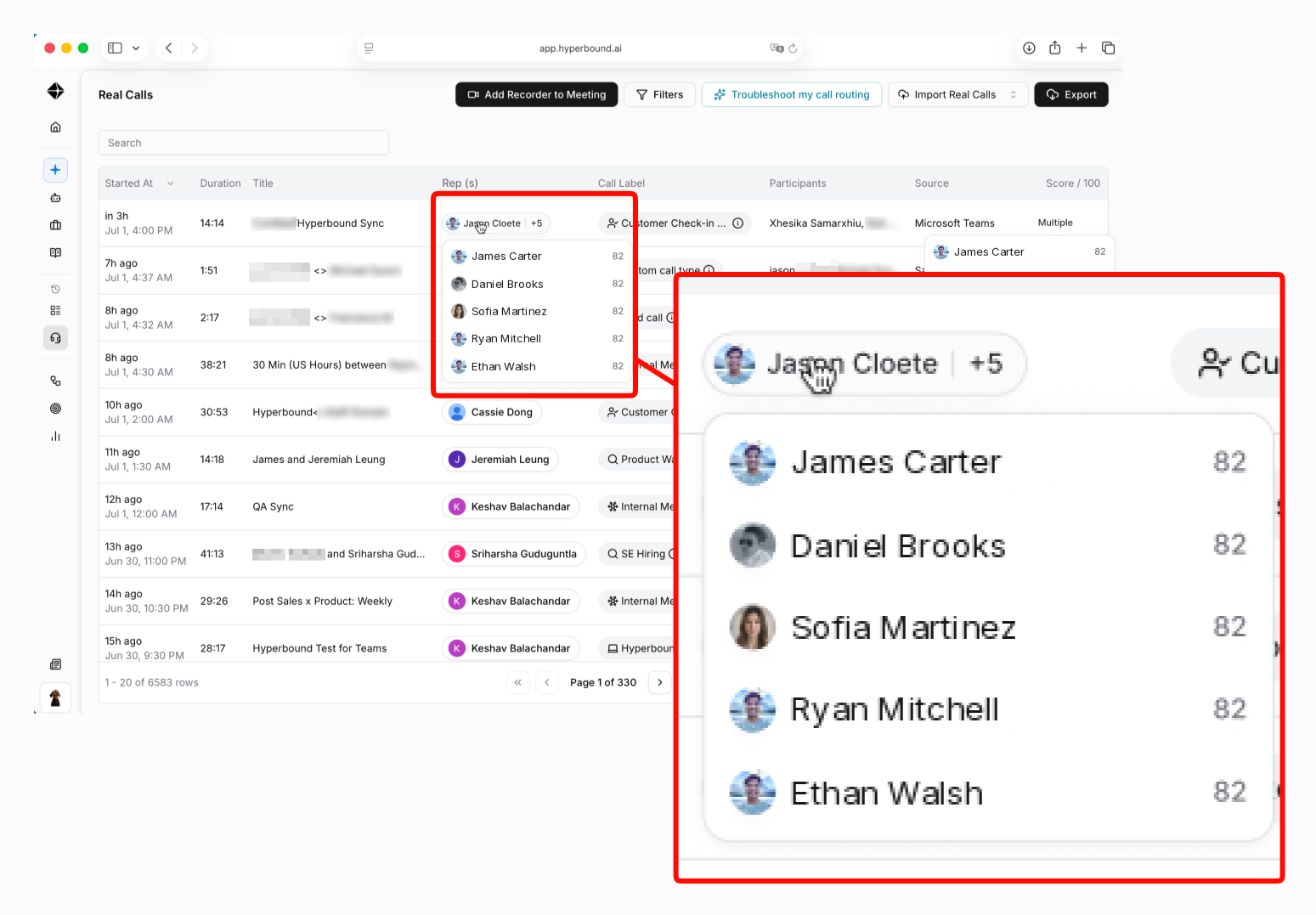
On the Call History page:
Hover over the participants to see each persons individual score.
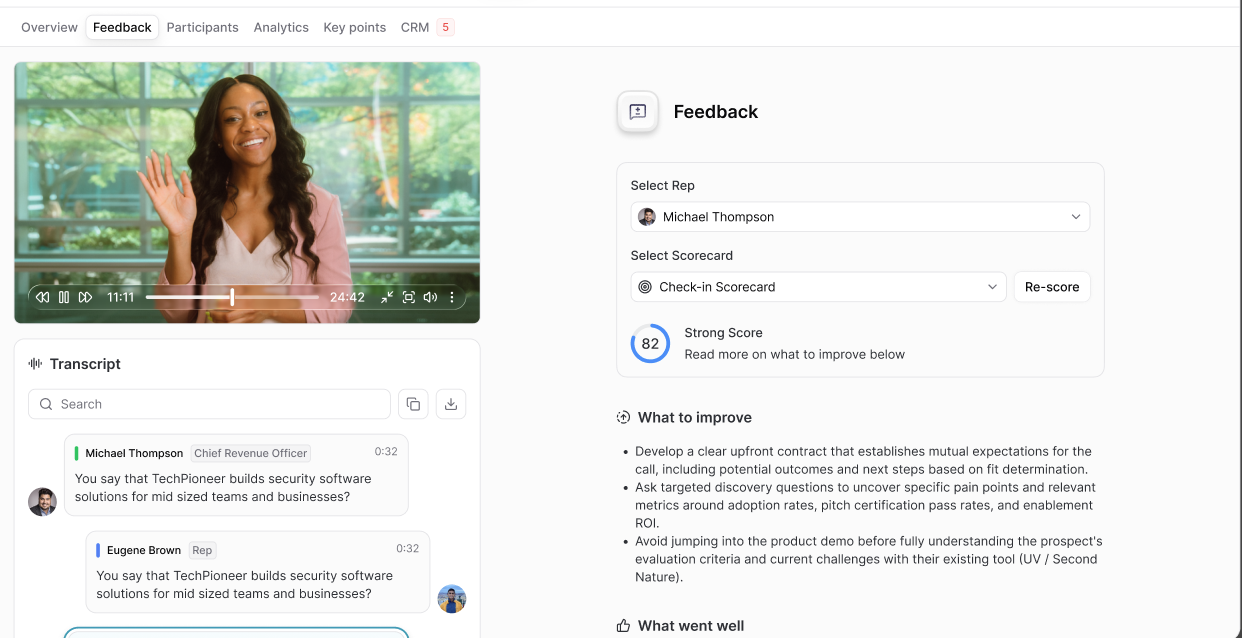
On the post-call page:
Use the scorecard selector to toggle between participants and view each one's scorecard and feedback.
By default, the page opens on the primary speaker's scorecard.
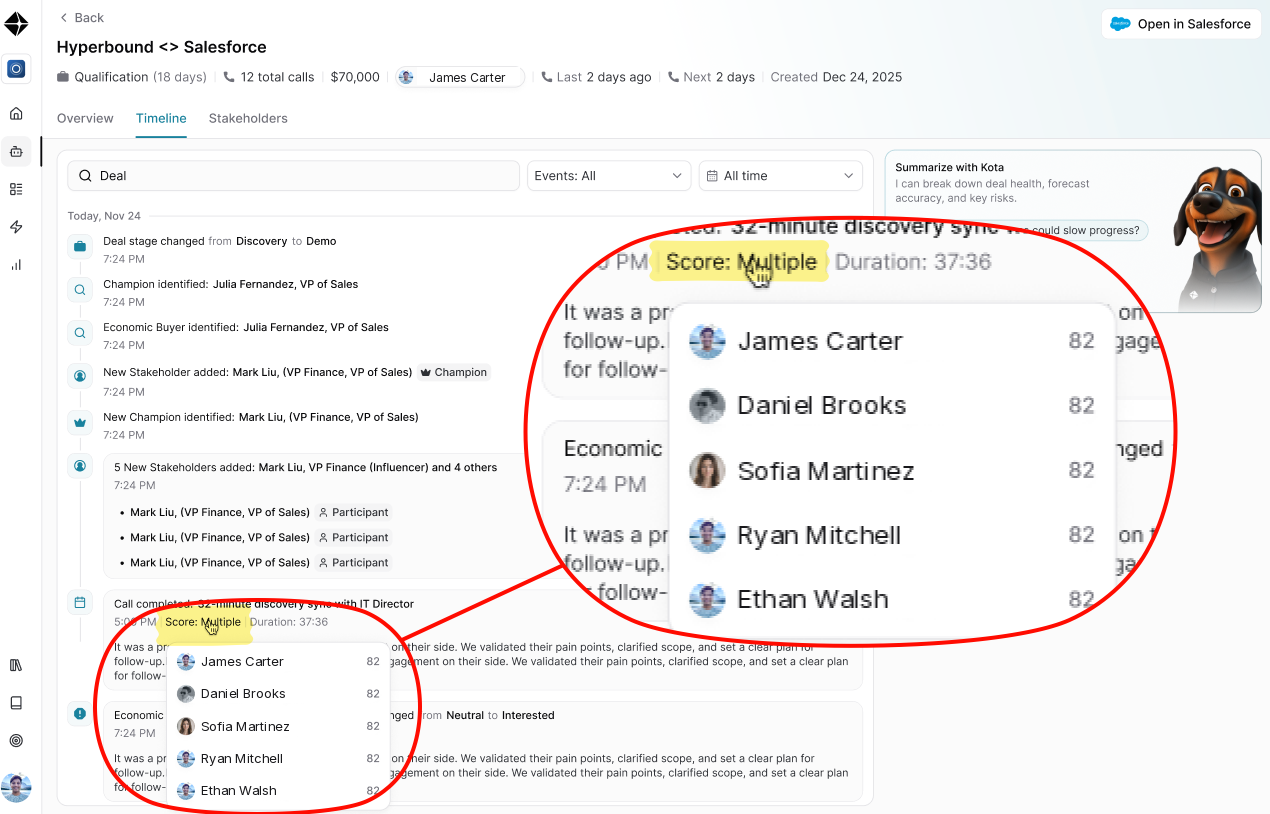
On Deals pages:
Instead of a single "Call Score: x," calls with multiple scorecards show a multiple-score state in the deal timeline.
Good To Know (Edge Cases)
Only one mapped participant on the call?
No problem! Hyperbound simply scores the participants it can map. If only the AE was on the call, only the AE scorecard is applied.
Participants not in a mapped team?
If people on the call don't belong to any of the teams mapped in the routing rule, they won't receive a scorecard, and you'll see a banner explaining why.
Existing rules are unaffected.
Rules with Scoring Type "Individual" keep working exactly as before.
Related Articles
📄 HOW TO: Setting Up Routing Settings
📄 How To: Add weights to Scorecards
📄 How to: Use the Post-Call Screen in Hyperbound AI Coaching

Still have questions? That's what we're here for! Reach out to your Hyperbound support team and we'll help you get Multiple Scorecards set up for your org.