How To: Use the Deal Debrief Agent
Last updated: September 4, 2026
Debrief any deal, any time, without waiting on your manager.
The Deal Debrief Agent is a live voice conversation about one specific deal. It already knows the emails and notes on that deal, so it can push back on your read of the call and then do the follow-up work while you are still talking. You choose whether it talks to you in the browser or calls your phone.
What it does
Debriefs the call with you. It asks how the call went, then challenges your answer instead of agreeing with it.
Knows the deal already. No setup, no context dump. It has read the emails and notes on the record.
Names the risk. Single-threading, no economic buyer, stalled next steps.
Takes action in the call. It can draft the follow-up email and update your CRM before you hang up.
Reaches you where you are. In your browser, or as a phone call.

When to use it
Right after a customer call, while the detail is fresh
Before a kickoff, setup call, or any meeting that decides the deal
When your manager is not free and you do not want to wait
How to run a debrief
Open the deal in the Deal Dashboard or on a particular real call and start a debrief.
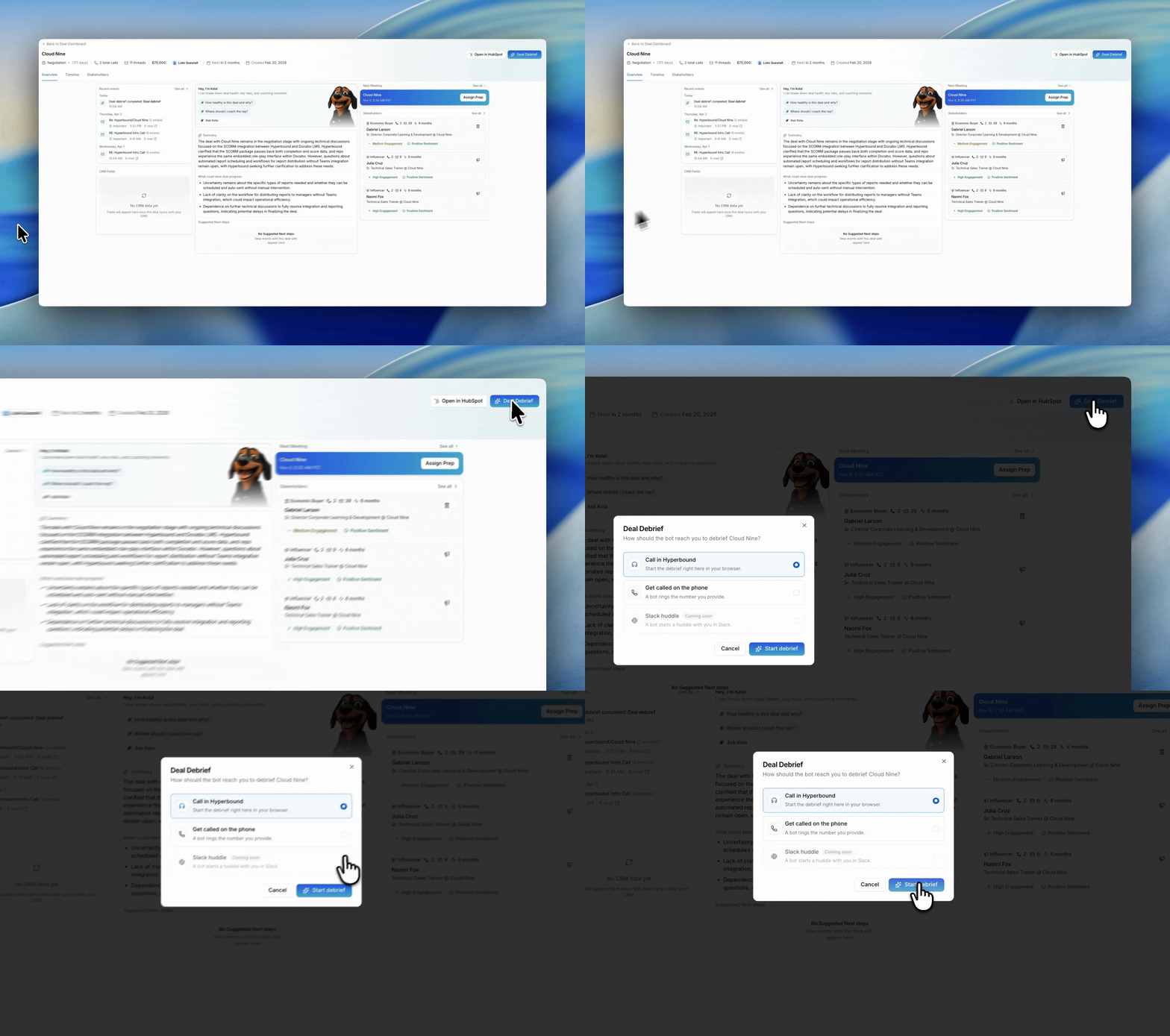
Pick how the bot reaches you in the Deal Debrief window, then click Start debrief.
Talk through the call. Say how you think it went. Kota responds with its own read.
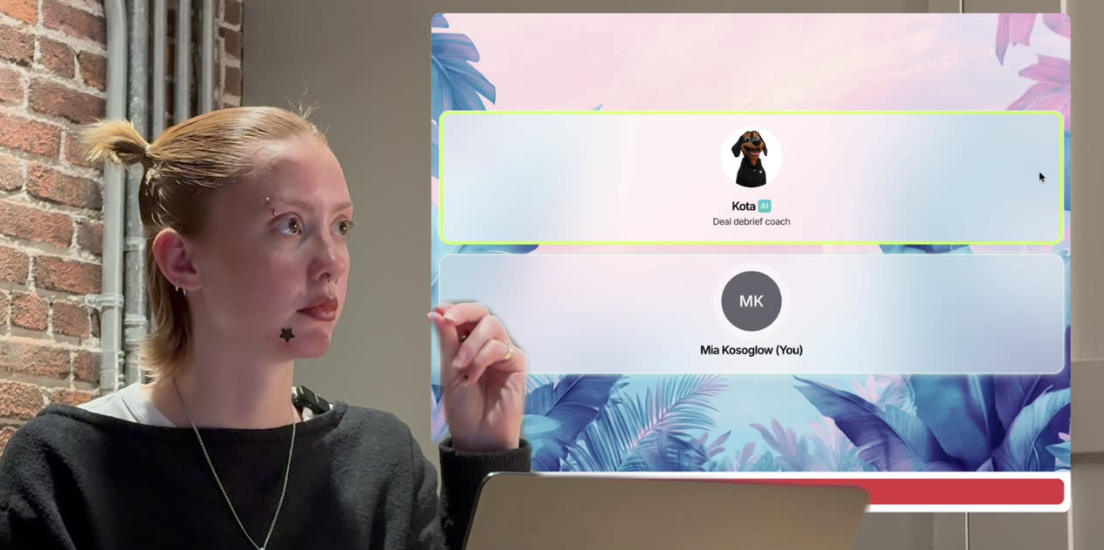
Ask what to do next. For example, "How would you go about fixing that before the pilot?"
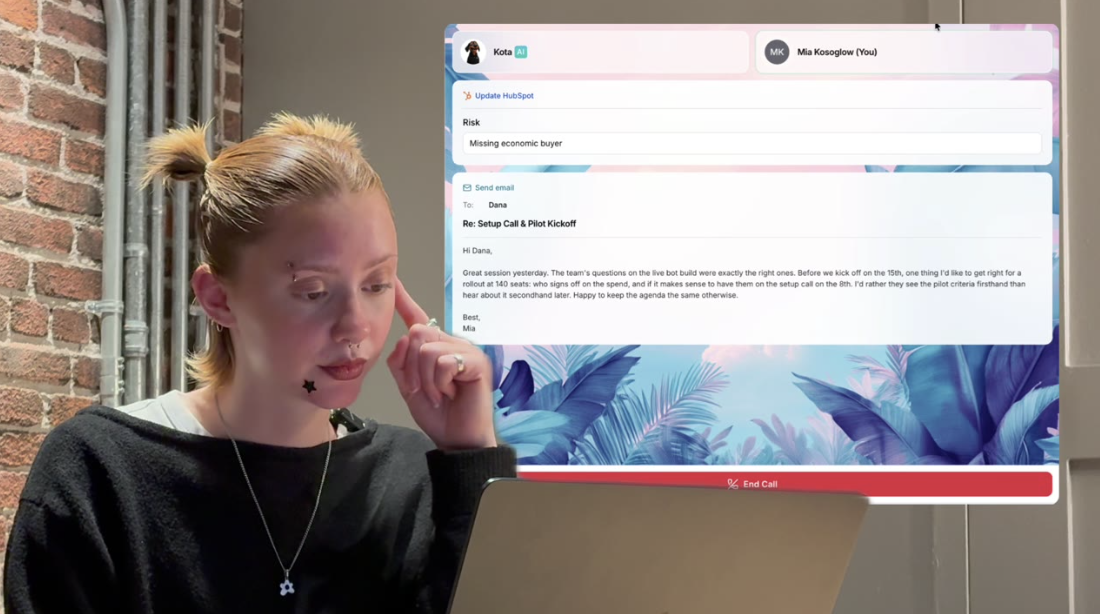
Approve the actions. Kota asks before it does anything, for example "Should I draft the email and update the CRM to flag the missing economic buyer?"
Review the cards. Drafted actions appear in the call window while you talk.
Click End Call when you are done.
Choose how the bot reaches you
The Deal Debrief window asks how you want to be reached before the debrief starts.

Option | What happens |
|---|---|
Call in Hyperbound | The debrief starts in your browser. This is the default. |
Get called on the phone | The bot rings a number you provide. |
Slack huddle | The bot starts a huddle with you in Slack. |
Tip: use the phone option when you are walking out of a meeting or between calls. You do not need to be at your laptop to debrief.
Actions it can take
Card | What it does |
|---|---|
Send email | Drafts a follow-up to a named contact, with subject and body filled in |
Update HubSpot | Writes to deal fields, for example logging a Risk of "Missing economic buyer" |
Kota asks before it acts, and each drafted action appears as a card in the call window while you talk.
Tips
Give it your honest read first. The value is in the disagreement, not the agreement.
Push for specifics. Ask which meeting to use and who to invite, not just what is wrong.
Debrief the boring calls too. The ones you would not bring to a manager are the ones that quietly slip.
Let it write the email. Edit the draft rather than starting from a blank one.
Good to know
A debrief is scoped to one deal. Kota's feedback comes from that deal's record.
Your manager does not need to be involved for you to run a debrief.
If you have any other questions, feel free to reach out to the Hyperbound team, either via the chat button, or email us at help@hyperbound.ai.