Use Groups with Learning Modules
Last updated: October 15, 2026
Groups are reusable sets of people you can assign Learning Modules to. Build a group once by picking people, setting rules, or uploading a CSV, then assign modules to the group instead of to individuals. Rule-based groups keep themselves up to date, so new joiners who match the rules are assigned automatically.
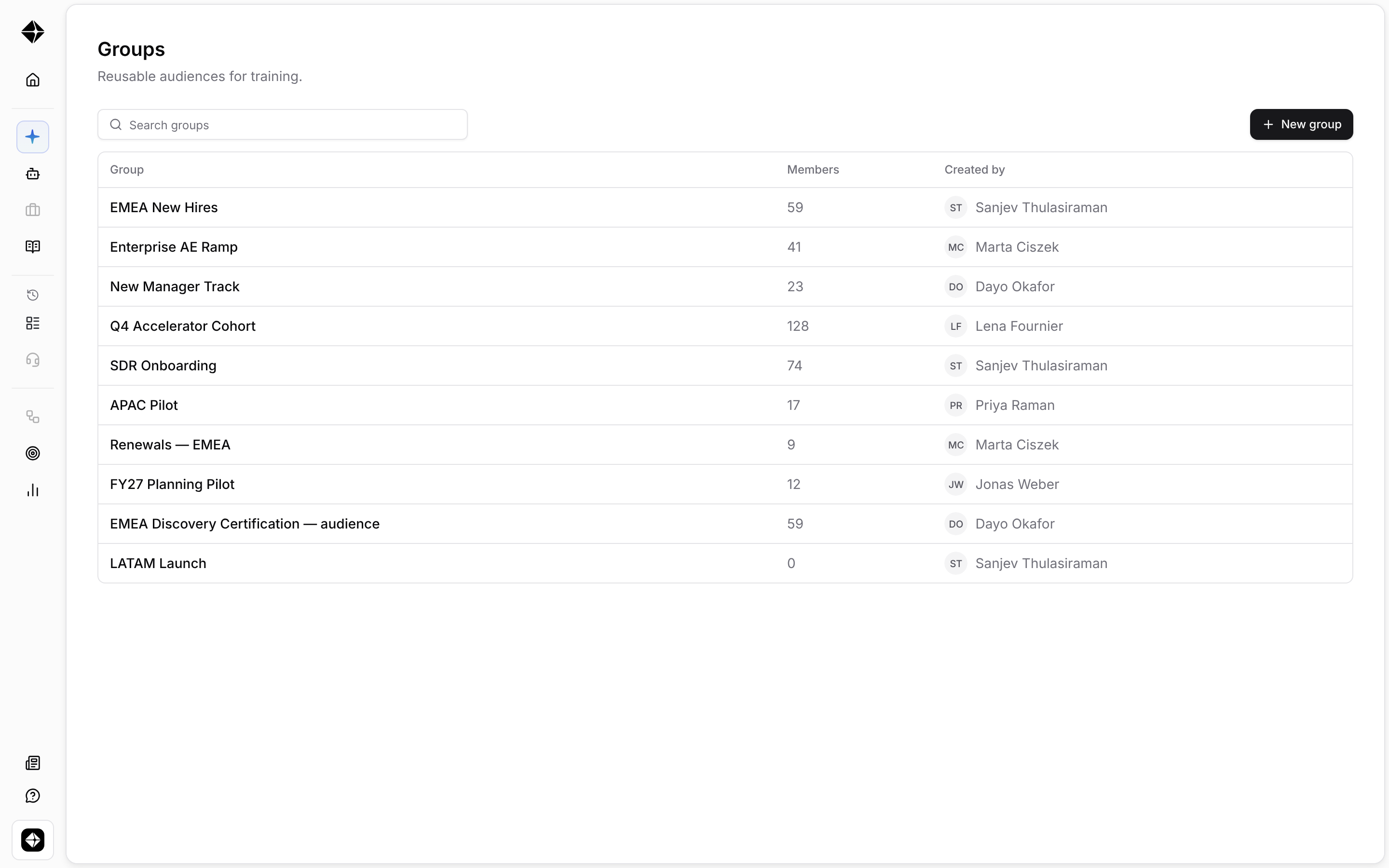
Create a group
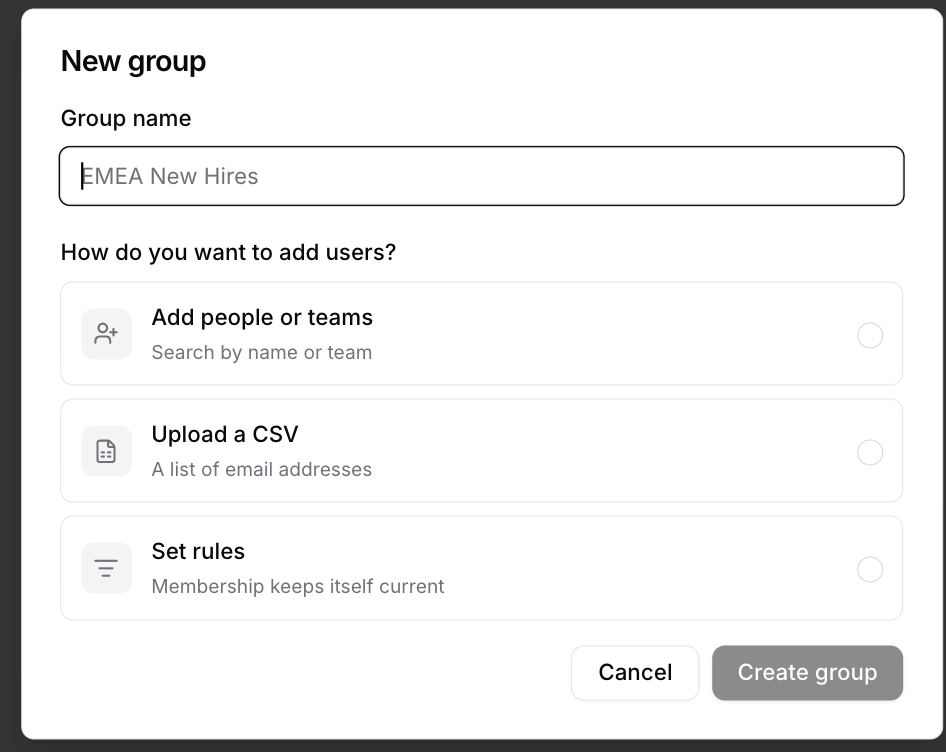
In workspace settings, open Groups, then select New group.
You can choose how to add members:
Add people or teams — pick members directly or upload a CSV.
Set rules — define conditions such as team, role, location, or company start date. People who match are added automatically. People who stop matching are archived from the group, but keep any modules they already have.
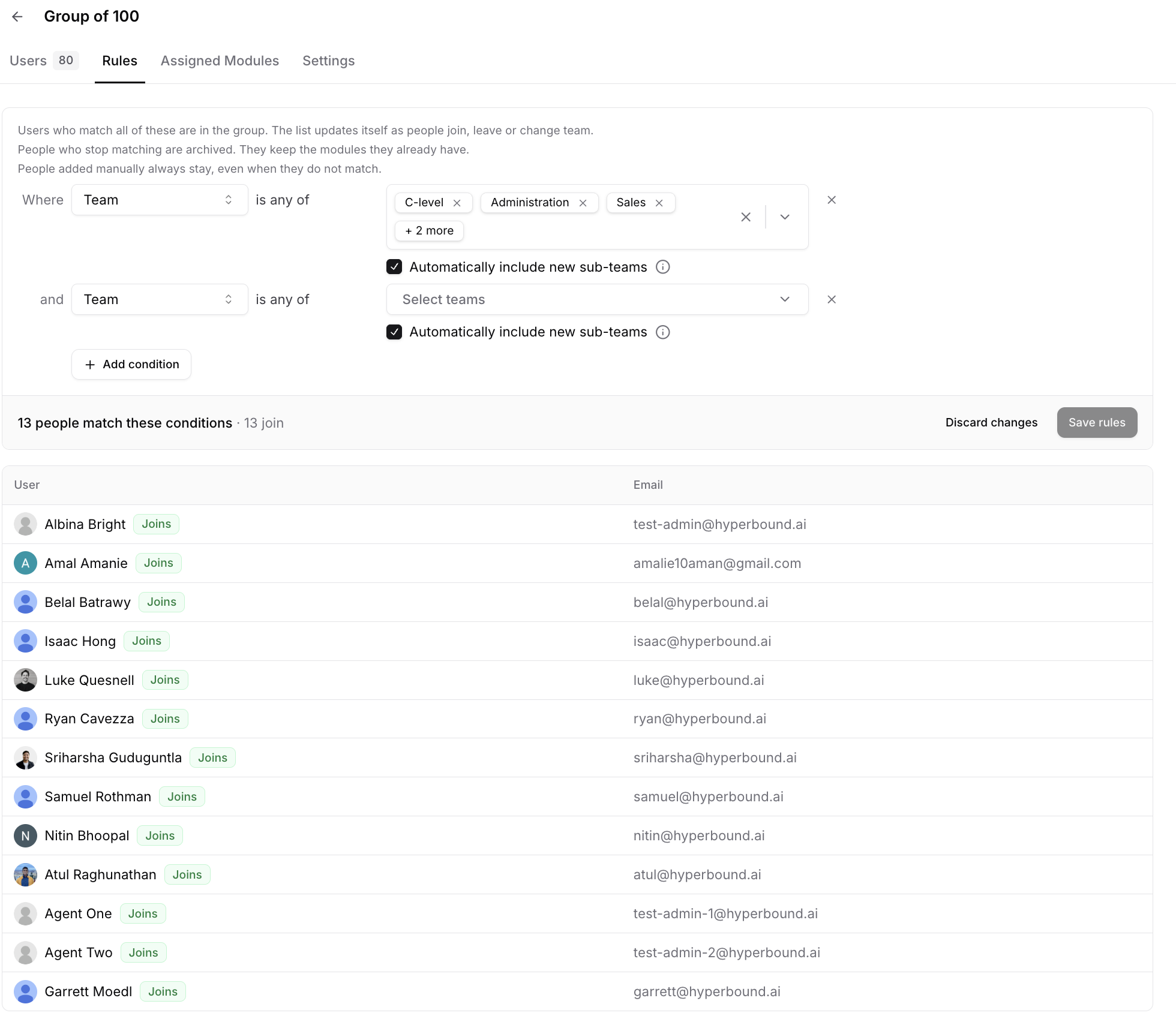
Use rules to keep membership up to date
Rules let you define who belongs in a group based on user attributes. For example, you can create a rule for users on a specific team, in a specific role, or who started within the last number of days.
When you edit rules, a live preview shows who currently matches before you save. Checking a rule is separate from saving it, so you can review the impact before changing group membership and module assignments.
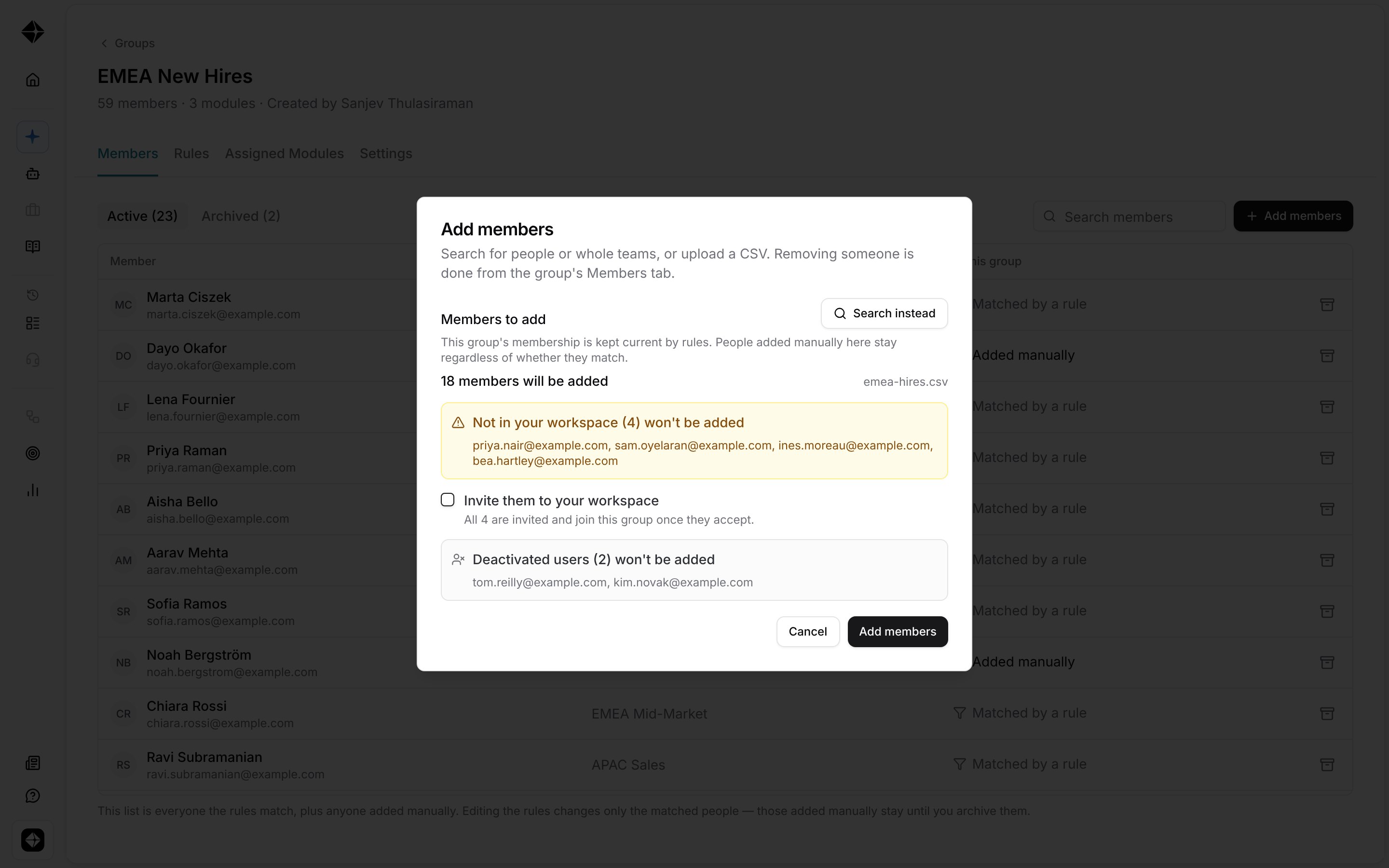
Add users by CSV
You can also add members by uploading a CSV. If the CSV includes people who are not in your workspace yet, you can choose whether to invite them, add them without sending an invite, or leave them out.
Assign a module to a group
In the Learning Module assignment flow, the Choose assignees step includes a Groups tab. Select a group to assign the module to that group’s members.
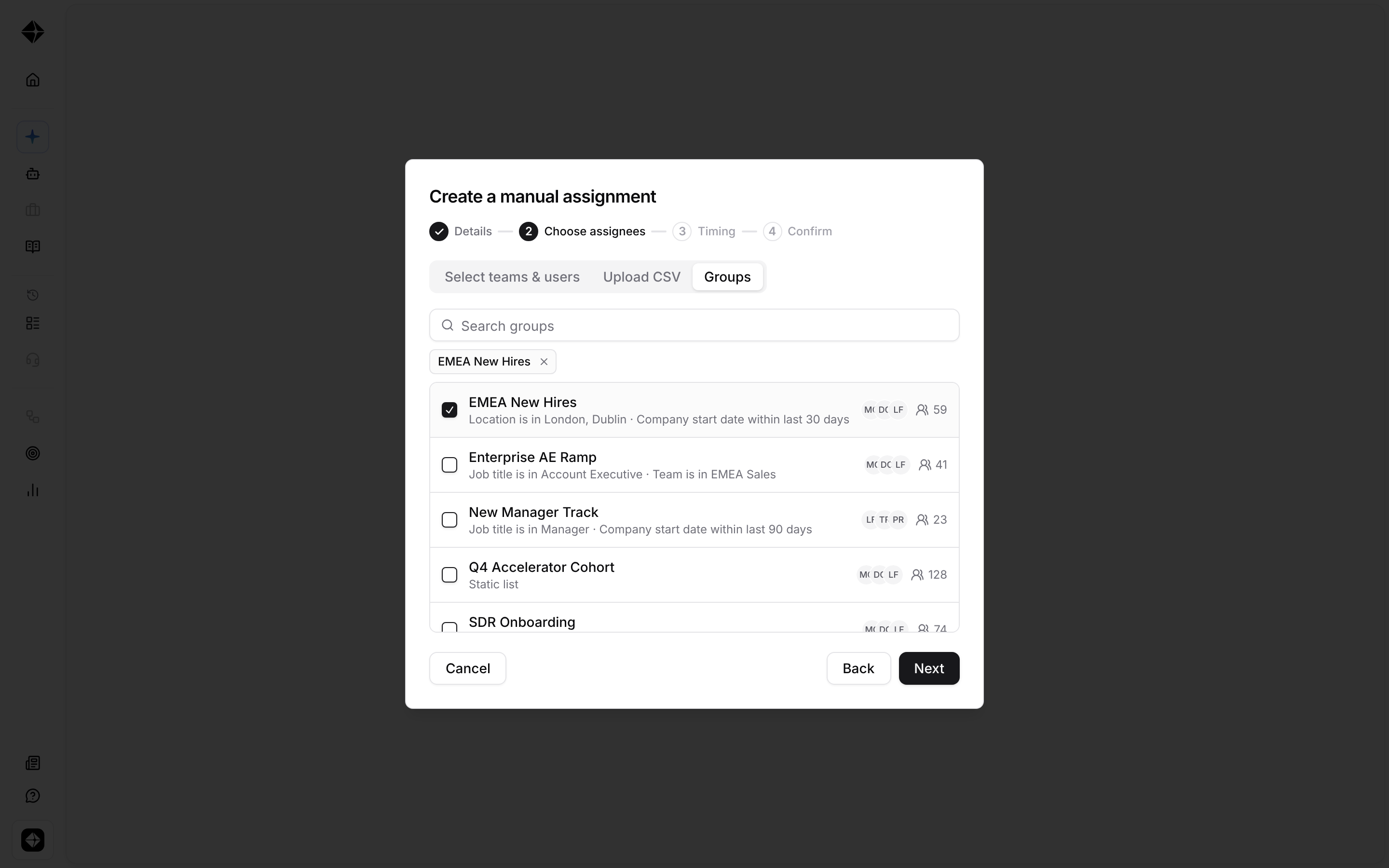
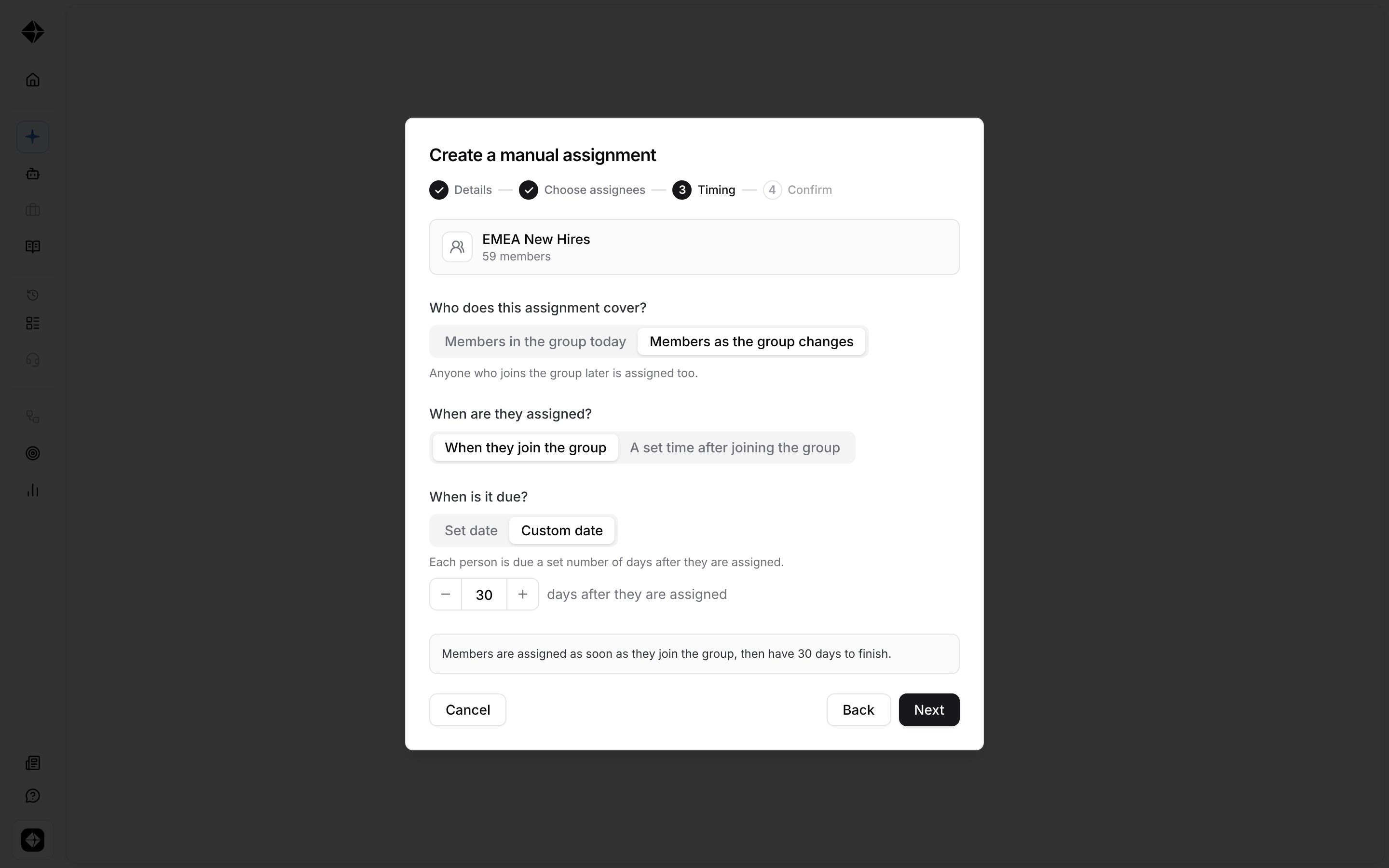
After selecting a group, choose when members should receive the module:
Members as the group changes — everyone in the group is assigned, and new members are assigned as they join.
A set time after joining — members are assigned a set number of days after joining the group.
Members in the group today — create a one-time assignment for the group’s current members with a fixed start and due date.
Track group assignments
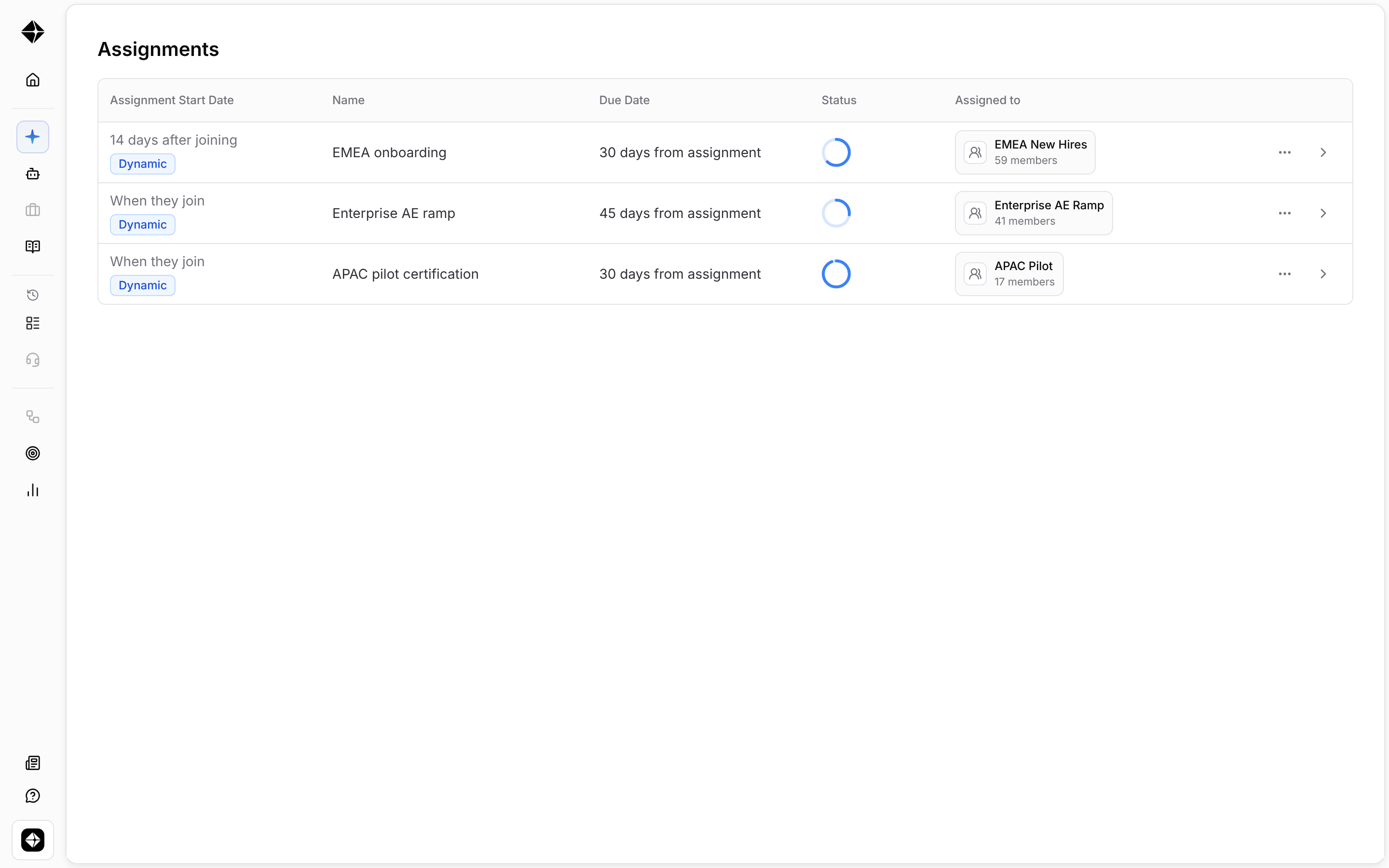
The module’s Assignments page shows each assignment’s start date and progress. Assignments that continue to follow a group are marked with a Dynamic badge.
You can filter assignments by Scheduled, Active, or Closed. Closing an assignment stops new people from being assigned through that assignment. Existing assignees keep their access and due dates.
Good to know
A group is not the same as a team. Groups do not have parent groups, manager hierarchy, or visibility permissions.
Rule-based groups can use attributes such as team, role, company start date, and supported HRIS fields.
Archiving someone from a group only affects future assignments. To remove someone from an active assignment, edit the assignment itself.
Groups are archived rather than deleted, and archived groups can be restored.