How To: Use Bite Sized Roleplays
Last updated: December 9, 2025
You can now customize any bot to focus on exactly the skills, scenarios, or objections you want your reps to practice.
Instead of running a full discovery or cold call, you can tailor the bot to run short, high-intent simulations, for example:
A 10-minute objection-handling session with a specific buyer persona
A call focused only on budget qualification
A simulation that tests closing skills
This gives teams tighter coaching loops, more focused practice, and faster skills development.
Why This Matters
Reps don’t always need a full end-to-end call to improve.
Sometimes they just need targeted repetitions with a certain persona or scenario.
With this feature, you can now:
Train on specific weaknesses (e.g., handling “send me an email”)
Replicate real buyer behavior more closely
Run rapid role-play sessions without wasting time
Improve performance in one skill area at a time
How It Works
Here’s a quick walkthrough based on the feature demo you shared:
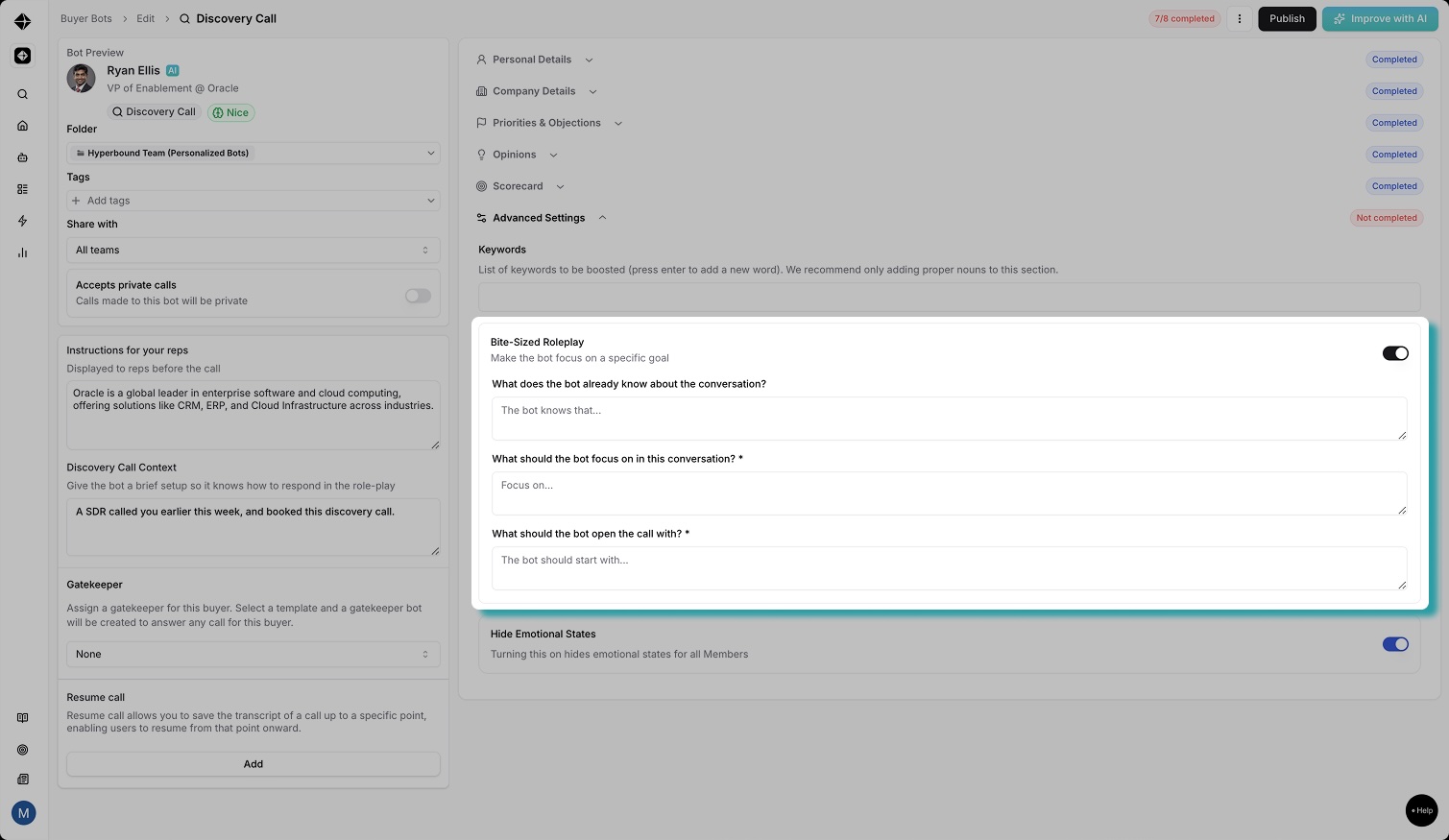
Open any bot
Go to the bot you want to customize inside your Bots workspace.Click “Advanced Settings”
This opens a new customization panel with three sections:
What does the bot already know about the conversation?
What should the bot focus on in this conversation?
What should the bot open the call with?
Select your focus area
You can now choose what the bot should prioritize:Objection handling
Qualification
Discovery
Budget conversations
Closing
Or any custom focus you define
Publish & start practicing
Reps can instantly start practicing the new scenario.
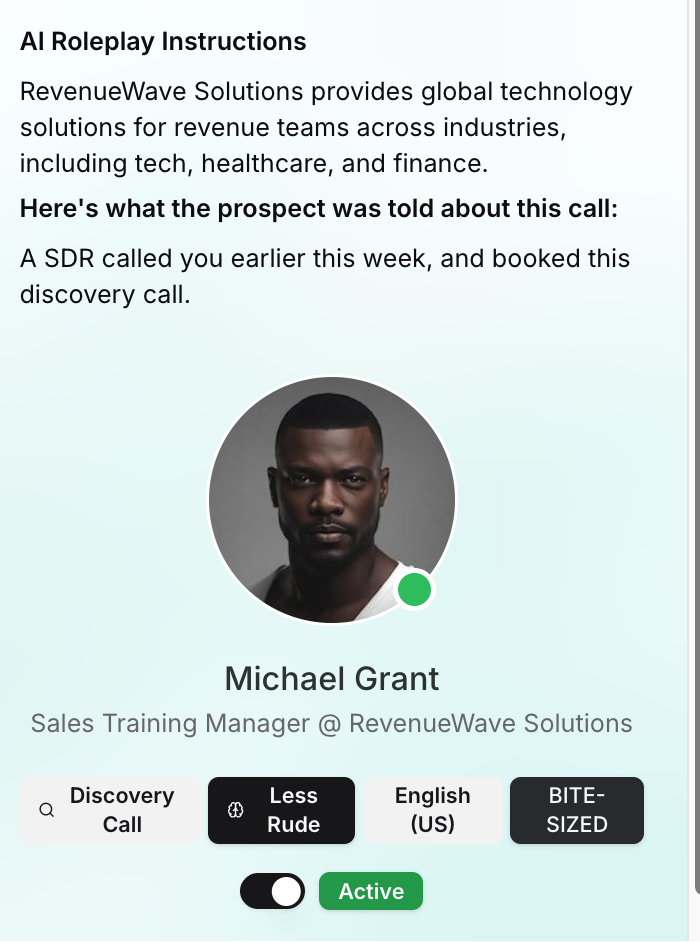
Use Cases and Examples
Objection-Only Drills
What does the bot already know about the conversation?
The buyer is skeptical and likely to shut the rep down quickly.What should the bot focus on in this conversation?
You will throw the objection “We don’t have budget”What should the bot open the call with?
“Just a heads up, we don’t have budget for anything new right now.”
Discovery Deep-Dive
What does the bot already know about the conversation?
The buyer knows the rep is early in the process and needs to explore the buyer’s situation.What should the bot focus on in this conversation?
Sharing surface level details and requiring the rep to dig deeper with follow-ups.What should the bot open the call with?
“Sure, happy to chat. What do you want to understand about our process?”
Budget Qualification
What does the bot already know about the conversation?
The buyer is interested but has not clarified budget ownership or process.What should the bot focus on in this conversation?
You focus on Uncovering budget and approval stepsWhat should the bot open the call with?
“Before we dive in, how much is this going to cost me?"
Handling "Send me more Info"
What does the bot already know?
The buyer is disengaged and trying to get off the call.What should the bot focus on?
Testing qualification instead of accepting the brush-off.Opening line for the bot:
“Just send me something and I’ll take a look.”
Status Quo/ No Change Pressure
What does the bot already know?
Buyer sees no urgency.What should the bot focus on?
Uncovering cost of doing nothing.Opening line for the bot:
“We’re not really looking to change anything right now.”
How is it different from Resume calls.
With Resume calls, you usually had to upload a chunk of the transcript. That meant copying it out, trimming it to the exact moment you wanted the bot to start, and then pasting it back in. Bit of a chore.
The other gap was that Resume calls couldn’t really end on their own once you reached the point you wanted to stop.
✅ Bite sized roleplays fix both. No transcript prep. Clear start and stop. Much easier to experiment with. Go play around with it.
Need help?
Visit support.hyperbound.ai or reach out to our support team via chat.