How to: Set up and run an Initiative
Last updated: November 19, 2026
An initiative checks your team's real calls for up to three behaviors you care about, such as a new pitch or how reps answer a competitor. When a rep misses one, they get feedback on that exact moment and a short roleplay to practice it. You get a dashboard that shows who is doing it consistently.
You set it up once with Kota, Hyperbound's AI assistant. After that it runs on every eligible call until the end date.
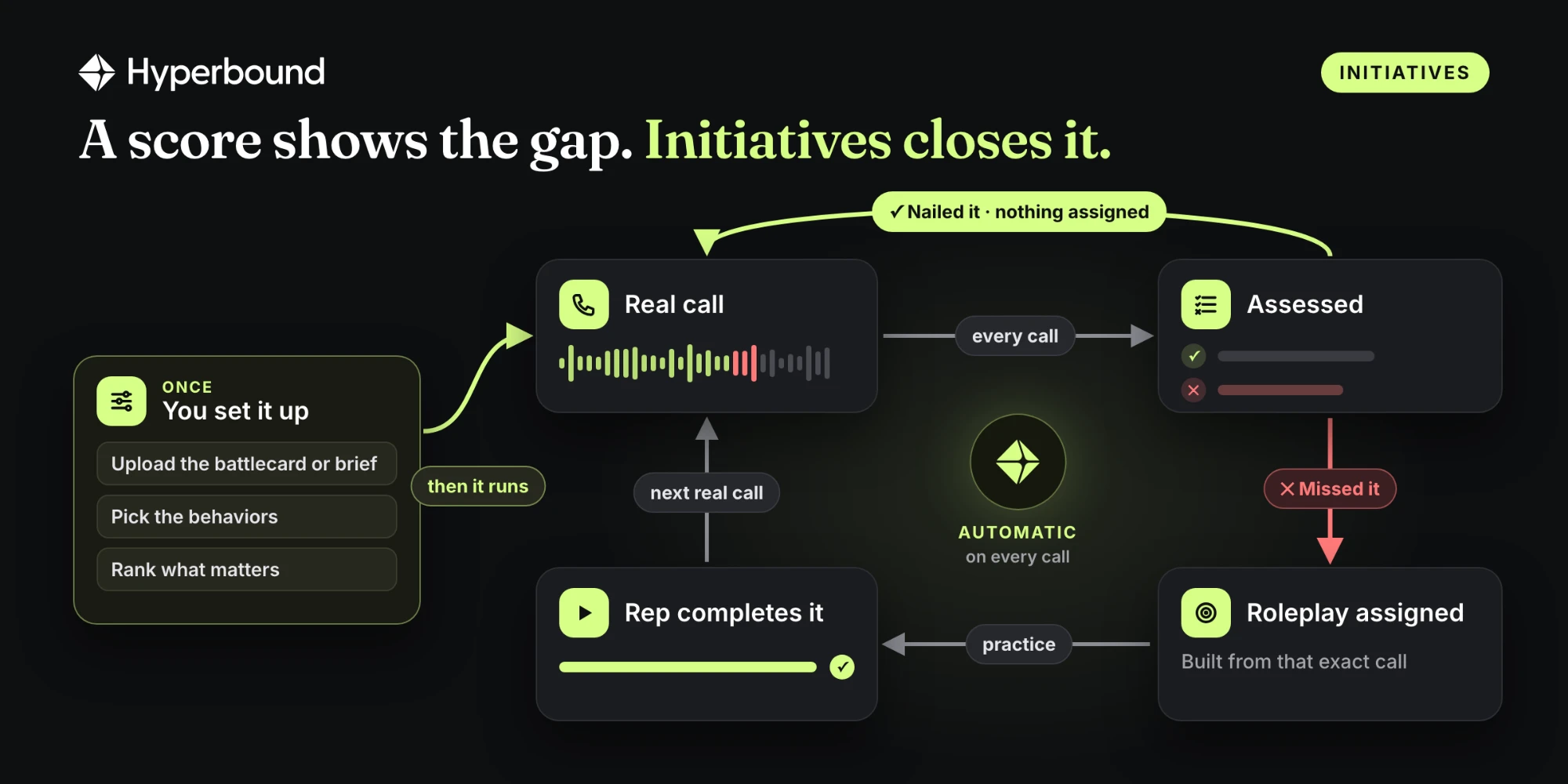
Initiatives is part of Hyperbound Perform. All screenshots below are sample data.
Before you start
Your team's real calls are in Hyperbound, recorded by Hyperbound or imported from a recorder such as Gong or Chorus.
You are an Admin or Member Plus. Reps set up nothing.
You can see Initiatives in the sidebar. If you can't, ask your Hyperbound contact to turn it on.
CRM and calendar are optional. With them connected, roleplays carry more deal context.
You have one specific thing you want to hear on calls, and a start and end date for it.
Step 1: Create it with Kota
Go to Initiatives and select New initiative. Kota opens and asks you a few questions, one at a time.
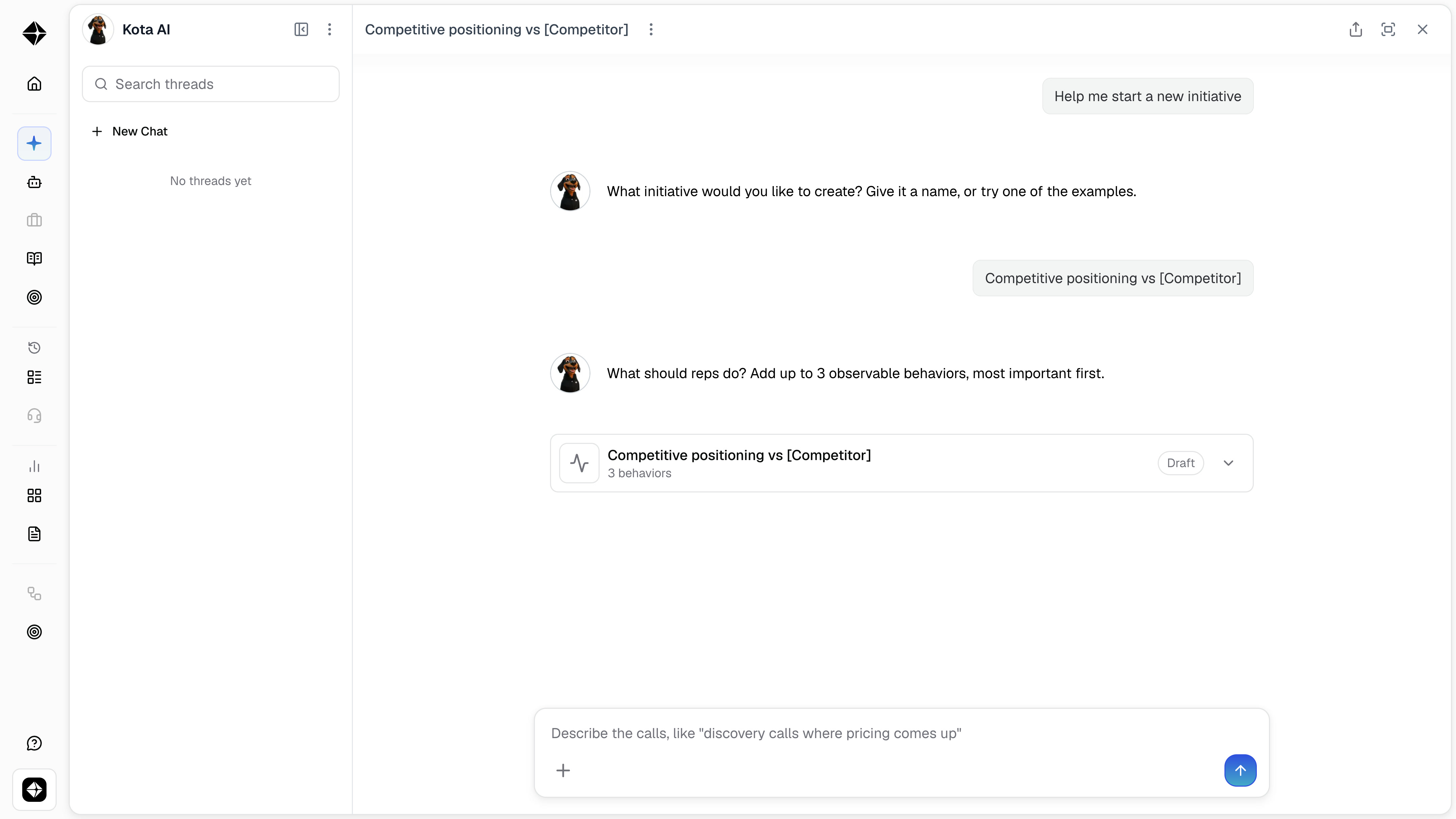
Name it. Use the name of the rollout, like "Competitive positioning vs [Competitor]".
Add up to 3 behaviors, most important first. Write each one as a yes or no question about the rep: "Did the rep ask what the buyer likes about the competitor before comparing?" You can also upload a battlecard or brief and let Kota suggest them. Read what it suggests and rewrite anything that is vague.
Describe which calls count, like "discovery calls where pricing comes up" or "calls where the buyer mentions [Competitor]". If you name a call type you already use for scoring, such as discovery, Kota uses it.
Kota saves this as a draft. Keep it as a draft and come back later, or continue:
Choose who it reaches. Pick teams, people or both. Picking a manager adds only that person, so pick their team to include their reps.
Set the dates. Start today, or backdate the start by up to 30 days to see where the team stood before you launched. The end date defaults to four weeks out.
Nothing has reached a rep yet.
Not sure what to measure? Ask Kota to review a team's recent calls and list the biggest gaps, then turn one of them into an initiative.
Step 2: Test it on past calls
Choose Test this initiative and select Start test. Kota reads the last 10 calls from the people you chose and shows what it would have done. Private calls are skipped, and nothing is sent to anyone.
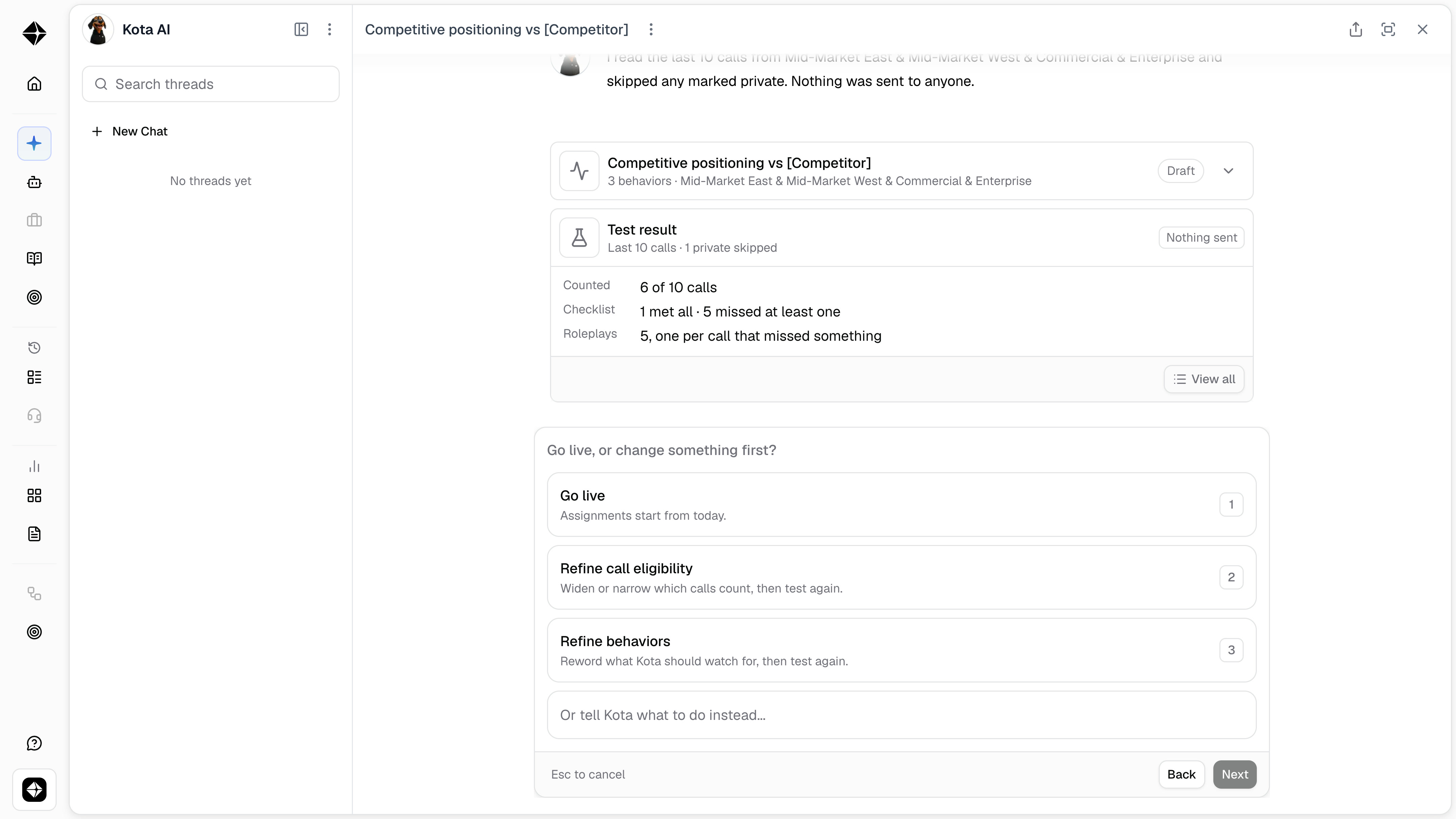
Select View all to see every call:
Counted: whether the call matched your description, and why not if it didn't.
Checklist: each behavior marked Met, Missed or Not applicable.
Roleplay it would send: the practice that rep would have received.
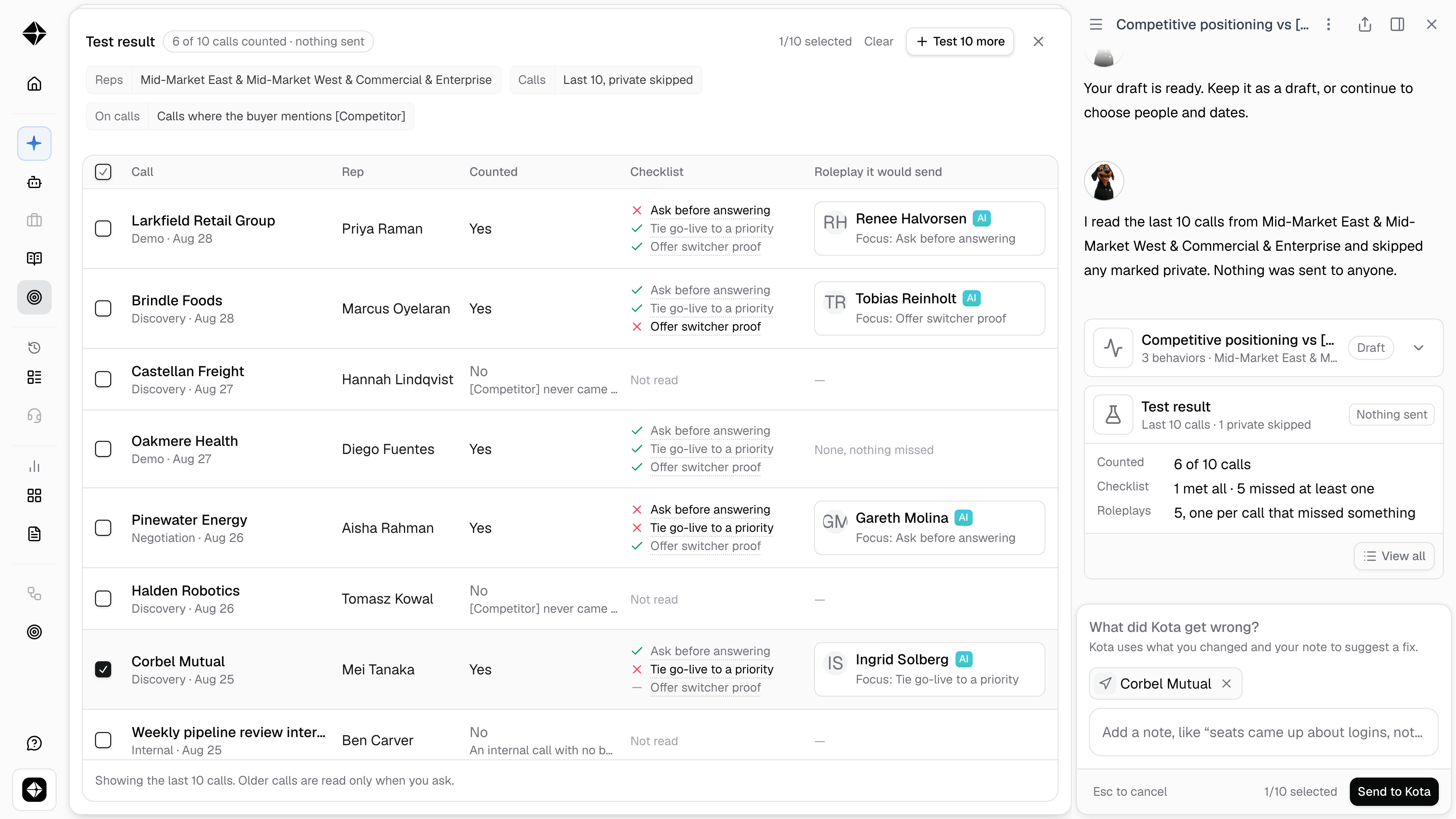
If Kota got a call wrong, correct it with Mark met, Mark missed or Shouldn't count, add a short note on why, and select Send to Kota. Kota suggests a change. Select Update and test to apply it and read the same calls again. Select Test 10 more for a bigger sample, up to 20 calls.
Go live when the results match what you would have said after listening to the calls yourself.
Step 3: Go live
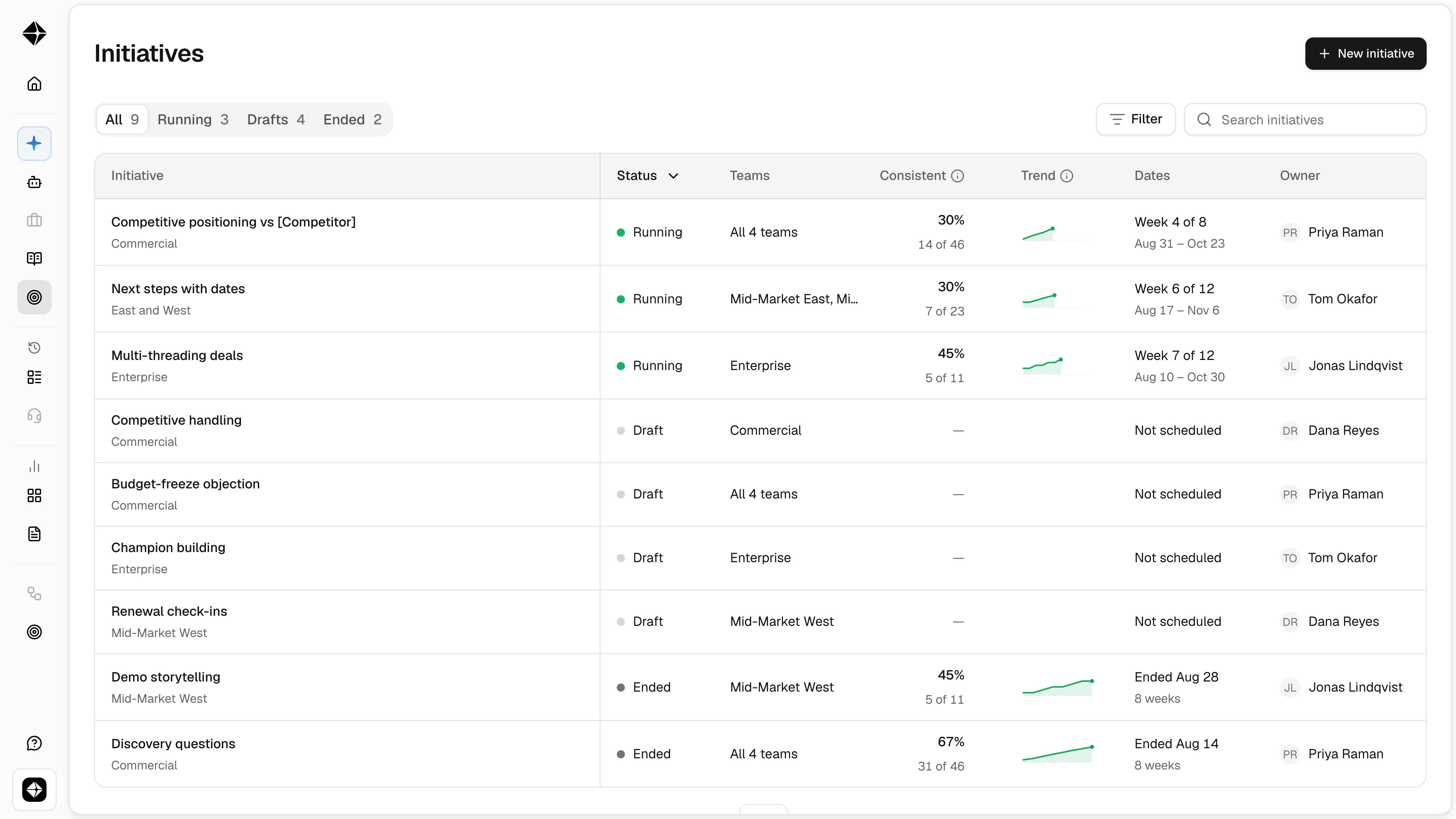
Select Go live. From here Kota reads every eligible call for the people in the initiative. Your draft moves to Running in the Initiatives list.
Step 4: What your reps get
A rep who shows every behavior on a call hears nothing. A rep who misses one gets:
Feedback on the call, in the Initiative tab: what the buyer said, what the rep said, and what to try next time, with a link to the moment in the recording.
One short roleplay on that behavior, built from the rep's own call. If they missed more than one behavior, the roleplay covers the most important one.
A Slack message from Kota, or an email if Slack is not connected, with links to the call and the roleplay.
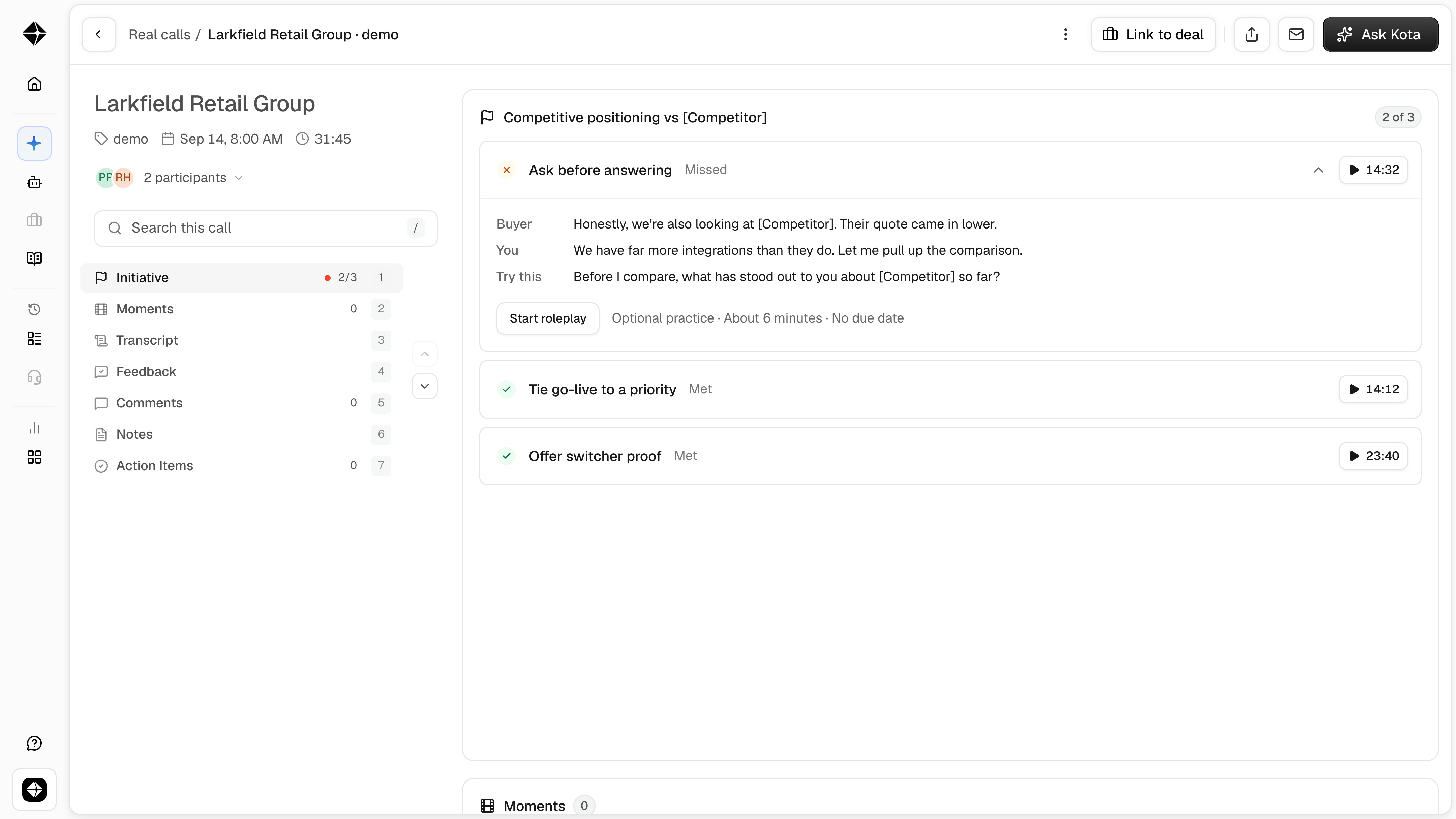
The roleplay is optional and has no due date. It is marked passed or not passed on that one behavior, with no score, and the rep can try again. Nothing is ever sent to your customer.
Step 5: Read the dashboard
Open the initiative from the Initiatives list.
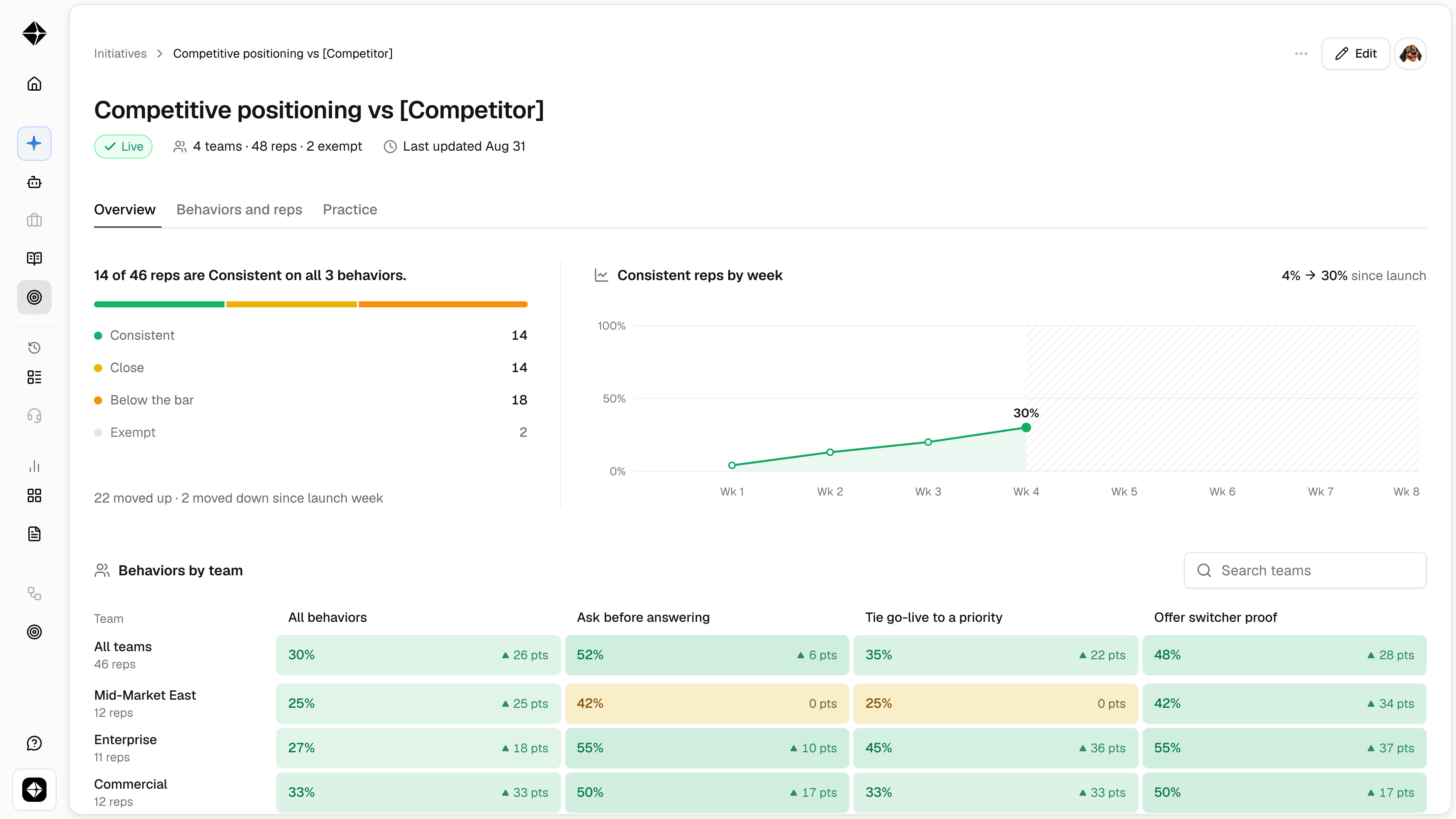
Overview: how many reps are Consistent, week by week, and how each team is doing on each behavior.
Behaviors and reps: where each rep stands on each behavior.
Practice: every missed moment, the roleplay it led to, and how the rep did. Select a moment to play it.
A rep is Consistent when the behavior shows up on at least 80% of their last 10 eligible calls. Close is 60 to 79%. Below the bar is under 60%. Those last two groups are the reps to spend time on.
To take a rep out, open the menu on their row and select Exempt from this initiative. Kota stops reading their calls for this initiative and clears their open roleplays. Their normal call scoring does not change.
Changing or ending an initiative
Select Edit on a running initiative. Renaming it keeps your data. Changing the behaviors or their order starts a new run, so the numbers start again. An initiative stops by itself on its end date and then shows a final report.
Tips for your first initiative
Start with one initiative and a small group, even one rep. A rep can be in up to 3 live initiatives at a time.
Pick something specific with a clear trigger. "Answer the competitor question" works. "Sell better" does not.
Check that the trigger comes up often enough. If the test counts 0 of 10 calls, widen which calls count.
Give it an end date. Two to six weeks suits most rollouts.
Questions people ask
Will anything reach my reps while I am testing?
No. Drafts and test results are visible to you only. Reps hear from an initiative after you select Go live.
How is this different from a scorecard?
A scorecard holds a broad standard on every call. An initiative is a short, focused push on up to three behaviors, and it follows up with the rep on each miss. You can run both.
Why was a call not counted?
It did not match your description of which calls count. Open the test result, tick the call, tell Kota why it should count, and test again.
Will a rep get a roleplay after every call?
Only on calls that count, only when they miss a behavior, and only one roleplay per call.
Can something outside a call start an initiative, like a CRM field or product usage?
Not today. An initiative reads what happens on a call.
Can I use this without real calls in Hyperbound?
No. Initiatives needs real calls to read.
Still need help? Reach out to support@hyperbound.ai