How To: View analytics for Live call coaching
Last updated: October 9, 2026
Overview
After each call, Hyperbound checks which discovery steps came up and how each battlecard was handled. The Analytics tab then answers five questions:
Is anyone using it?
Is it working?
Where is it breaking?
Reps of concern
1. Is anyone using it?
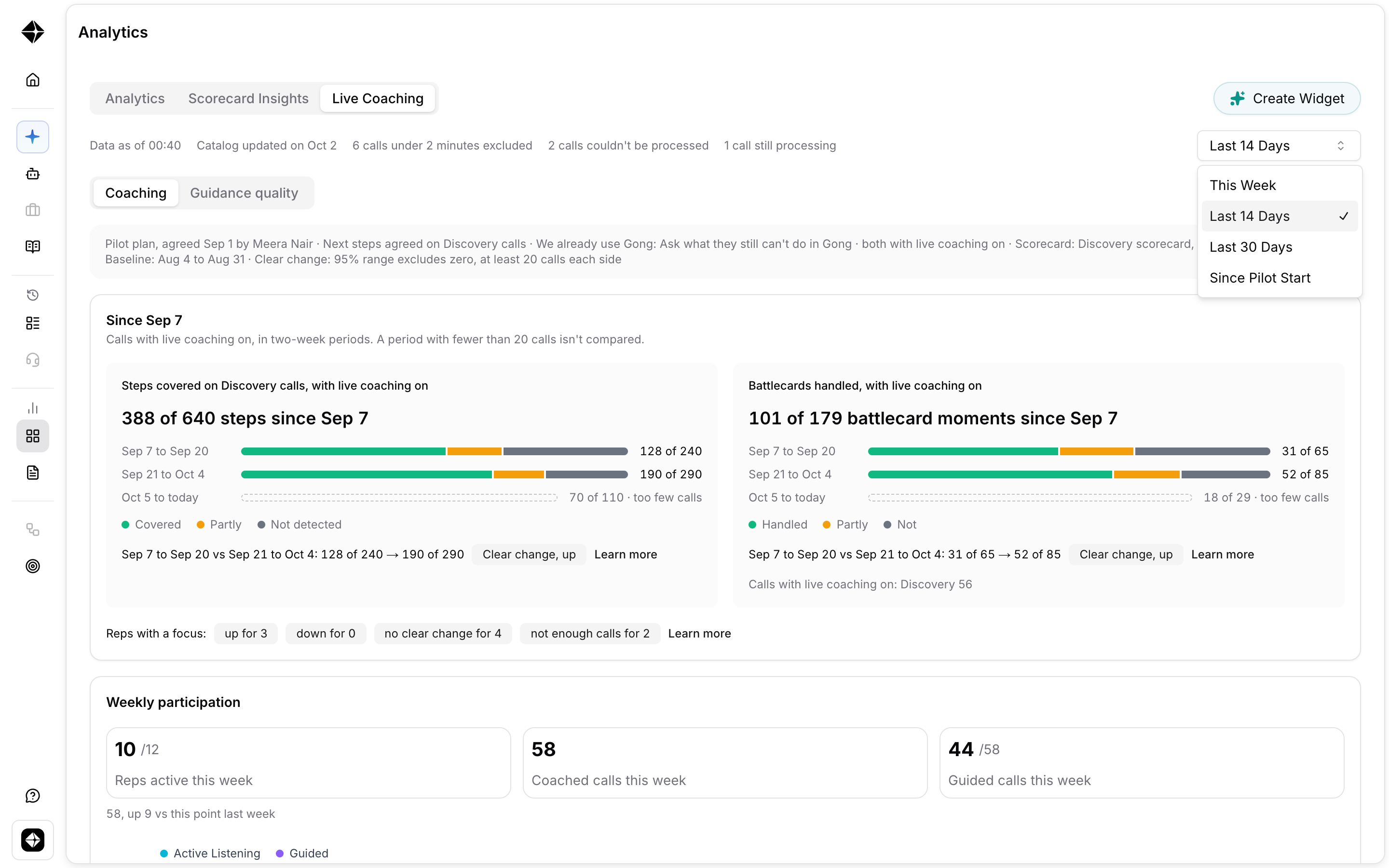
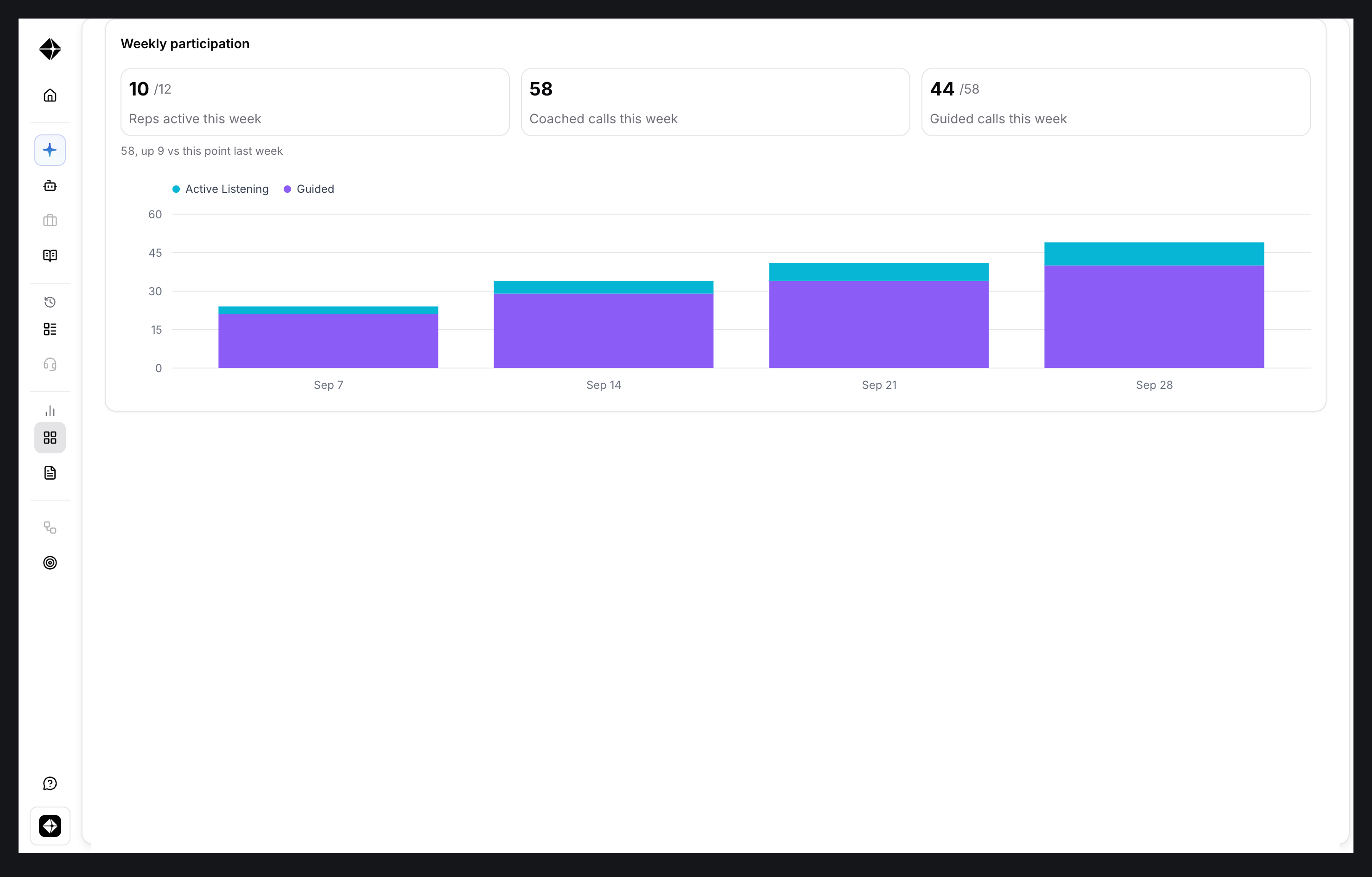
Every other number on the page is built from coached calls. Weekly participation tells you how many reps are running live coaching, how many calls that adds up to, and whether it is growing week by week. If usage is low or flat, stop here. Nothing below is worth reading until more reps are running it. The data comes from the Hyperbound desktop app, so check that reps have it installed and running on their calls.
2. Is it working?
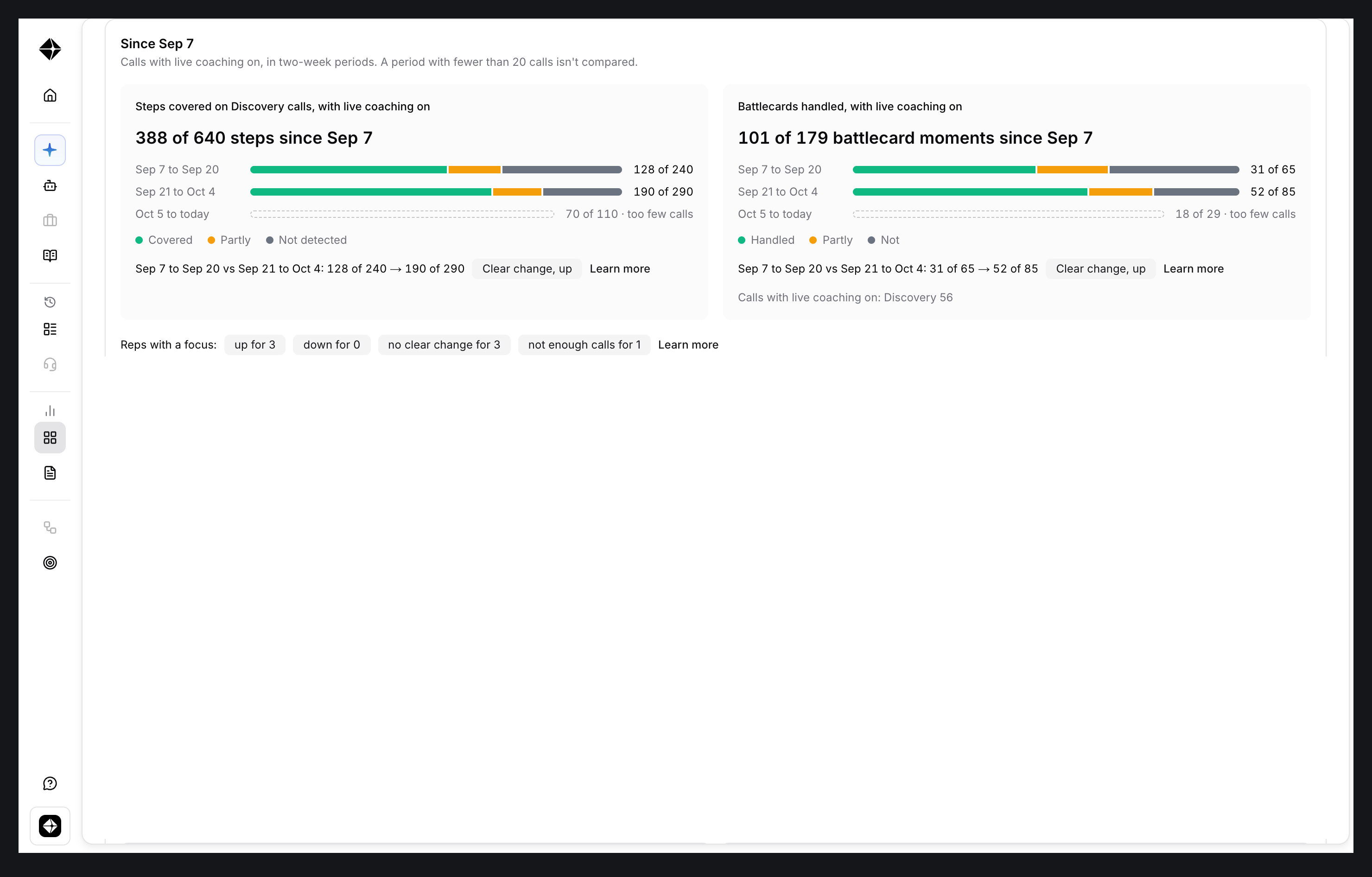
This is the question your boss will ask. The improvement band compares 2-week periods of calls, so you can see whether reps are covering more of the discovery steps now than when the pilot started. A "Clear change, up" chip means reps are doing more of what you want, and the difference is unlikely to be chance. Treat it as a strong hint, not proof. A hollow bar means fewer than 20 calls, which is too few to compare yet.
3. Where is it breaking?
"It is working" is not enough. You need to know what to fix. Four tiles answer this, and they point at the same few things, so you are looking for what shows up more than once.
At a glance is the shortcut. It lists the patterns that repeat in your range, and each item has a button that opens the calls or the rep behind it.
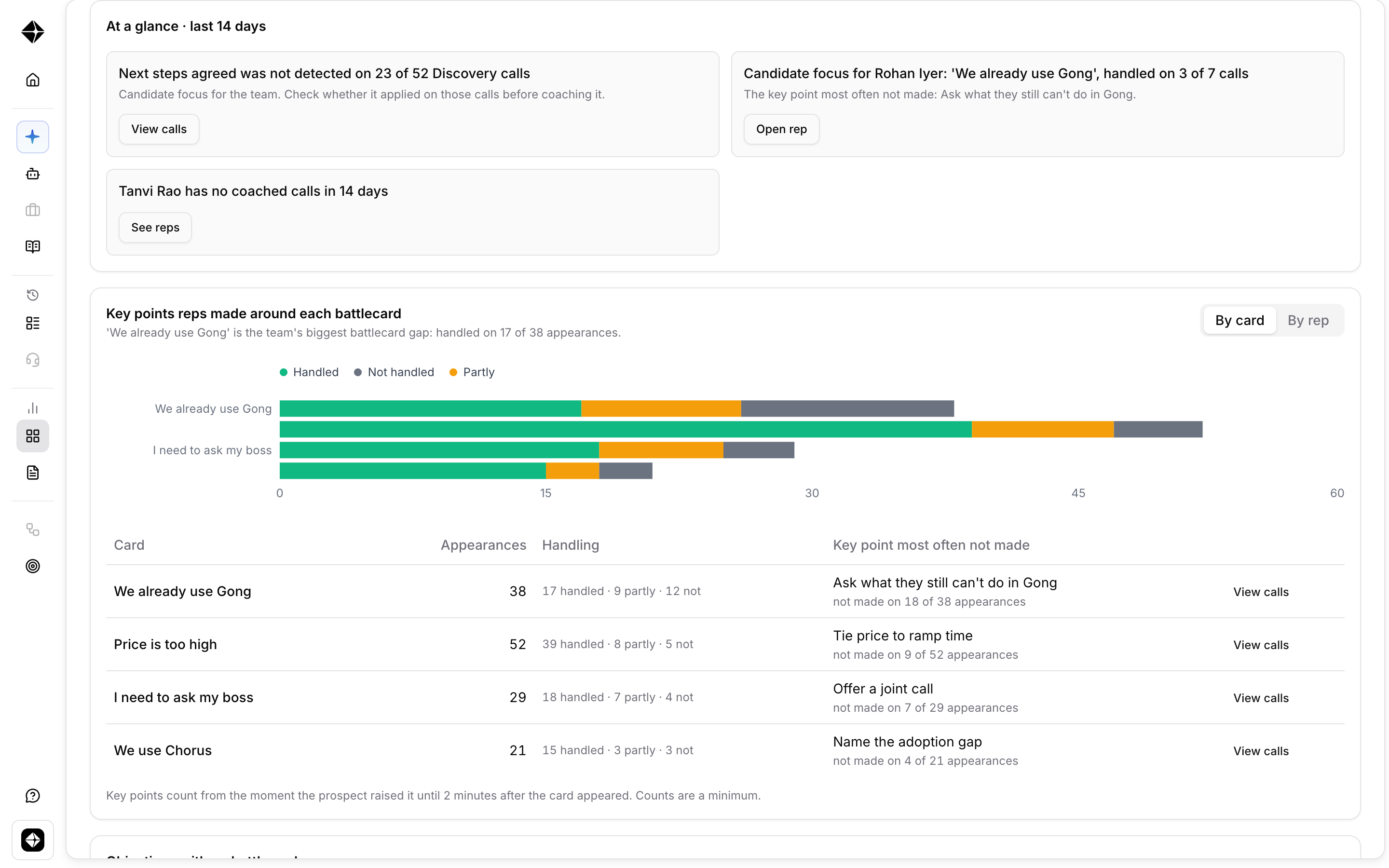
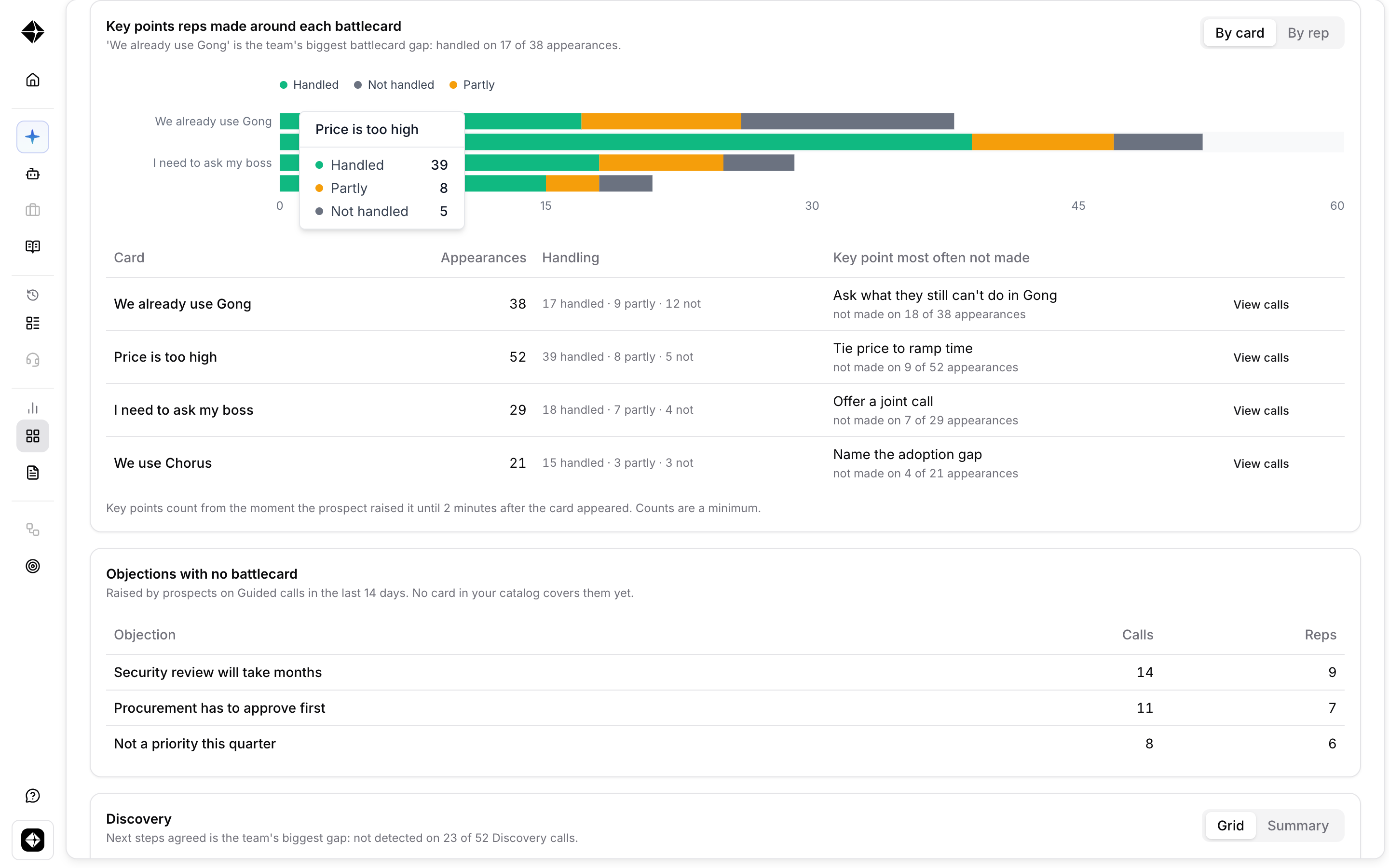
The battlecards tile shows how reps handled each objection card and which key point they skip. Objections with no battlecard, just below it, lists what prospects raised that nothing in your catalog covers.
4. Reps of concern
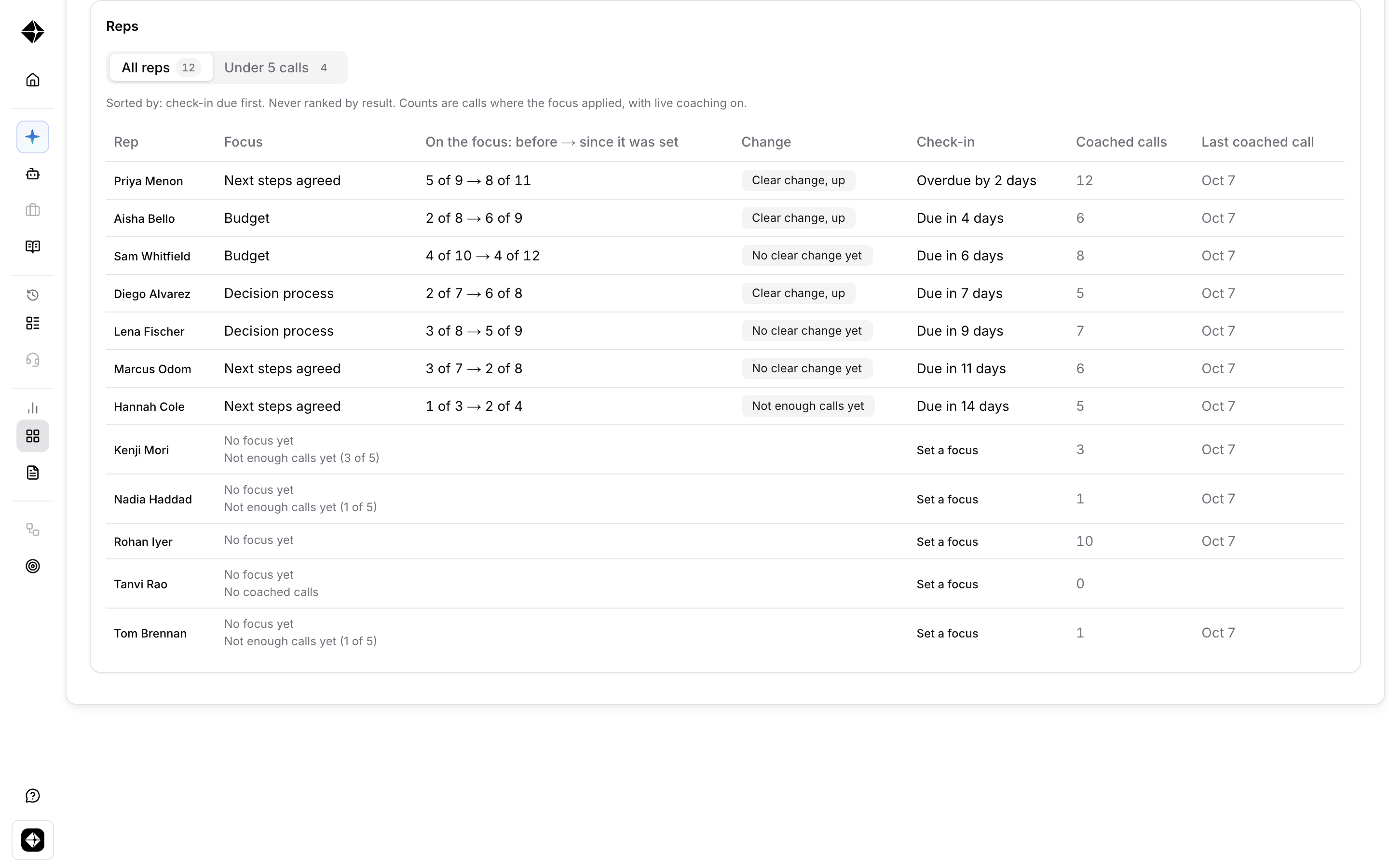
You can only work on one thing with one rep at a time. The Reps table shows each rep's focus, whether it moved, and when the next check-in is due. It is sorted by check-in due and never by result. Reps with under 5 coached calls have too few calls to read, so fix what stops their calls before you coach anything.
Rep Drilldown
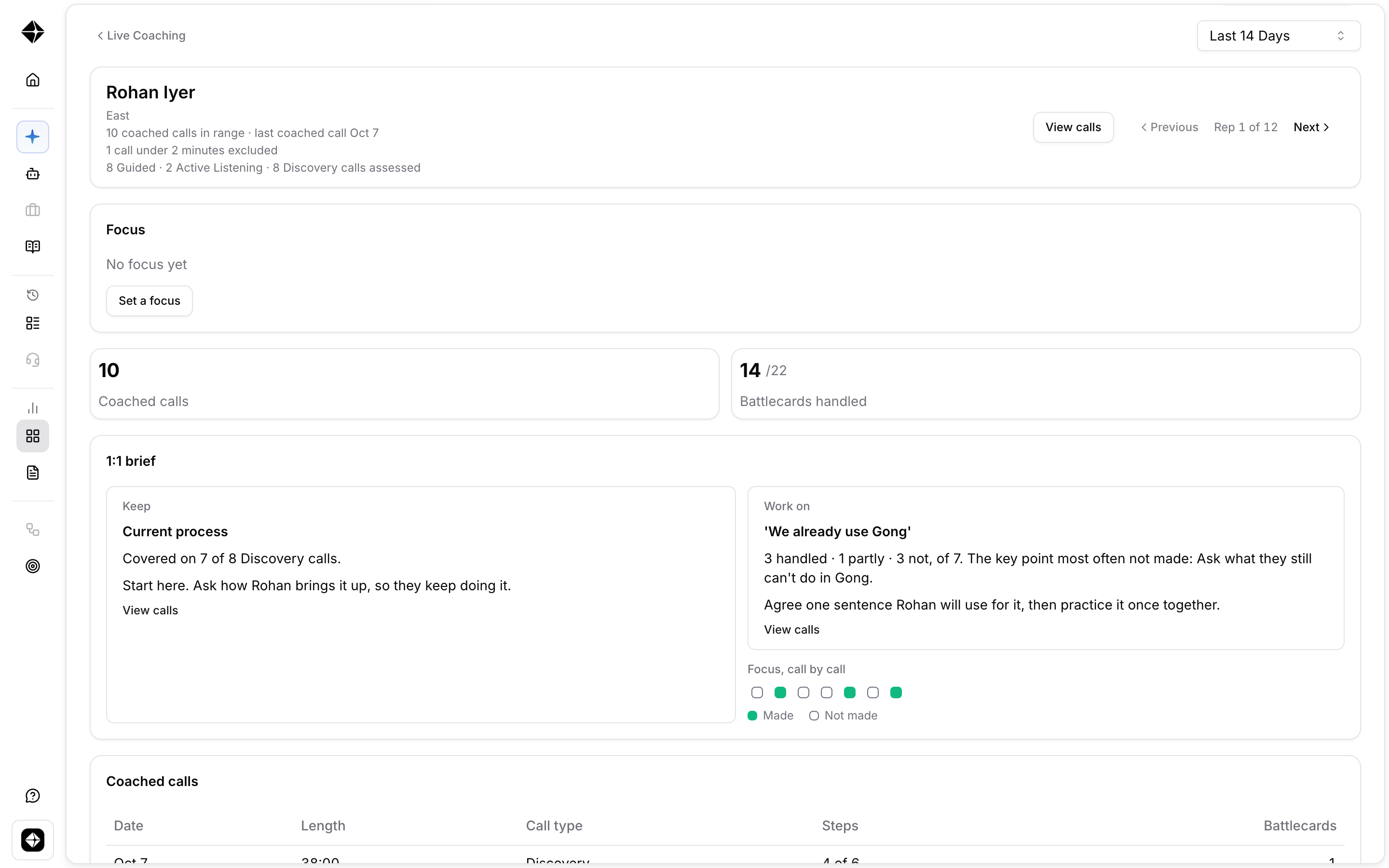
Select a rep to open their page. Go into the 1:1 with one thing to praise, one thing to fix and a sentence to practice. Reps can also see their own page, and so can anyone with live coaching analytics access to them.