Clari Copilot
Last updated: June 2, 2026
Learn how to connect Clari Copilot to Hyperbound so you can automatically import and score your real sales calls.
Ensure Clari Copilot is enabled in your Workspace, if not, reach out to your SE team
Prerequisites: Real Call Scoring Settings
Before the integration is set up, ensure you have the right Call Routing and Privacy settings for the workspace. Learn more about it here:
1. Generate Your Clari Copilot API Token
Go to Clari Copilot and log in with your account.
Click your profile icon > Workspace Settings > Integrations
Scroll to the API Access section and click Generate API Key
Copy the API Key and API Secret code, you'll need it in the next step.
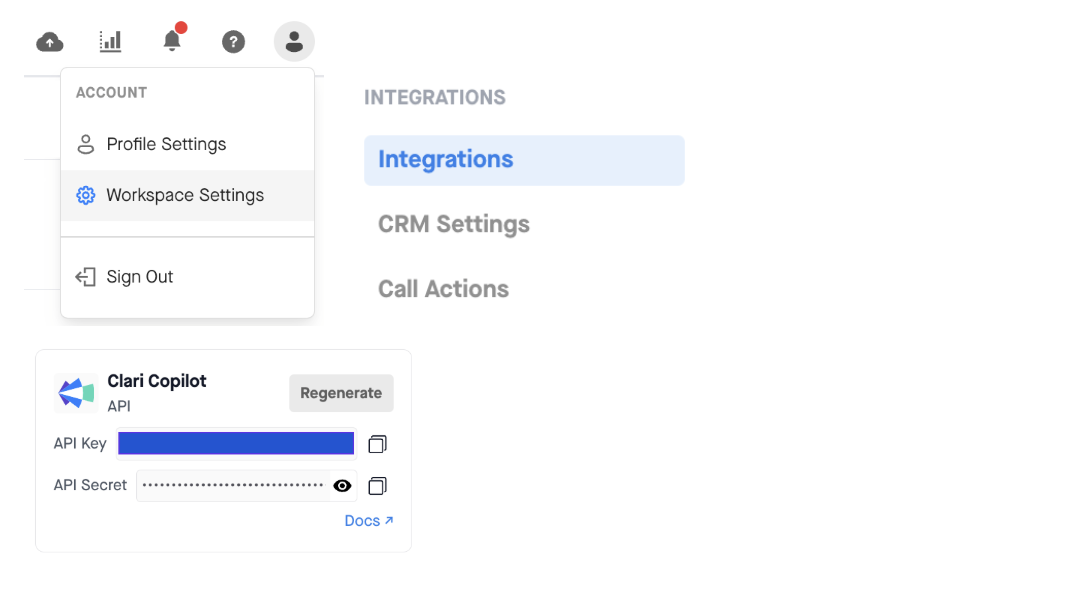
If you don't see the API Access section, your Clari Copilot role doesn't have API permissions. Ask your Clari Copilot admin to enable it under Admin > Users > Roles.
2. Create the Integration in Hyperbound
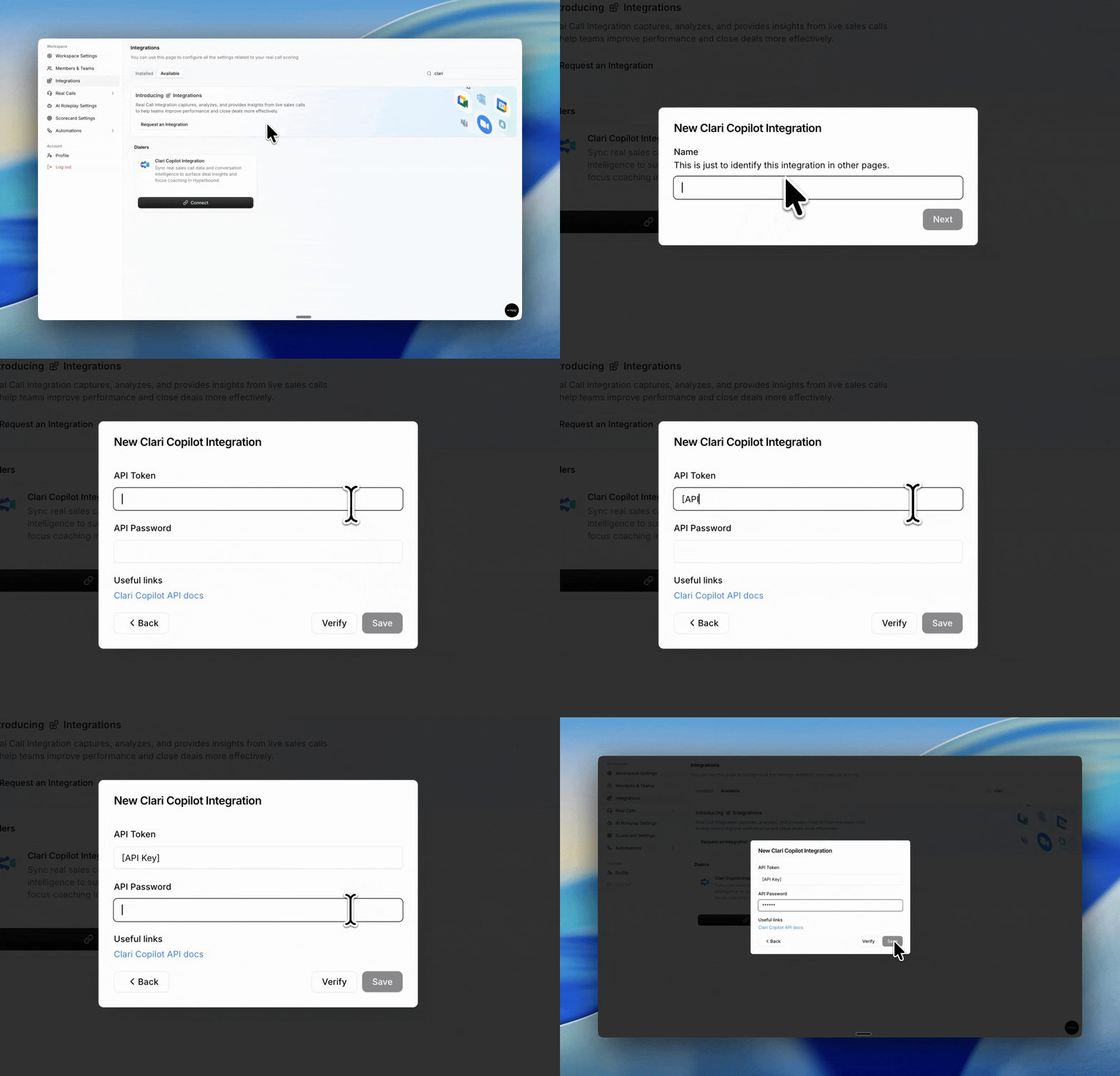
Go to Workspace Settings > Integrations
In the Available tab, find Clari Copilot and click Connect
Enter a name for the integration (e.g. "Clari Copilot x Hyperbound")
Paste your API Token from Step 1
Click Save
Hyperbound will verify your token. If it's invalid, you'll see an "Invalid API key" error. Double check the token and that your Clari Copilot role has API access.
Managing Your Integration
From the Integrations page you can:
Pause: temporarily stop importing calls
Resume: restart a paused integration
Disconnect: remove the integration entirely
FAQs
How quickly are calls available in Hyperbound?
After Clari Copilot finishes processing the recording, Hyperbound will pick it up on the next sync cycle (approximately every 2 hours) and score it within a few minutes.
What if my API token stops working?
Disconnect the integration, generate a new token in Clari Copilot and reconnect.
Do speaker names carry over?
Yes. Clari Copilot imports include participant identification from the original call.
Other Limitations
Clari Copilot calls without a recording are not imported
The integration does not backfill your full Clari Copilot history. It only imports calls within the sync window going forward
If a call is deleted in Hyperbound, it will not be re imported
Still need help?
Contact support@hyperbound.ai