Prompt Library for Sales Managers
Last updated: October 20, 2026
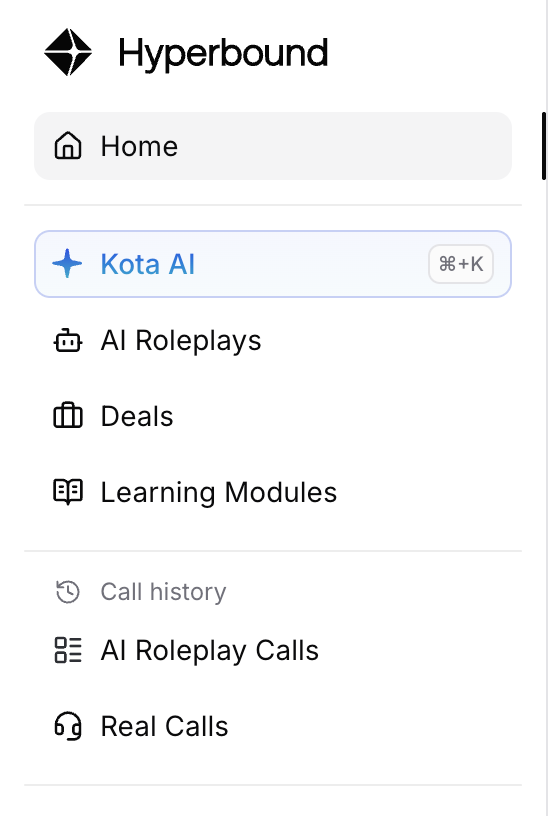
Open Kota by hitting Control/Command + K or click on Kota on the sidebar
Write prompts Kota can act on
Kota reads your calls, scorecards, deals and roleplays, and backs what it says with that data. A vague question gets a vague answer. The prompts that work best have the same four parts:
Include | Say it like this | Why it matters |
|---|---|---|
Who and which calls | "[Rep], real calls only" or "roleplay calls only", plus the call type or scorecard | Kota reports real calls and roleplays separately, so say which one you mean |
A time window | "In the last 14 days", "this month compared with last" | Without one, Kota looks across all time and recent changes get buried |
How many you want | "Top 3", "the 5 biggest", "the last 25 calls" | You get a ranked list you can coach from, not an essay |
Proof and format | "With 2–3 examples each and call links", "in a table by team" | You can open the call before a 1:1, and paste the table into an update |
Vague: "Why is [Rep] struggling?"
Specific: "Looking at [Rep]'s real discovery calls from this week, why aren't their deals moving forward? Give me the top 5 reasons, with 2–3 examples of each and call links."
Three habits make the answers better:
Stay in one thread. Kota remembers the conversation, so "now build a bot for reason #2" works without repeating yourself.
Describe behavior, not keywords. "Reps handling pricing pushback" finds the right moments. "Price" finds every call that mentions a number.
Ask Kota to review before it changes anything. Add "review it, but don't change anything yet" before Kota edits a bot or scorecard.
1. Prep a 1:1 in two minutes
Prompt | Use Case |
|---|---|
I'm about to coach [Rep]. What are the three biggest things I could talk to them about that would have the highest impact? Use their real calls from the last two weeks. | Prep for 1:1 coaching |
For [Rep], real calls only, over the last two weeks: highlight three wins and the five biggest areas for improvement. Be specific, with 2–3 examples of each. | Lead with wins, then gaps |
What has [Rep] changed this month compared with last month? Last month was much more successful. | Spot a slump early |
2. Look past the score to the outcome
Prompt | Use Case |
|---|---|
Review [Rep]'s real calls this month that ended with a next step. Are those next steps specific, with a date and an owner, or vague? | Check next-step quality |
Look at [Rep]'s calls from this week. Did the buyer agree to move forward because of a real problem, or just to end the call? | Check deal quality |
Review the calls where the score was low but the deal still moved forward. What in the scorecard is causing that gap? | Keep scorecards honest |
3. Copy what your best reps do
Prompt | Use Case |
|---|---|
What is [Top rep] doing on calls that wins more deals than everyone else on [Team]? | Replicate winning behaviors |
Find real calls where the buyer raised [Objection] and we still got a next step. What did the rep do that worked? | Build a talk track from your own calls |
Go in depth on the best real call we had this month. What makes it stand out? What could the rep do better? List 5 key takeaways. | Build a coaching library |
4. Roll it up by team
Prompt | Use Case |
|---|---|
Break down this week's real-call scores by team on the [Scorecard]. Put it in a table, with the weakest criterion for each team. | Team performance visibility |
Compare each team's real-call scores this month with last month. Put it in a table and call out the biggest change for each team. | Spot trends by team |
Create a report on how we are performing month to month this year, based on score. Go in depth and add line charts showing our performance over time. | Leadership update |
Tip: type "Create a report" for a saved, shareable report. Good ones to start with are Common Objections, Win Reasons, Deals at Risk, Momentum Killers and Team Comparison.
5. Mine your objections
Prompt | Use Case |
|---|---|
Review the last 7 days of real calls. What are the 10 most common objections, and how often does each come up? | Know what reps really hear |
Review this month's real calls. Are we hearing objections that our scorecard doesn't account for? | Find scorecard gaps |
For each rep on [Team], find the objection they struggle with most on real calls, and recommend a roleplay bot for each person. | Build a practice plan per rep |
6. Find deals you can still save
Prompt | Use Case |
|---|---|
Review our real demo and discovery calls from the last 30 days where we presented pricing and the deal didn't close. What are the top 2 reasons across all calls? Which 2 open deals have the best chance of being saved, and why? | Pipeline review |
For [Deal], what should [Rep] do before the next meeting to get [Buyer] to approve the budget? | Deal coaching |
Tip: when you ask about one deal, Kota stays on that deal. Say "across all deals" when you want the wider view.
7. Turn the gap into practice
Run these in the same thread, right after a diagnosis. Building bots and scorecards needs the Admin or Member+ role.
Prompt | Use Case |
|---|---|
Create 2 roleplay bots, one for each of those 2 reasons. Each buyer should raise that objection the way our buyers did on real calls. | Practice from real calls |
Now create 2 scorecards, one for each reason, that grade whether the rep handled it the way we did on the deals we won. | Grade what wins |
Package those bots and scorecards into a learning module called [Module name]. | Assign the practice |
When the module is ready, Kota asks who to assign it to and when it's due.
Phrases that improve any prompt
Say this | What it does |
|---|---|
"Real calls only" / "roleplay only" | Keeps live calls and practice separate |
"Discovery calls only" / "calls over 5 minutes" | Counts only the conversations you care about |
"In the last 7 days" / "this month compared with last" | Sets the window. Without one, Kota looks across all time |
"Top 3" / "the 5 biggest" | Gives you a ranked list you can act on |
"With 2–3 examples each and call links" | Proof you can play back in a 1:1 |
"In a table by team" / "as a line chart" | Ready to paste into an update |
"Without naming any names" | Safe to share with the whole team |
"Review it, but don't change anything yet" | Shows the plan before Kota edits a bot or scorecard |
"Ask me clarifying questions first" | Useful before Kota builds bots, scorecards or rep instructions |
Get the answer every week
When a prompt keeps giving you something useful, turn it into an automation so Kota sends the answer to Slack, Teams or email on a schedule. Go to Automations, click Create with AI and describe it in one sentence, for example:
"Every Monday at 8am, email me the top 2 things each rep could fix this week, based on their real calls from the last 7 days, focused on what would help them close more deals."
Put questions about trends on a daily, weekly or monthly schedule. An automation that runs after a single call or deal only sees that one event. For more ideas, see Automations for sales managers and leaders.
Need help?
Reach out to support@hyperbound.ai for more assistance.