The new Real Calls page
Last updated: October 6, 2026
The Real Calls page has been redesigned. It is now a full library with two tabs: Calls and Playlists, replacing the old single table of recordings.
This update makes it easier to search, browse, review, and organize real customer calls.
What changed
Before, the Real Calls page was a single table of recordings. You could search, filter, and open individual calls, but there was no way to group them or save one to a playlist.
Image placeholder: before-real-calls-page.png
Now, the Real Calls page opens a library with two tabs: Calls and Playlists.
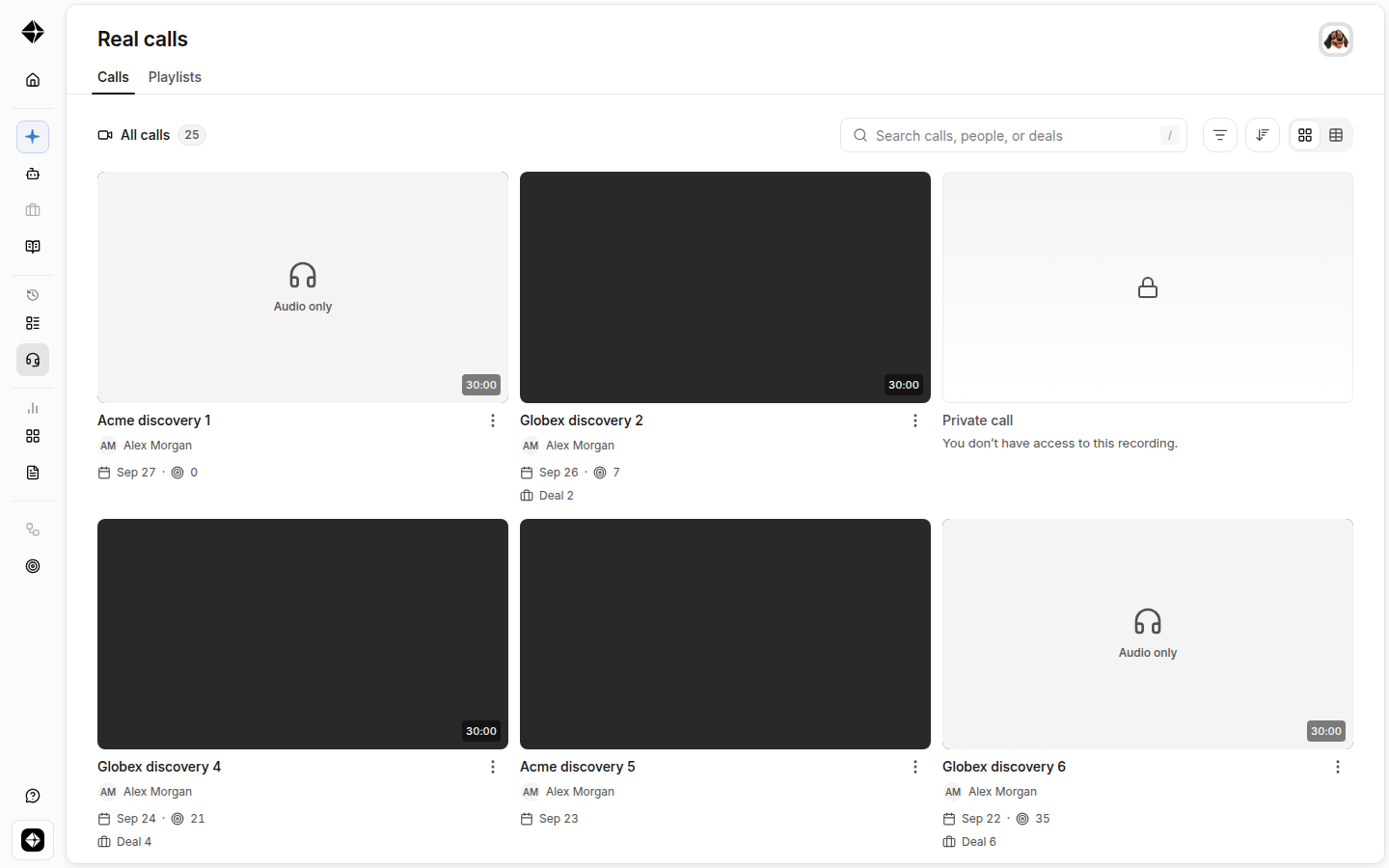
The Calls tab
Video grid, with a table option. Your recordings show as a video grid; a table view toggle switches back to rows if you prefer.
Search by calls, people, or deals. The search bar covers all three, and you can filter and sort as before.
A ⋮ menu on every call. This is where you’ll find Save to playlist.
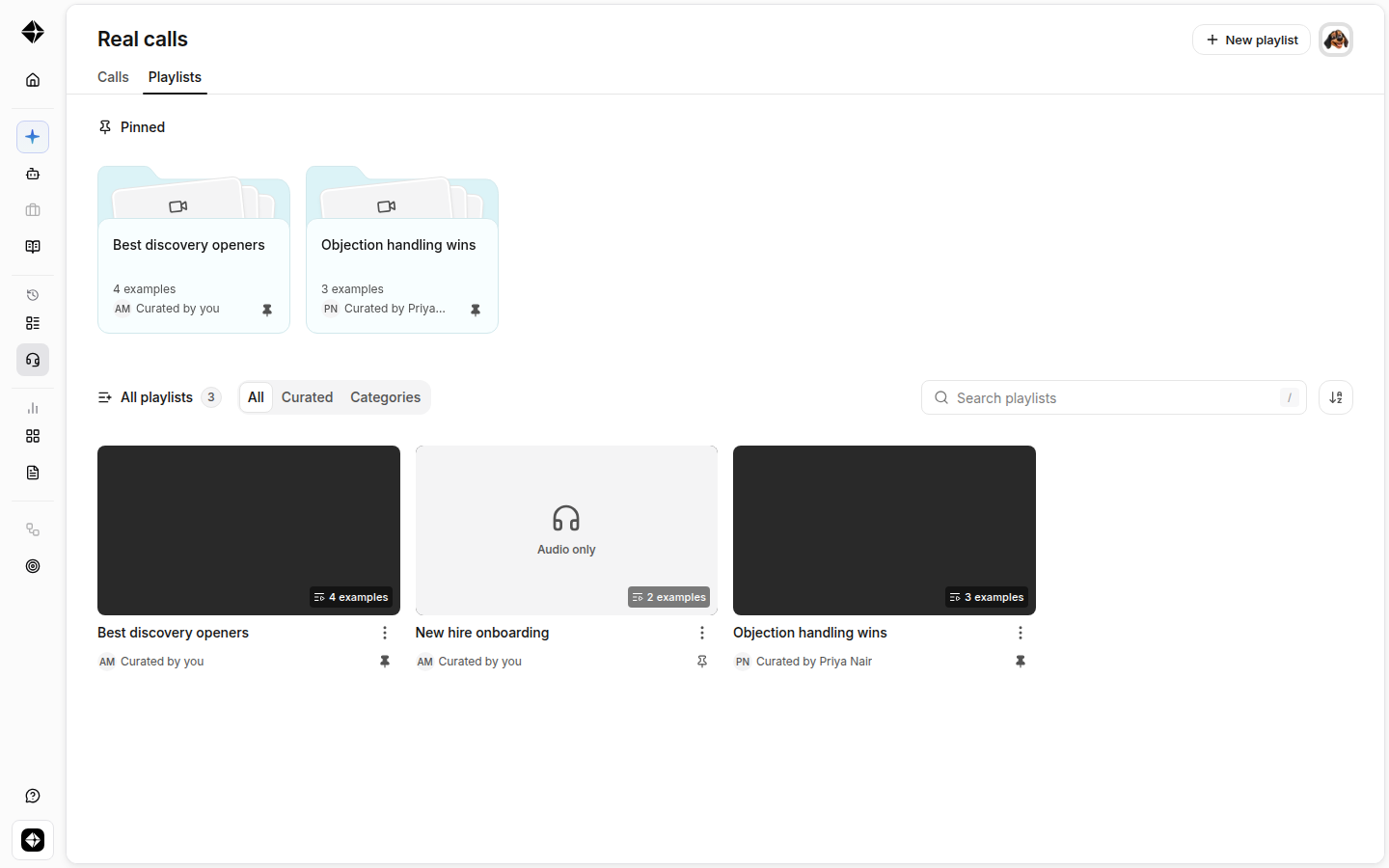
The Playlists tab
Playlists shows every playlist in your organization: a pinned shelf at the top for the ones your team wants front and center, the full list below with who curated each one, and a + New playlist button.
What stayed the same
The redesigned Real Calls page still supports the core workflows your team already uses:
Opening real calls
Reviewing transcripts
Viewing feedback
Viewing scorecard results
Searching and filtering calls
Reviewing comments, notes, and action items
The main difference is that calls are now easier to browse, organize, and save into playlists.
FAQ
Is anything lost in the redesign?
No. All your recorded calls are still here. The Calls tab lists the same calls the old table did, and opening a call takes you to its call page as before. Your organization’s call-visibility rules are unchanged.
I preferred the old table, can I get rows back?
Yes. Use the table view toggle on the Calls tab to switch from the video grid to a table.
I don’t see the Playlists tab, why?
The new library is rolling out to all customers. If your Real Calls page still shows the old list, reach out to support and we’ll switch it on for your organization.