Adding real calls to playlists
Last updated: October 6, 2026
You can now add real calls to playlists in Hyperbound.
Until now, playlists could only hold AI roleplay calls. With this update, you can save whole real-call recordings, or just a key moment from one, into playlists that everyone in your organization can watch. When someone plays a playlist, the player moves from call to call for them.
This is useful for building collections like best discovery openers, objection handling wins, competitive talk tracks, onboarding examples, or manager coaching libraries.
How to add a real call to a playlist
Open Real Calls from the navigation sidebar. You’ll land on the Calls tab.
Find the call you want using search, filters, or sorting.
Click the ⋮ menu on the call and choose Save to playlist.
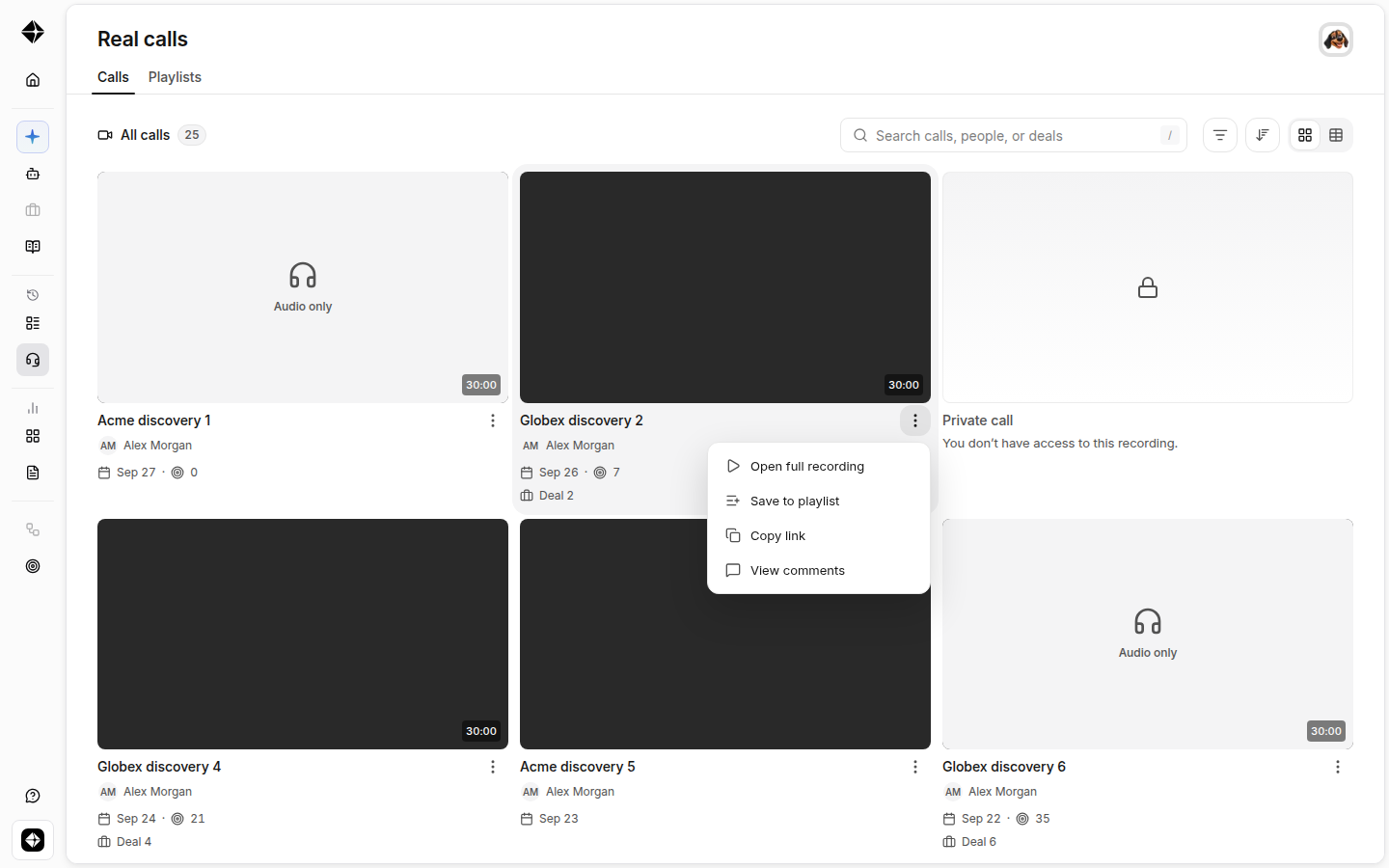
Tick the playlists you want the call in. It’s saved as soon as you tick. To start a fresh playlist with this call, click + New playlist, give it a name, and save.
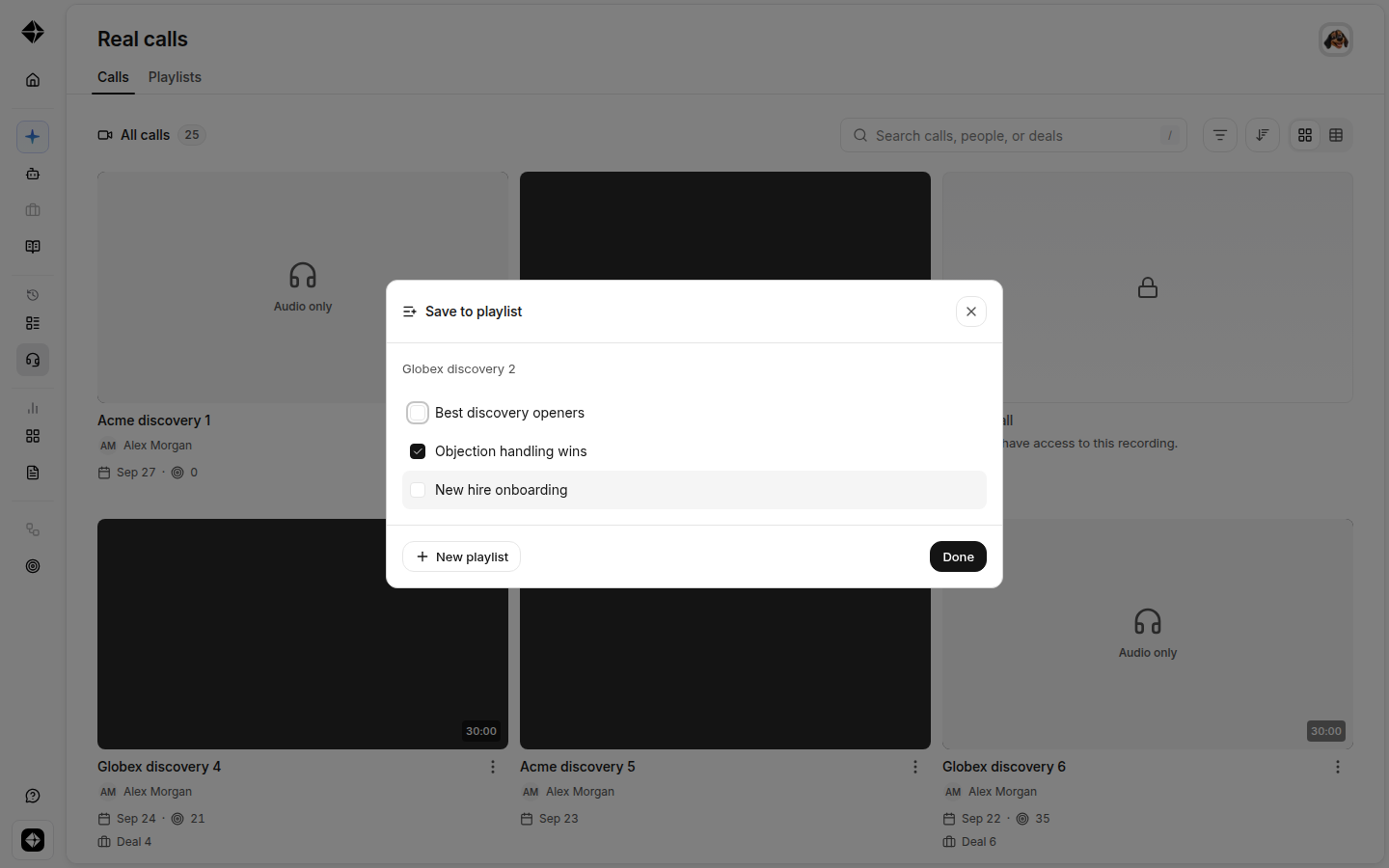
Click Done. You’ll find the playlist under the Playlists tab, where anyone in your organization can open it and press play.
Tip: You don’t have to save whole calls. From a call’s page, you can save an individual Smart Moment — a highlighted clip — to a playlist using Save to Playlist in the moment player. A playlist can mix full recordings and short clips.
The Playlists tab
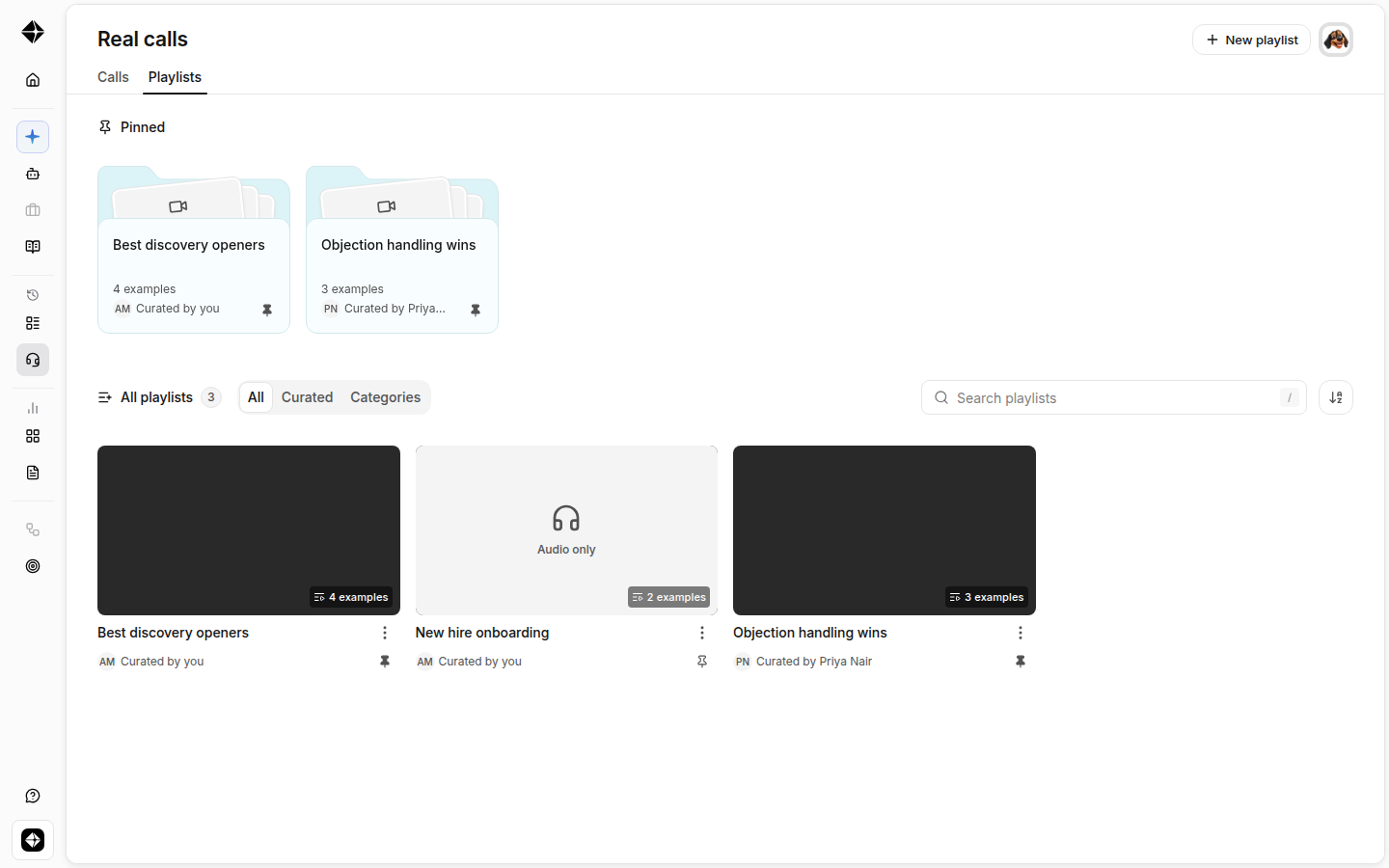
The Playlists tab of the Real Calls library shows every playlist in your organization. It includes a pinned shelf at the top for the playlists your team wants front and center, the full list below with who curated each one, and a + New playlist button.
FAQ
Who can create and edit playlists?
Creating, editing, and pinning playlists requires playlist-management permission. Everyone in your organization can browse and play playlists they have access to.
Does adding a call to a playlist change who can see it?
No. Your organization’s call-visibility rules still apply. If a playlist contains a call someone doesn’t have access to, that call stays hidden from them.
Is there a size limit?
A playlist can hold up to 500 items, including calls and clips.
What happens to my existing roleplay playlists?
Nothing changes. Roleplay playlists continue to work as before; real-call playlists live in the Real Calls library alongside them.