Deal Coaching: Automatic pre-call prep in Slack
Last updated: August 11, 2026
What it is
Deal Coaching automatically prepares you for upcoming sales. When Slack, your CRM, and your calendar are connected, Hyperbound spots your scheduled calls, pulls together the deal's history, and sends you a prep brief in Slack before each one — so you walk in warmed up and rehearsed for the hard questions.
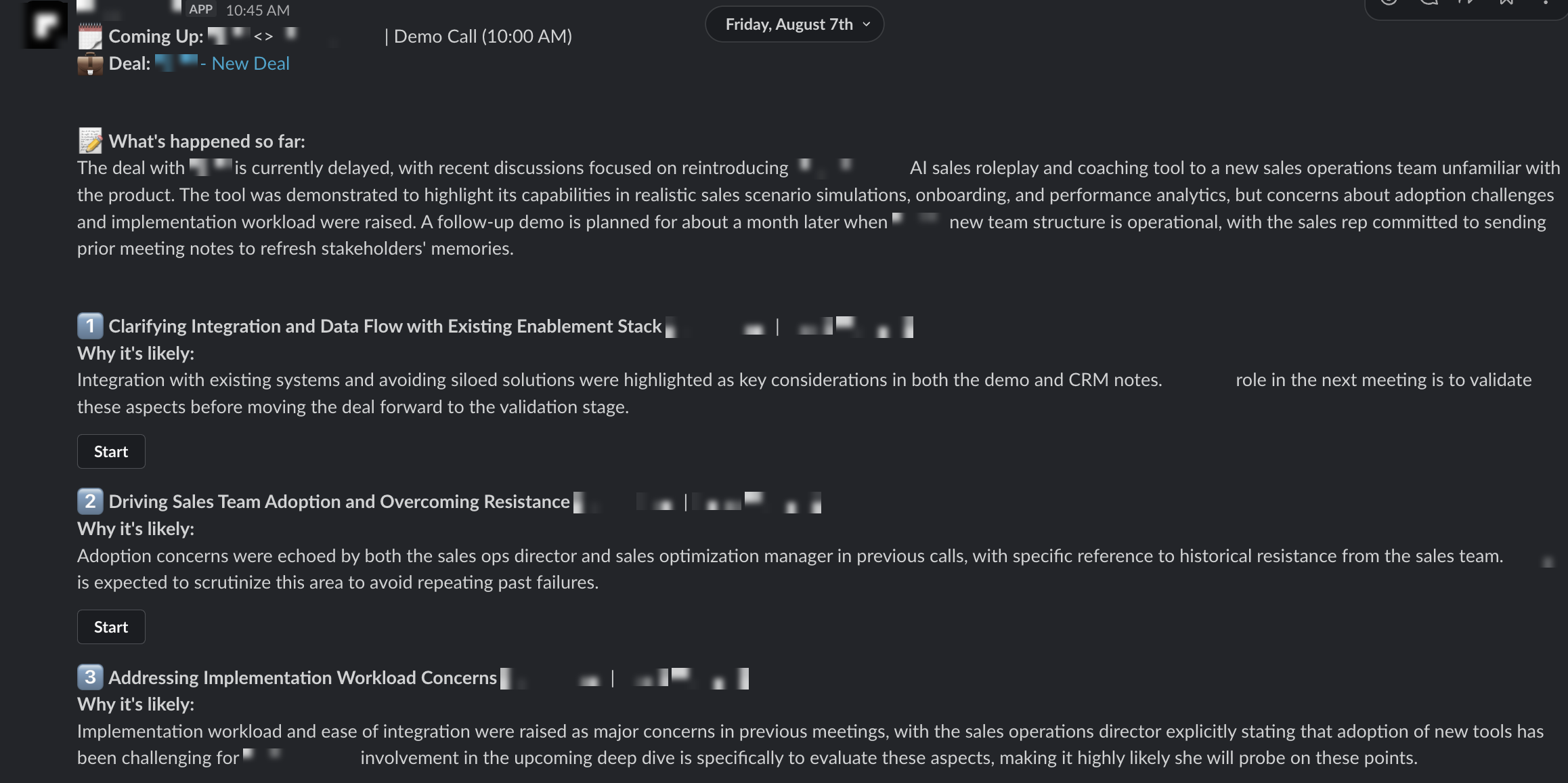
What's in a brief
Call header — the meeting name, time, and a link to the deal in your CRM.
What's happened so far — a short recap of the deal's stage, recent discussions, and next steps.
Likely questions — a ranked list of what each stakeholder is most likely to raise, each with a "Why it's likely" note citing the transcript or CRM detail behind it.
Practice buttons — a Start button next to each topic launches an AI roleplay so you can rehearse your response before the call.
What to connect
Connect all three under Settings → Integrations:
Calendar — so Hyperbound knows which calls are coming up.
CRM — so it can match each call to a deal and read its history.
Slack — so it can send you the brief.
Once all three are connected, Deal Coaching runs automatically — there's nothing to trigger manually.
What it Looks Like
Troubleshooting
Not getting briefs?
Confirm all three integrations are still connected and authorized, and that the call is on your calendar and linked to a deal in your CRM.
Brief missing the summary or questions?
Hyperbound couldn't find enough deal history — check the call is matched to the right CRM record..
📄 Slack x Hyperbound: Getting Started with Kota in Slack
Still stuck? Contact our support team. Support@hyperbound.ai