Turn Timeout
Last updated: June 9, 2026
Controls how long a bot waits for the rep to respond before it follows up or takes its turn. Raising it makes the bot more patient, so it stops jumping in or asking "Are you there?" when a rep pauses to think.
Where to find it
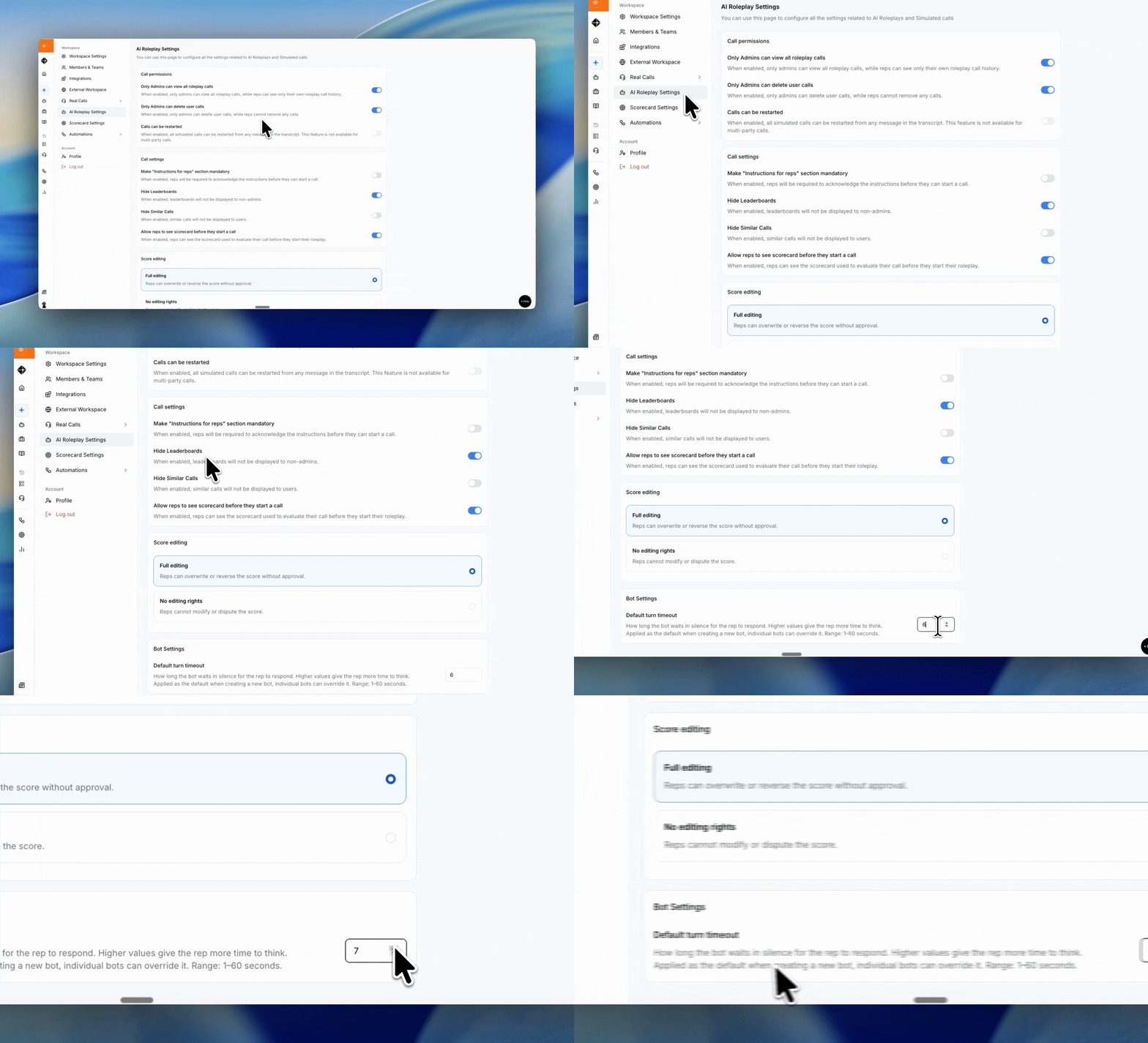
Set the Default for All Bots
Go to AI Roleplay Settings → Bot Settings
Find Default turn timeout
Enter the number of seconds the bot should wait before following up
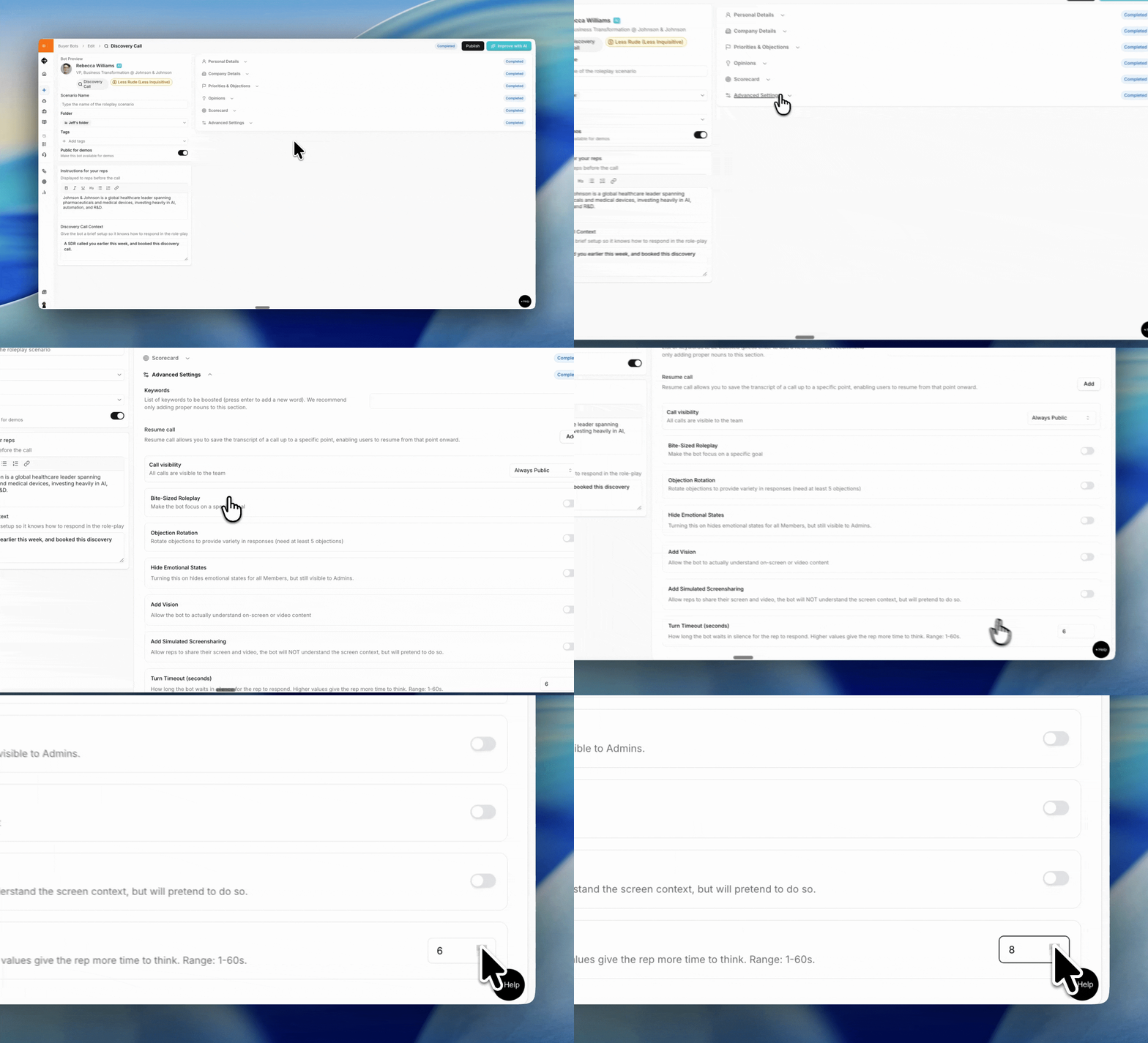
Set the Turn Timeout for a Single Bot
Open the bot you want to adjust
Go to the bot's Advanced settings
Set the turn timeout for that bot
Recommended values
3 to 5 seconds: snappy, high-energy prospects who keep the pressure on
6 seconds (default): balanced pacing that works for most roleplays
8+ seconds: discovery, complex objection handling, or scenarios where long pauses are expected
Good to know
The setting applies either org wide or per bot, so you can tune it for the scenario you are training.
FAQs
I changed the default but one bot didn't update.
That bot has its own turn timeout set, which overrides the default. Update it from the bot's Advanced settings.
Does this affect scoring?
No. Turn timeout only controls call pacing, not how the call is evaluated.
Still need help?
Contact support@hyperbound.ai