How To: Build Your First Bot
Last updated: September 30, 2026
A bot is an AI buyer your reps practice calls with. Reps talk to it live, and every call is scored against the scorecard you attach.
Ways to build
Option | How it works |
|---|---|
From scratch | Describe the buyer and fill in the Bot Builder. Covered below. |
From your scorecard | Already have a scorecard? Build the buyer around it. Ask Kota to generate a bot for you based on an already published scorecard. Make sure to include information about the persona details. |
With Kota | Describe the buyer in chat and Kota fills in the form. See How To: Create Bots and Scorecards Using Kota. |
Step 1: Start a new bot
Go to AI Roleplay.
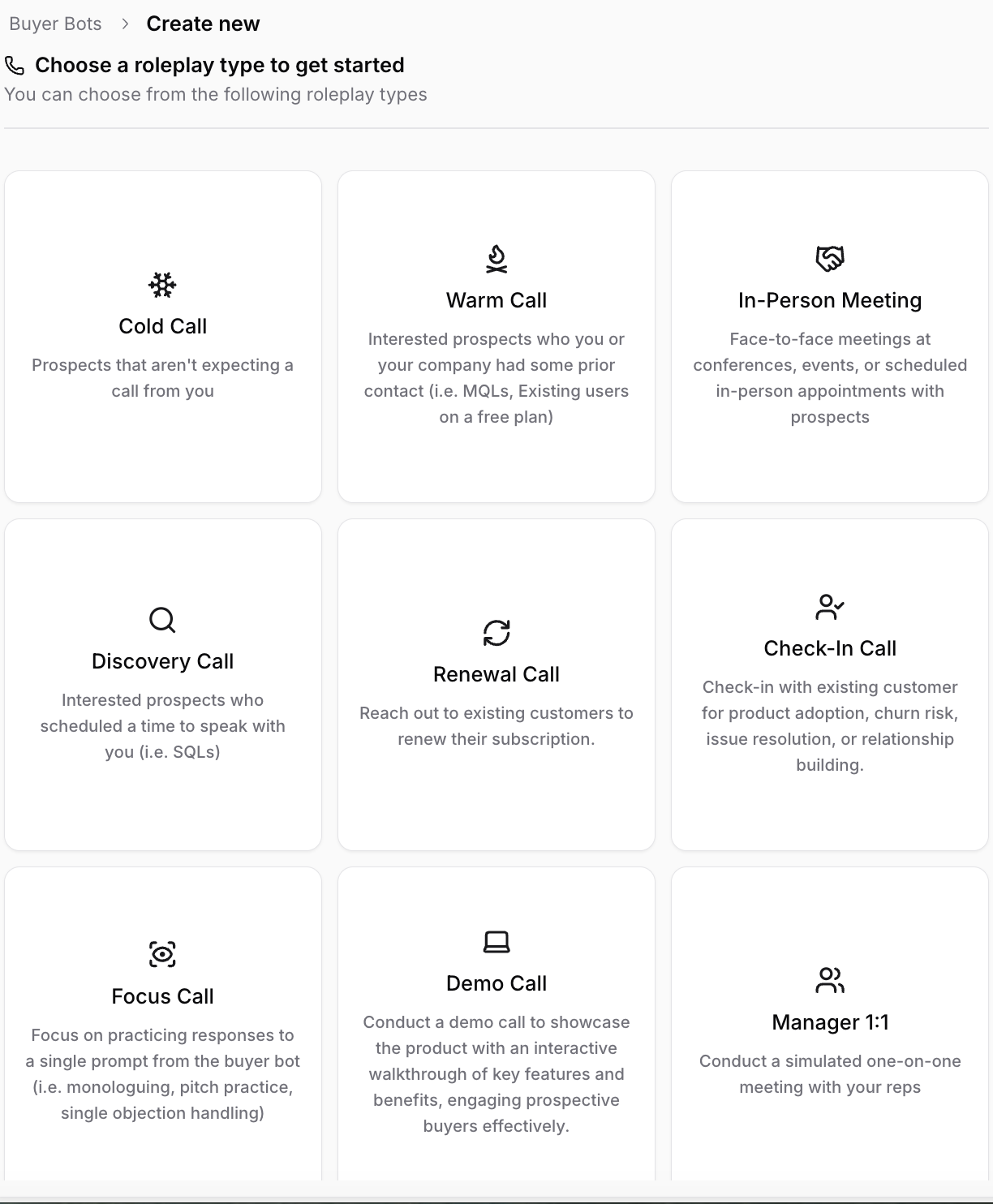
Click Create Bot.
Pick a call type
Step 2: Describe the buyer
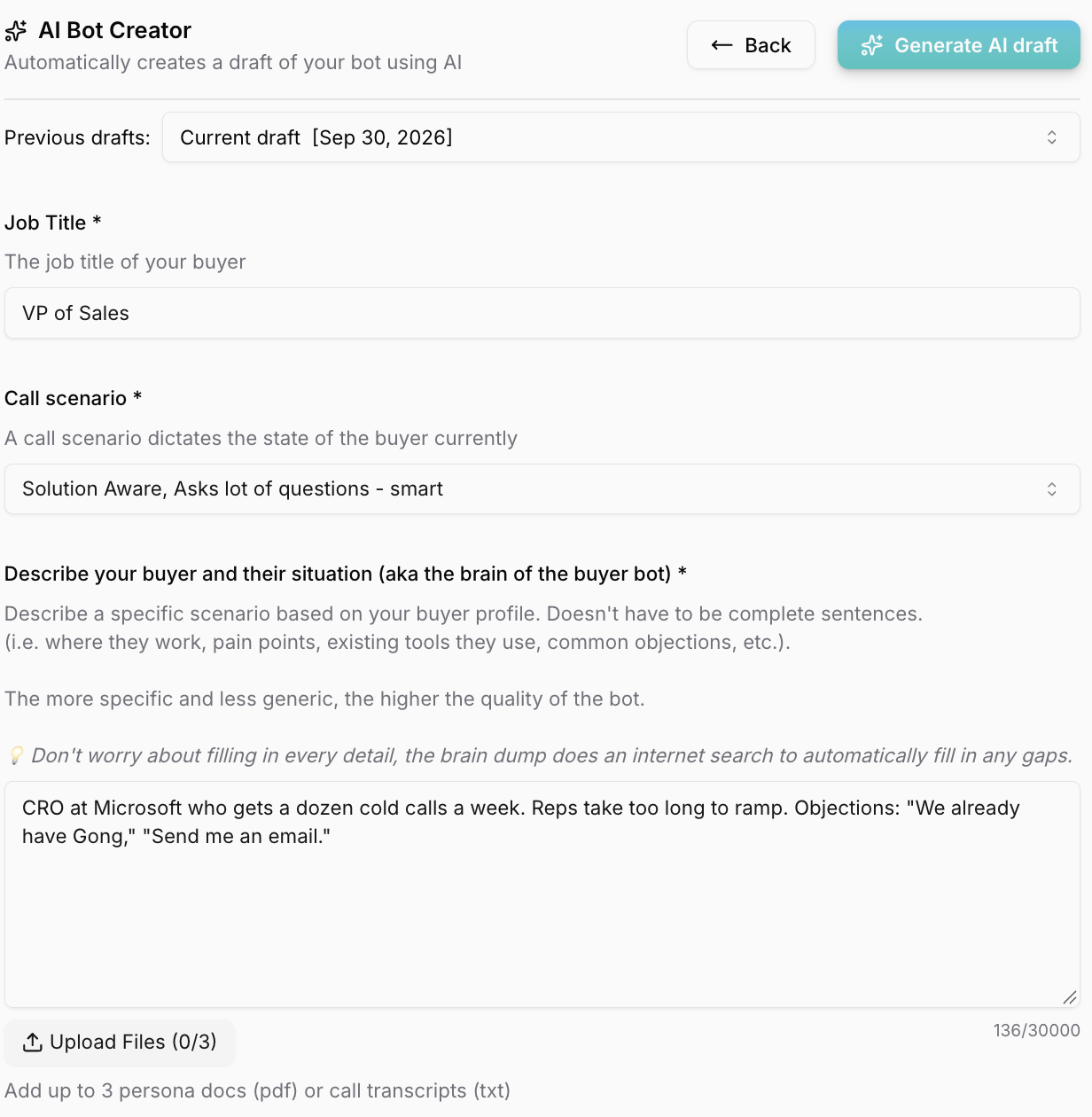
Fill in:
Job Title: for example, VP of Sales
Call Scenario: for example, time-constrained or using a competitor
Company Name: use a real company. Hyperbound fills in the details.
Product Description: one or two lines on what you sell
Bot Description: who the buyer is. Include their situation, pain points, and objections.
Example: CRO at Microsoft who gets a dozen cold calls a week. Reps take too long to ramp. Objections: "We already have Gong," "Send me an email."
Optional: click Upload Files to add up to three docs, like call transcripts or persona docs. Hyperbound pre-fills the bot from them.
Click Generate.
Step 3: Review the bot
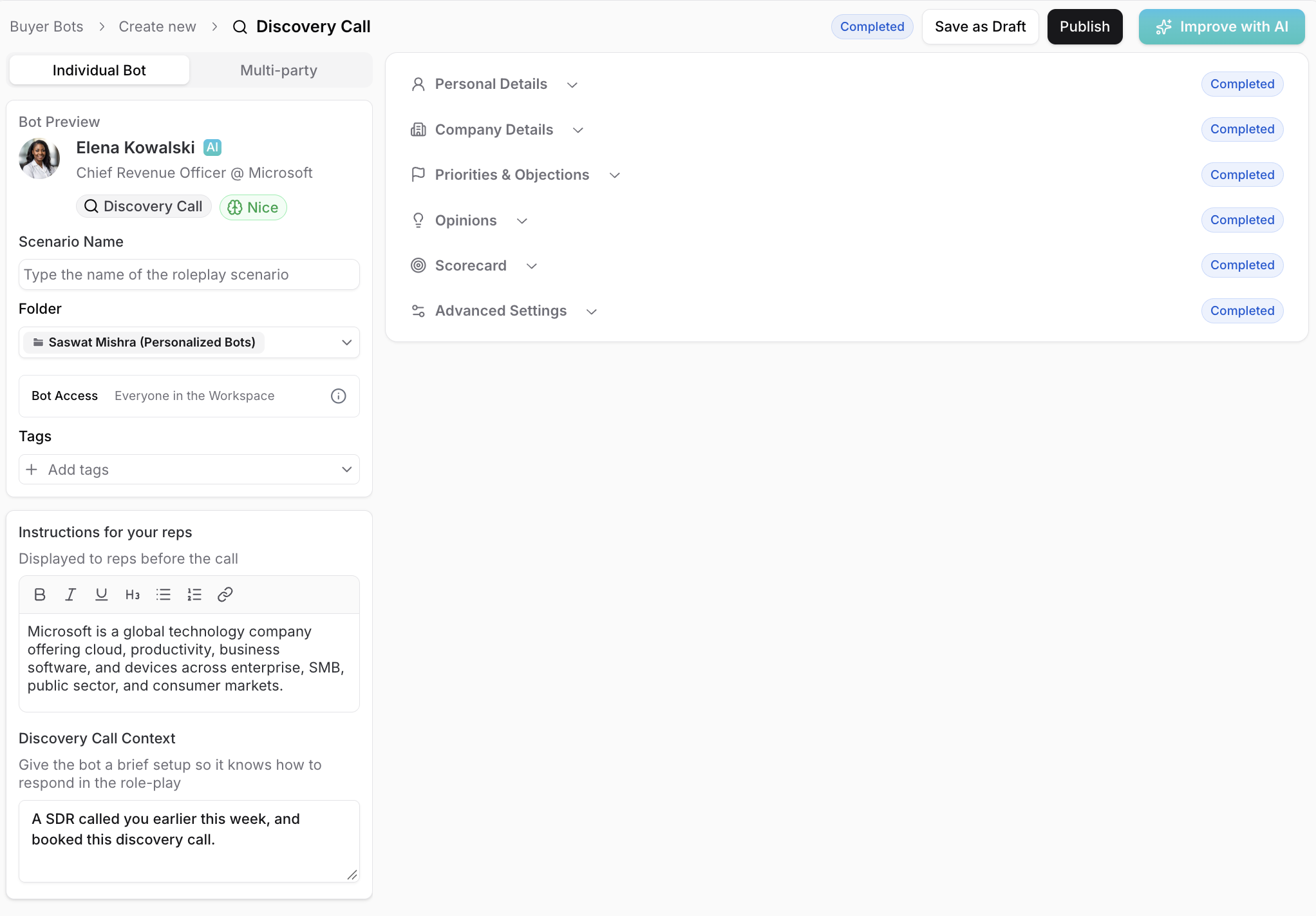
Check each section before you publish:
Personal Details: set Emotional State from Kind (easy) to Rude (hard).
Priorities & Objections: the most important section. Add the objections your reps hear.
Scorecard: pick the scorecard reps are graded on.
Tip: write fields as if talking to the bot. "You are skeptical of new tools," not "They are skeptical."
Step 4: Publish and test
Save as Draft keeps it private to admins. See How To: Save and Manage Draft Bots.
Publish makes it live for reps.
Take one good call and one bad call with the bot before sharing it. If it doesn't sound like your buyer, keep editing by adding/taking away details to make it more specific. Pro tip is to use Kota!
If you have any other questions, feel free to reach out to the Hyperbound team, either via the chat button, or email us at help@hyperbound.ai.