How To: Set up integration
Last updated: November 17, 2025
In this article, you’ll learn how to set up integration on Hyperbound. By integrating your existing call platforms with Hyperbound, you can seamlessly bring real customer conversations into one place for smarter, data-driven sales training. This allows Hyperbound to automatically score and analyze actual live calls so teams get coaching that reflects real scenarios, real objections, and real performance.
You can quickly access the Integrations page here: hyperbound.ai/integrations
Step 1. Open Workspace Settings
From the organization dropdown at the top left of your screen, click Workspace Settings.
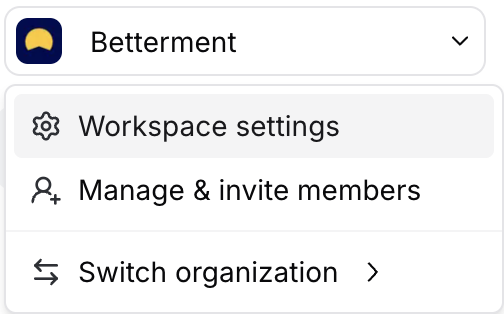
Step 2. Go to the Integrations Tab
In the sidebar, click Integrations
Select New Integration at the top left of your screen .
Step 3. Choose Your Provider
You’ll see a list of available integration options.
Select the provider you want to connect.
📝 Notes
Make sure you have the necessary admin or integration permissions on your external platform.
You can disconnect or reconnect integrations anytime from the same page.
If you have any other questions, feel free to reach out to the HyperBound team, either via the chat button, or email us at help@hyperbound.ai.