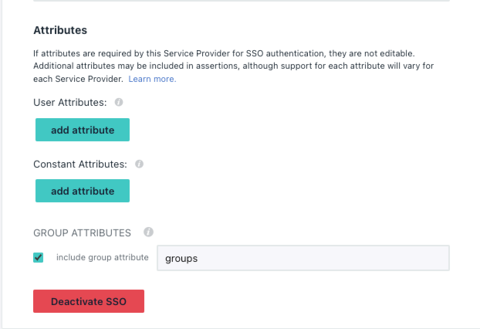
How To: Ingest User Attributes From SSO
Last updated: June 23, 2026
You can send any customer attributes from your SSO onto Hyperbound. This is applicable for all SSO.
Prerequisites
Must be an admin + need the help of your IT admin
Active SSO connection
SCIM must be enabled for the workspace.
Reach to the support team if SCIM/ SSO needs to be enabled
Step 1: Create a new Attribute
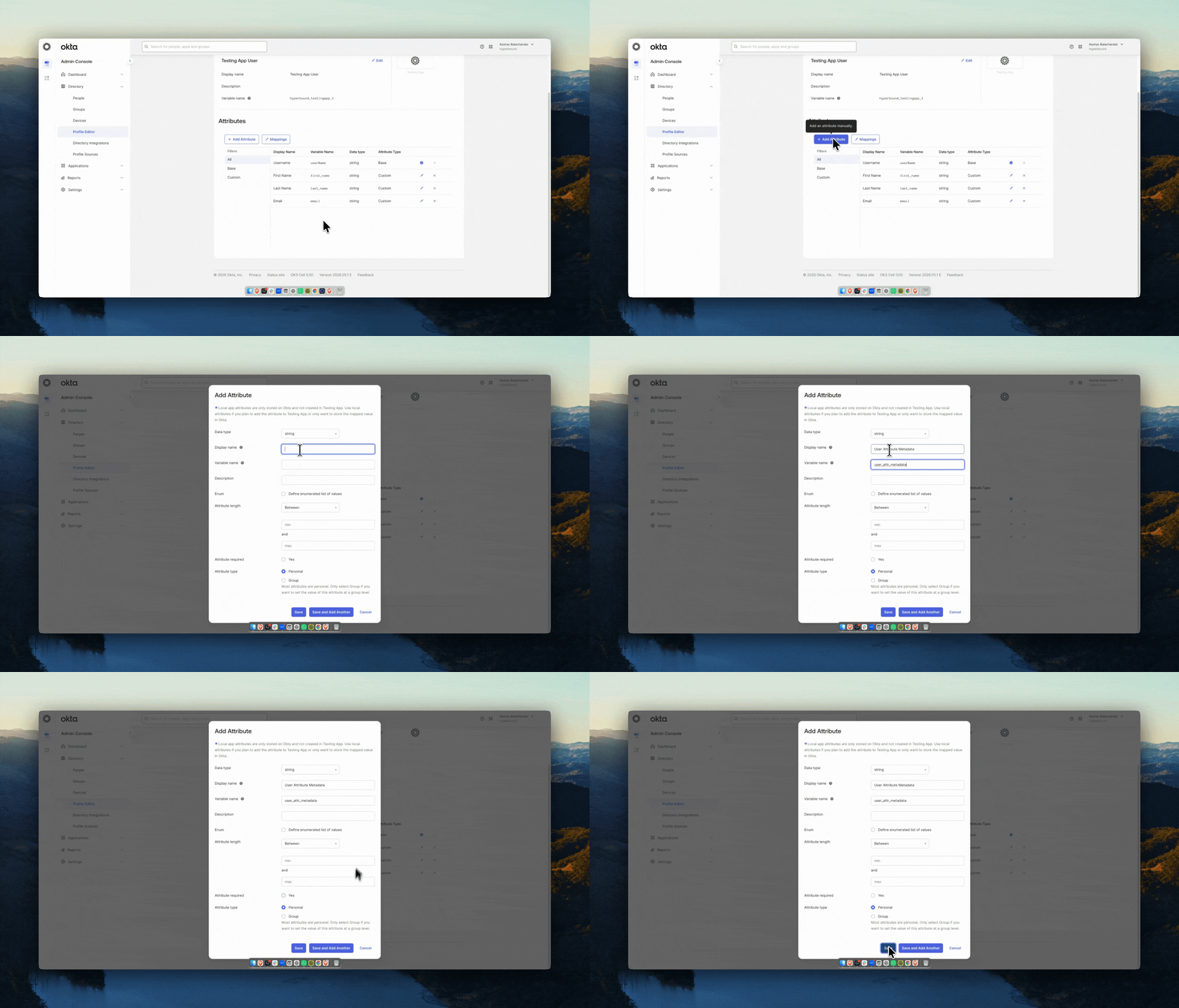
Create a new attribute called user_attr_metadata
Step 2: Create a mapping
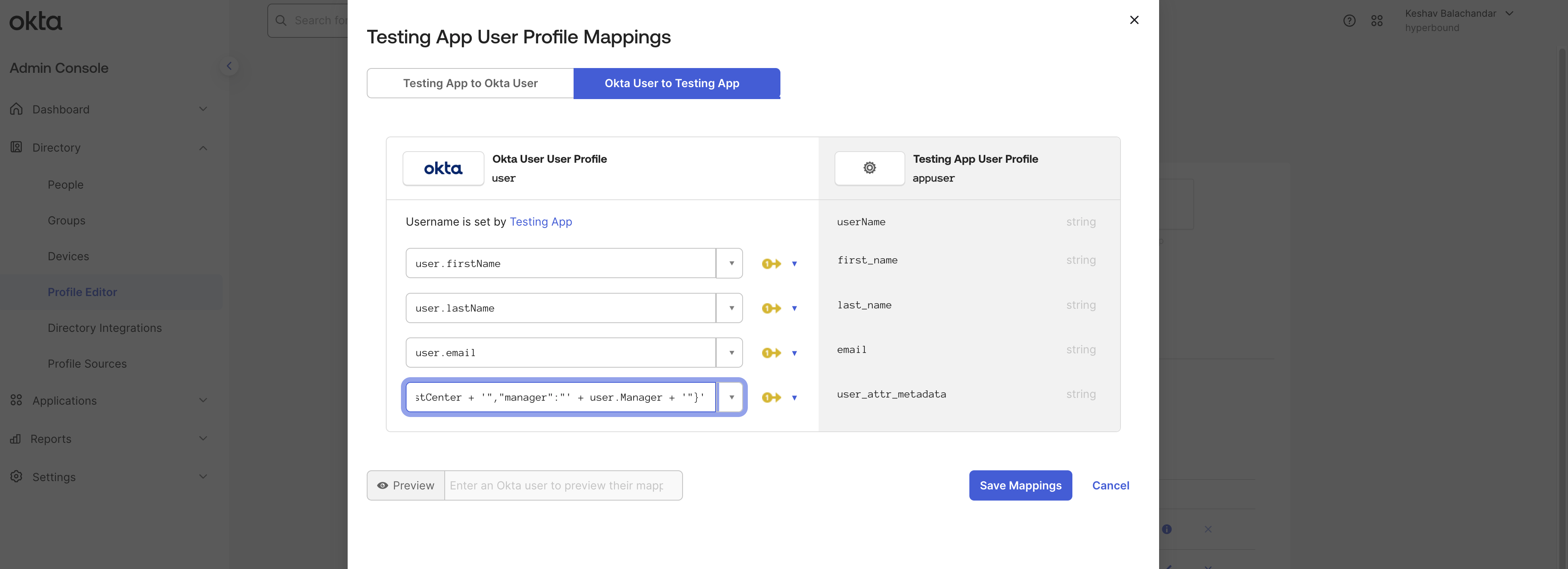
Add user_attr_metadata as an Attribute Statement in your IDP's SAML configuration (not the profile mapping screen), and set the value to a stringified JSON expression.
Here's an example:
'{"cost_center":"' + user.costCenter + '","manager":"' + user.Manager + '"}'User Attributes in the members page
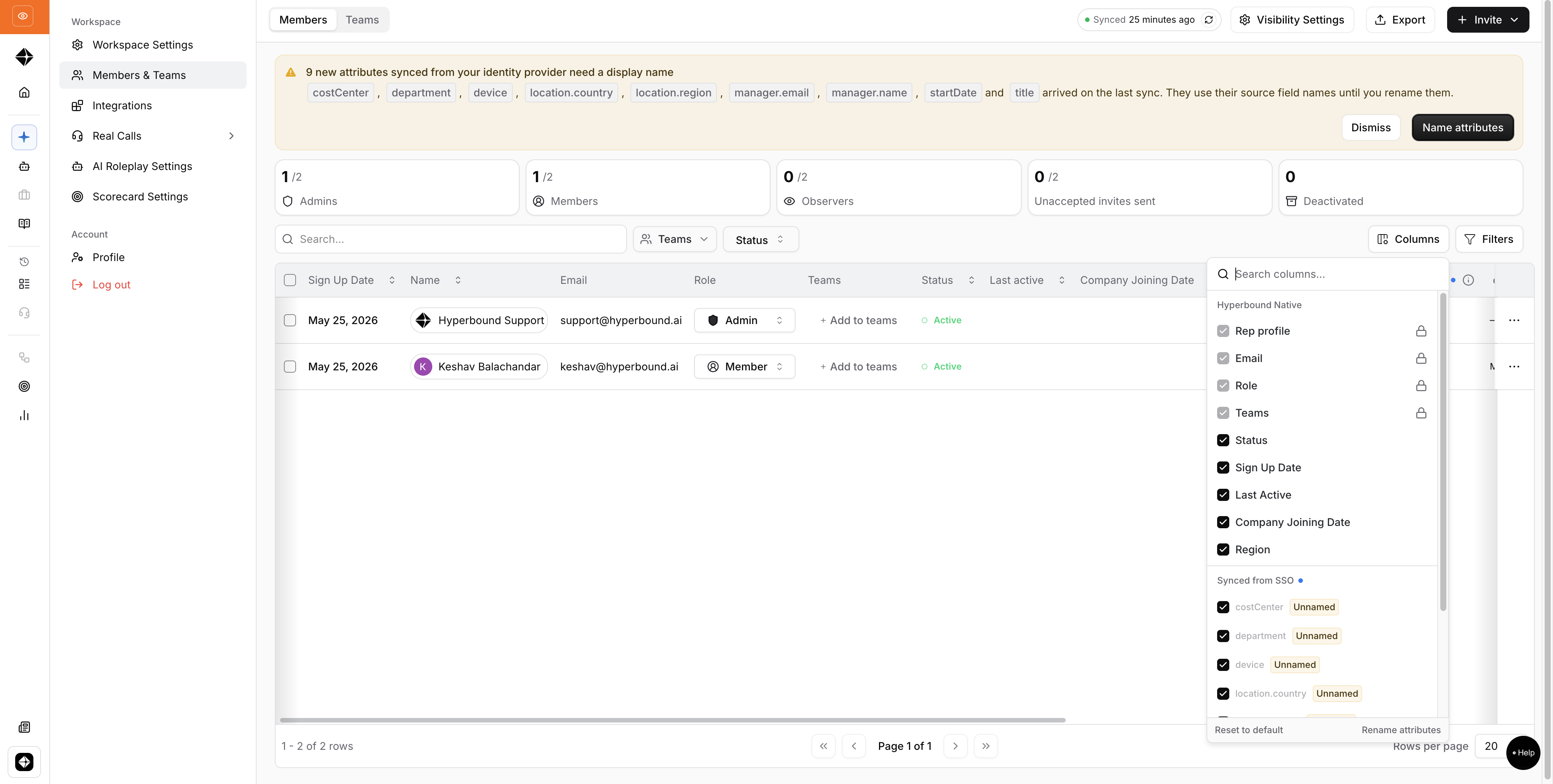
All the attributes sent through the user_attr_metadata is shown separately from the Hyperbound's Native attributes.
Examples
Okta
Creating an Attribute
JumpCloud