How To: Create Variations of a Bot
Last updated: August 25, 2026
What are Bot Variations?
Bot Variations let you create multiple versions of a single parent bot, each with different characteristics different avatars, voices, emotional states, call types, or scenarios. All variations share the same core personality and knowledge as the parent bot, but differ in surface-level traits. This is useful for:
A/B testing different bot personas with your team
Scaling a single bot across different industries or scenarios
Simulating a range of buyer personalities without rebuilding from scratch
How to Create Variations
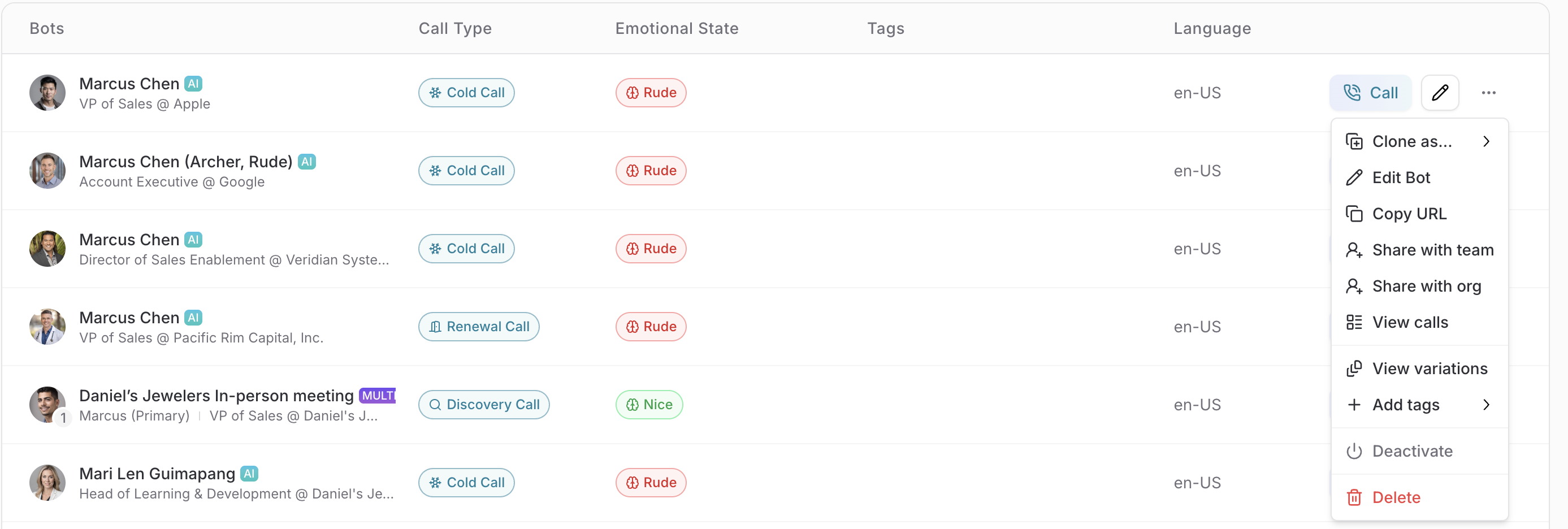
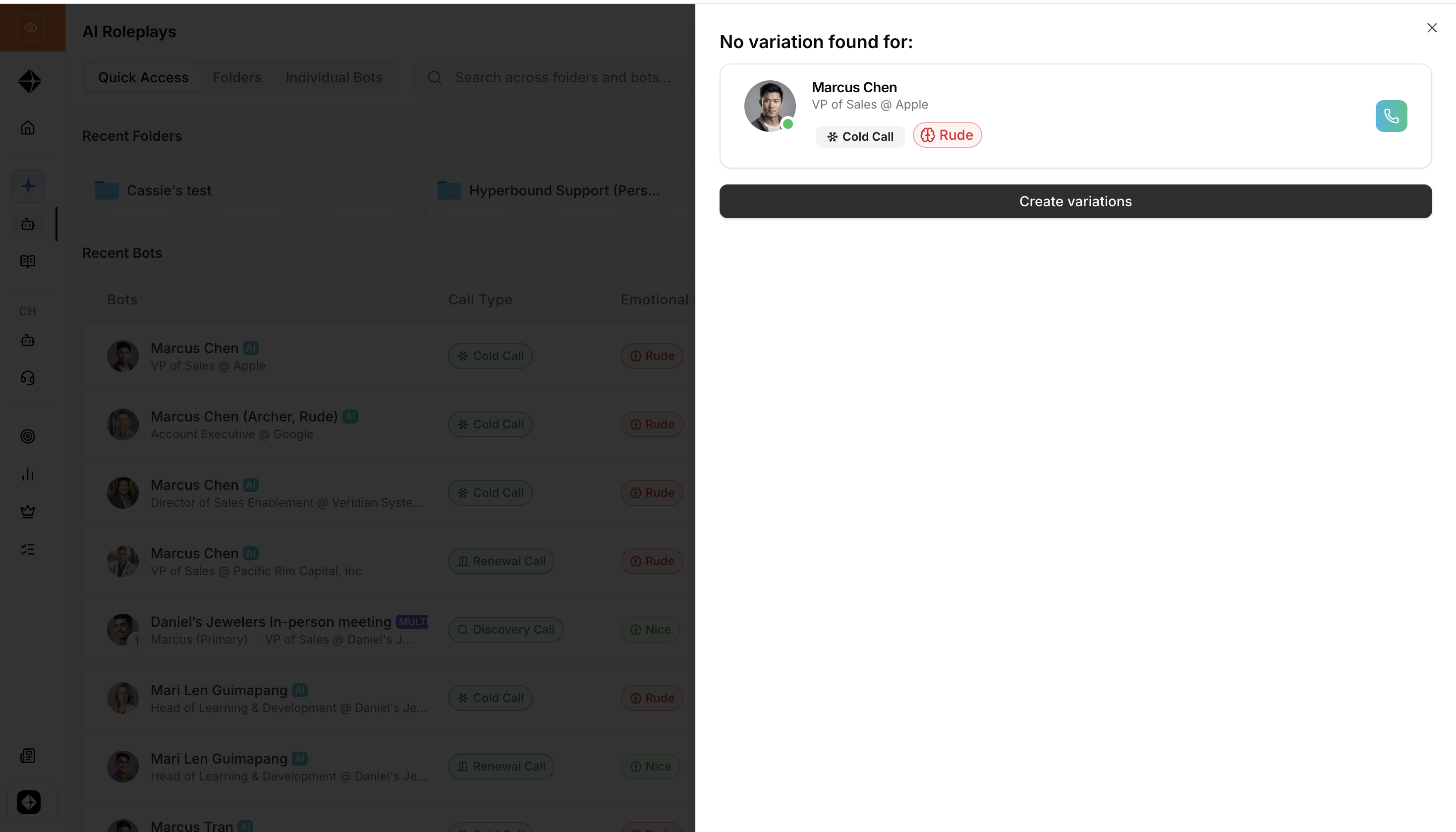
Go to the AI roleplay page. Select the bot you want to create variations of then click the ... beside the edit icon, select View Variations in the left navigation. Then click create Variation.
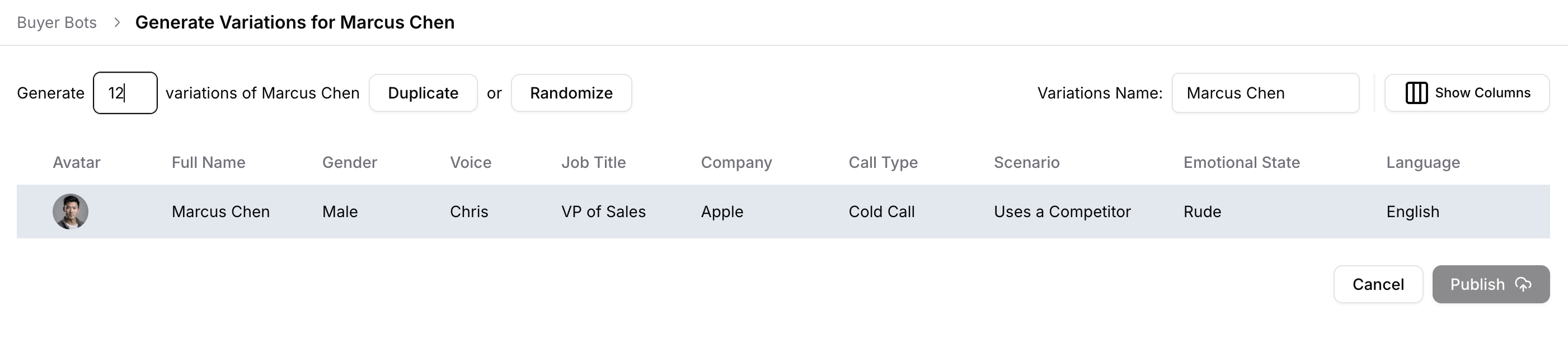
Choose the number of variations to generate (1- 99).
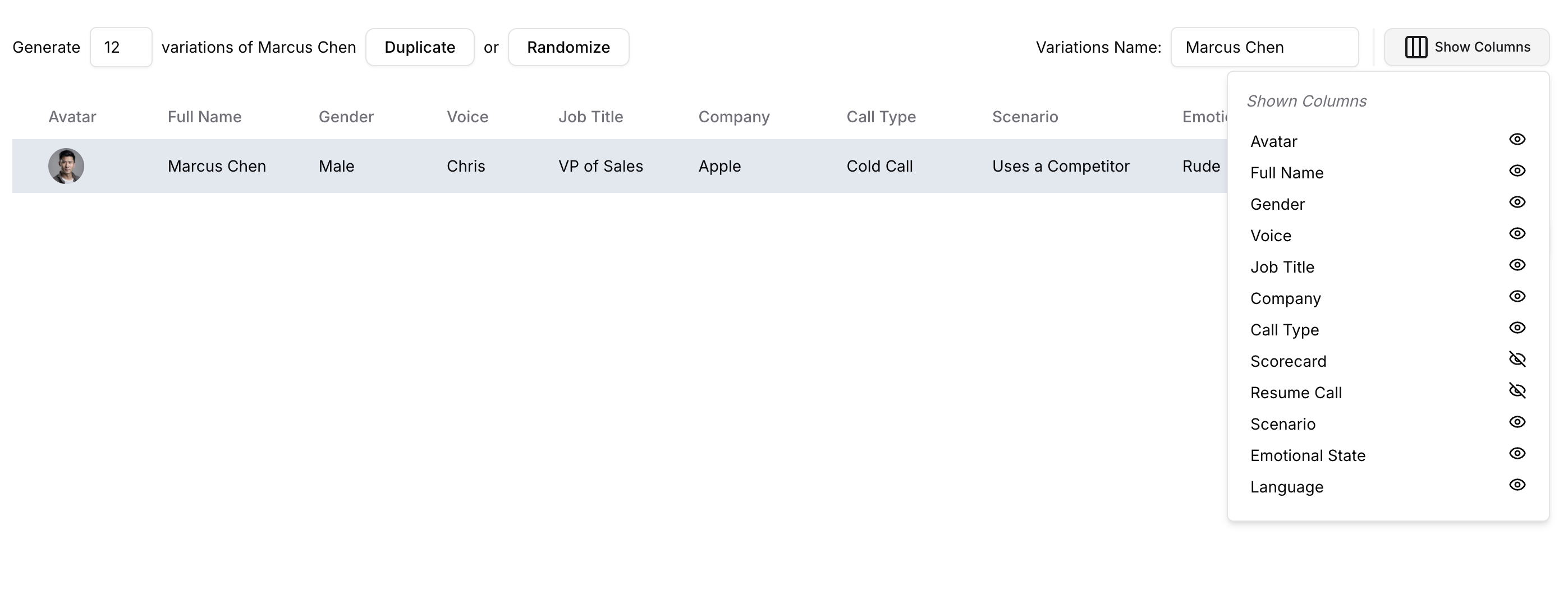
Select which properties to randomize across the variations using the "Show Columns"
Avatar & Gender
Voice
Emotional State
Call Type
Scenario / Research
Choose between:
Random variations each variation gets independently randomized traits

Duplicate variations variations stay close to the parent's profile
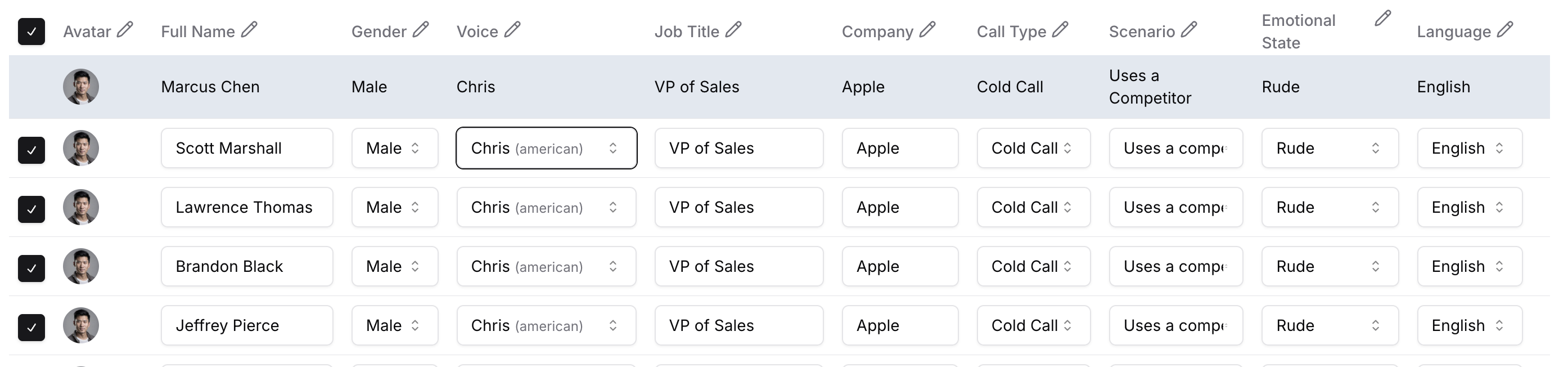
Give the variation set a name to identify it.
Review and edit individual variations in the table view before saving.
Publish and the system creates new bot records linked to the parent.
What Each Variation Can Have
Variation-specific (unique per variation):
Property Customizable | |
Name | Yes |
Avatar / Gender | Yes |
Voice | Yes |
Emotional State | Yes |
Call Type | Yes |
Scenario / Research | Yes |
Job Title | Yes |
Company Name | Yes |
Scorecard Config | Yes |
Language | Yes |
Inherited from parent (synced automatically):
These fields always stay in sync with the parent. When you update the parent bot, these cascade to all variations:
Opener line
Objections, goals, opinions
Company details & org structure
Personal details
Description
Custom roleplay settings
Managing Variations
Editing a variation: Open the variation set from the Variations page. Click on any row in the table to edit that specific variation's properties.
Updating the parent: When you save changes to the parent bot, all inherited fields automatically update across every variation. Variation-specific fields (voice, name, avatar, etc.) are preserved.
Deleting a variation: From the variation table, use the delete action on the row. Deleting a variation does not affect the parent or other variations.
Renaming the variation set: You can rename the entire set at any time from the Variations page. This updates the variationName label shared across all variations in the set.
Tips
Start with a fully configured parent bot before creating variations all variations inherit the parent's core content.
Use variation sets to test how different buyer personas respond to the same rep pitch.
If you need language-specific bots (e.g., a Spanish version), use Multilingual Bot language variants instead of manual variations those are purpose-built for language differences.
Troubleshooting
My variations aren't updating when I edit the parent. → Only inherited fields sync. Variation-specific fields (voice, avatar, etc.) are intentionally preserved. Check the tables above to confirm which fields cascade.
I can't find my variation set. → Go to the Variations page directly. Variation bots are separate records and may not appear in the main bot list depending on your filter settings.