Pre-Call Recording Consent
Last updated: July 21, 2026
Get clear, upfront recording consent from the people on your calls — automatically. When it's on, external guests see a short Hyperbound page before joining, where they choose whether the call can be recorded. It's the compliant way to record when your organization or region requires notifying and getting agreement first, without reps having to remember to ask.
What your guests see
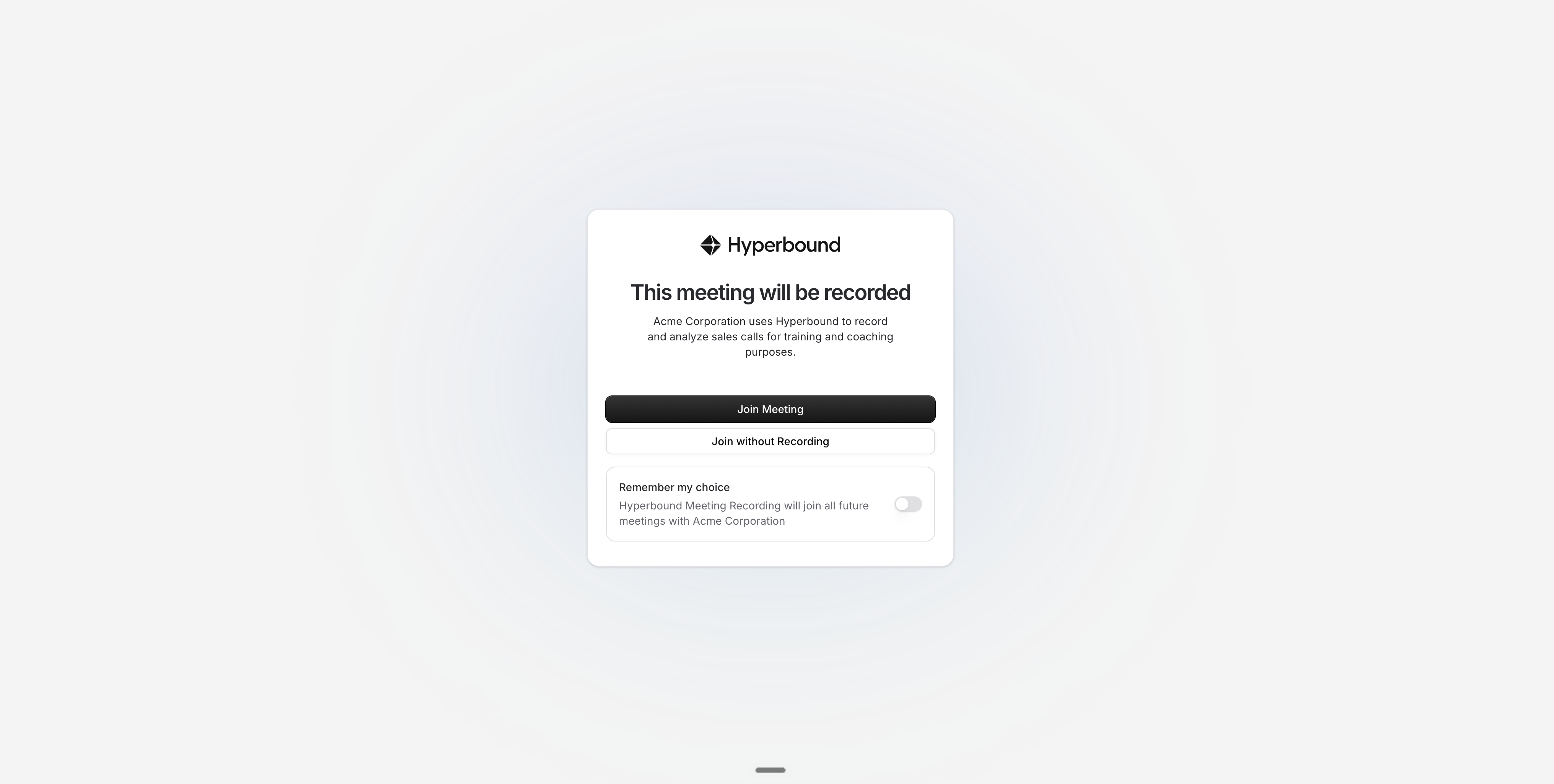
The normal join link on a rep's invite is swapped for a Hyperbound link. Clicking it opens a page titled "This meeting will be recorded" with two choices:
Join Meeting — enters the call with recording on.
Join without Recording — enters the call, but nothing is recorded.
Either choice sends them straight into the meeting. Guests can tick Remember my choice to skip the page on future meetings with your company. Anyone signed in to Hyperbound is treated as internal and sent straight through.
Turn it on (admins only)
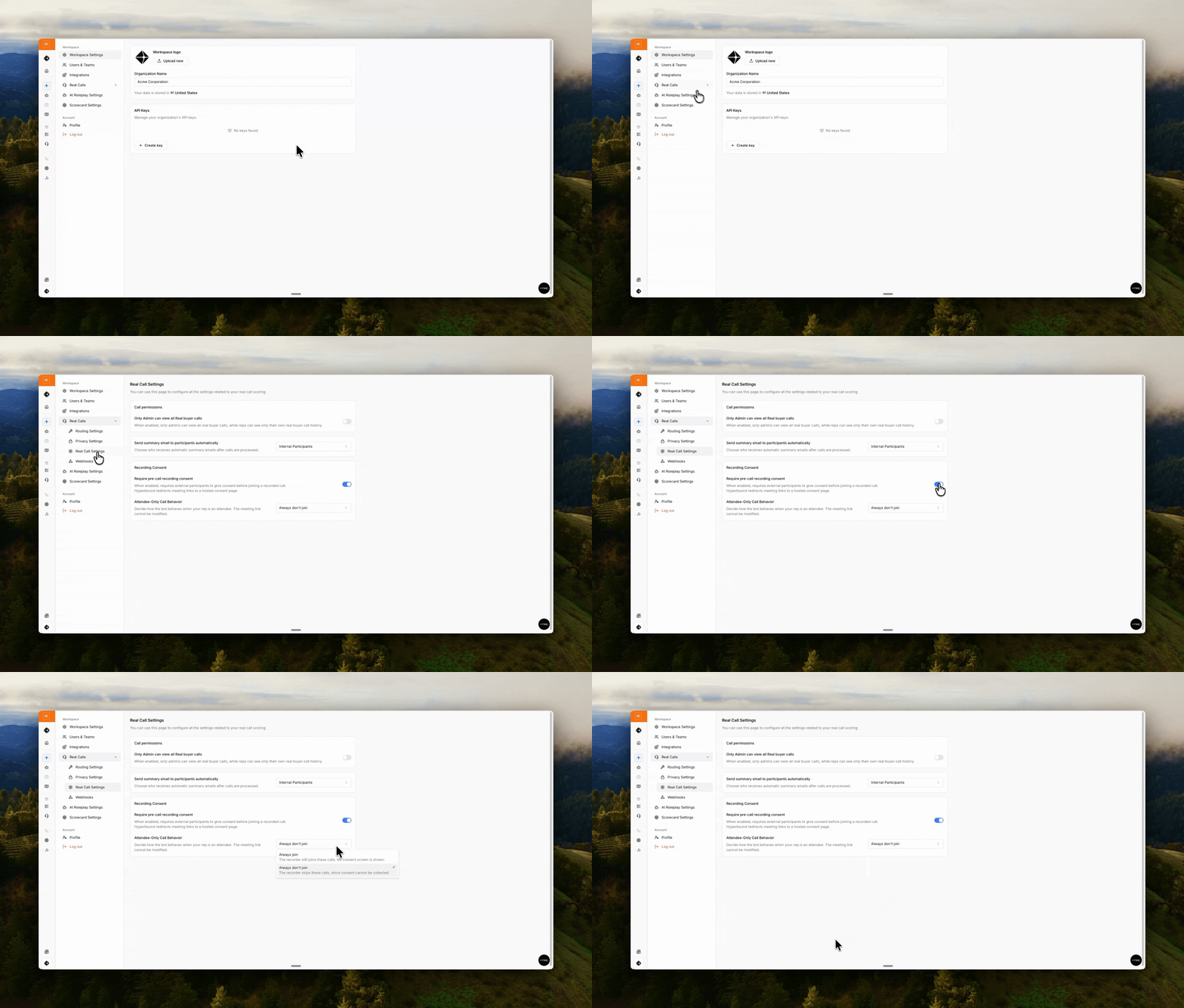
This is an org-wide control that reps can't override.
Go to Real Call Settings.
Under Recording Consent, turn on Require pre-call recording consent.
Meetings your rep doesn't organize
Links can only be swapped on invites your rep owns. When your rep is just an attendee, admins choose what happens with Attendee-Only Call Behavior: Always join (records, no consent page) or Always don't join (skips the call).
Reconnect your calendar (each rep, once)
Swapping links needs permission to edit calendar events. After consent is turned on, each rep reconnects their calendar and grants the edit permission. Until they do, you'll see a "Calendar re-authentication required" note and the recorder won't join their calls.
When someone declines
The recorder stays out of (or leaves) the meeting, so nothing is recorded.
The meeting's owner gets an email that a participant declined consent.
Good to know
Available meeting platforms: Google Meet, Zoom, and Teams.
The rep must be the organizer for the link to be swapped — otherwise the attendee-only setting applies.
The recorder only joins after a guest allows recording.
"Remember my choice" is saved per browser — a different browser or device shows the page again.
Turning it off restores the original meeting links on upcoming invites.
Reach out to support@hyperbound.ai if you need more deets!